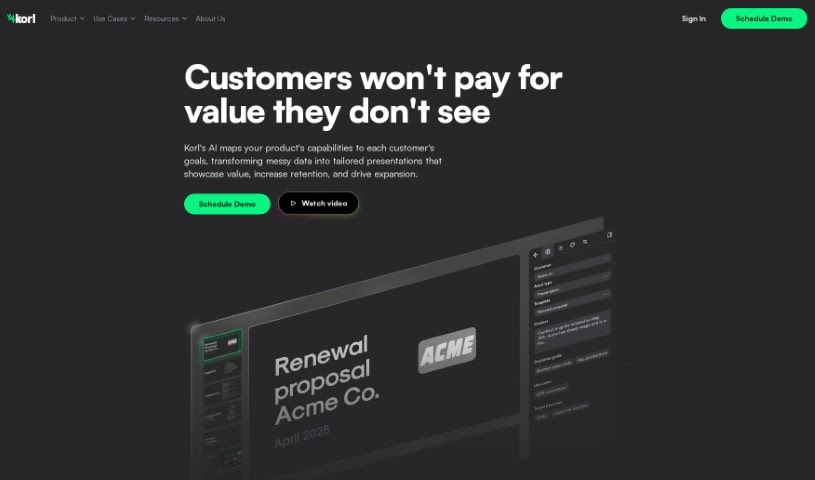
What is Korl?
Korl is a product management tool that uses artificial intelligence to connect smoothly with platforms you already use, like JIRA, Google Drive, and Figma. It is a smart assistant that helps you build detailed roadmap presentations and product updates without all the usual hassle. It’s really good at gathering and summarizing all your product roadmap information. Plus, Korl can automatically create customized presentations that are just right for different audiences and whatever you need them for. It helps you get everyone on the same page quickly, generates content for you, and makes it easy to move away from using spreadsheets, which really boosts collaboration and makes decisions smoother.
Who created Korl?
We don’t have details on who founded Korl or specific company information, as the founder’s identity and company details weren’t provided. It was launched on April 5, 2024.
What is Korl used for?
Korl can help you with a variety of tasks, making your product management work much smoother:
- Create roadmap presentations for customers, organized by time or theme.
- Generate yearly or quarterly roadmap presentations for your internal teams.
- Develop product roadmap presentations to keep colleagues updated on recent progress and future plans.
- Produce slides showing sprint priorities for review with your scrum teams.
- Create weekly update summaries that you can easily post to email or Slack.
- Equip Go-to-Market (GTM) teams with presentations about recent or upcoming releases.
- Share your product’s direction with customers using the dedicated External Roadmap template.
- Keep the company informed about product plans with the Internal Roadmap template.
- Support GTM teams in selling and supporting key changes using the Release Review template.
- Inform leadership about product progress with the Status Update template.
- It’s great for creating comprehensive roadmap presentations.
- It automatically fills presentations with the latest data from tools you’ve connected.
- You can customize presentations for different audiences and specific needs.
- It helps create roadmap presentations by pulling together data from tools like JIRA, Google Drive, and Figma.
- It supports real-time updates in your presentations by syncing the newest data.
- It improves how stakeholders align by sharing information clearly through roadmap presentations.
- It makes transitioning from spreadsheet data to roadmap presentations much more efficient.
- It offers handy templates for different situations, like internal roadmaps, release reviews, and status updates.
- It integrates with Google Drive to sync relevant data.
- It uses AI to make the data in your presentations even better.
- You can customize presentations for different audiences.
- It’s designed for creating roadmap presentations.
- You can easily switch between different templates.
- It lets you customize the content within them.
- You can use your own data during the trial period.
- It supports real-time updates in presentations.
- It helps enhance stakeholder alignment.
- It makes transitioning from spreadsheet data to roadmap presentations easier.
- It helps create various presentations for different audiences.
- It offers templates for different use-cases.
Who is Korl for?
Korl is designed to help a range of professionals involved in product development and management:
- Product Manager
- Project Manager
- Business Analyst
- Software developer
- UX/UI Designer
- Marketing Manager
- Sales Engineer
- Stakeholder Relations Manager
- Data Analyst
- Operations Manager
How to use Korl?
Here’s a straightforward guide to using Korl effectively:
- Start a Trial:
- Head over to the Korl website and click ‘Try for Free.’ This will kick off a 2-week trial period so you can explore everything.
- Integrate Your Tools:
- Connect platforms like JIRA, Google Drive, and Figma. This lets Korl automatically pull in the latest information to populate your presentations.
- Create Presentations:
- Use Korl’s AI technology to build product presentations that are specifically tailored for different audiences and whatever you need them for.
- Customize Content:
- You can easily tweak the content with just a few clicks, adjusting it based on the specific audience and the scenario.
- Benefit from Templates:
- Korl provides a variety of templates for things like status updates, product meetings, sales pitches, and more. Feel free to switch between them as your needs change.
- Real-Time Updates:
- Because Korl integrates with tools like JIRA, Google Drive, and Figma, your presentations stay current with real-time updates.
- Enhance Stakeholder Alignment:
- Use Korl to get your stakeholders aligned more efficiently. The structured roadmap presentations help speed up decision-making and improve how everyone works together.
- Transition from Spreadsheets:
- Move smoothly from your spreadsheet data to enhanced roadmap presentations and product updates, all thanks to AI-generated content.
By following these steps, you can really make the most of Korl. It’s a great way to simplify your product management tasks and create dynamic, up-to-date presentations that perfectly suit your audience.