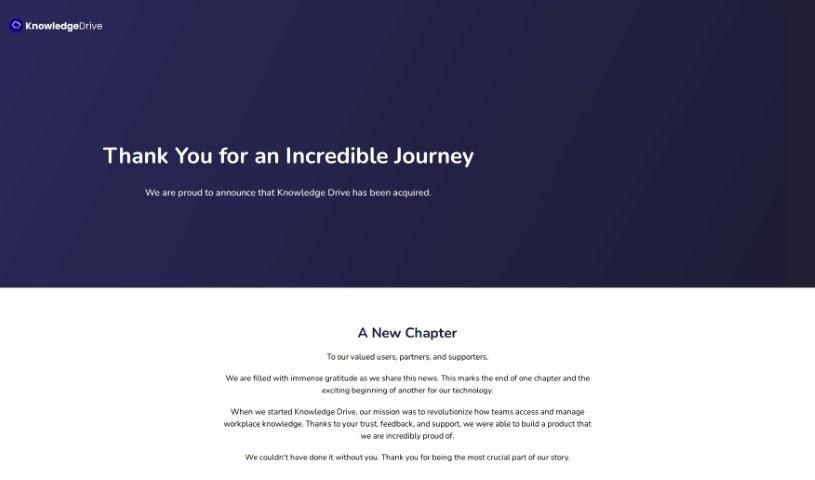
Screenshot of Knowledge Drive

Knowledge Drive

Discover what Knowledge Drive is and how to use it effectively in 2025. We'll explore its features and see how it stacks up against other documentation tools.

Screenshot

What is Knowledge Drive?

Knowledge Drive is an AI-powered platform designed to make your team’s knowledge more accessible. It is a smart assistant that helps organize all your work information, from documents and presentations to emails. It automatically pulls this knowledge together, so you don’t have to spend time manually entering or updating it. This means less time spent answering the same questions over and over, less manual documentation work, and less worry about losing important team knowledge. It’s built to work smoothly with tools you probably already use, like Microsoft Office 365, Google Workspace, and Slack, bringing your work knowledge right to you as you go about your day. It’s especially helpful for growing companies, small businesses, and startups that want to share information better and collaborate more effectively, ultimately leading to smoother workflows.

Who created Knowledge Drive?

A team of people came together to build Knowledge Drive with a clear goal: to make team workflows smoother, boost productivity, and improve collaboration. They launched it on July 31, 2023. This platform acts as an AI knowledge base, automatically pulling and organizing work knowledge from all sorts of places – think documents, presentations, and emails. What sets Knowledge Drive apart from other AI knowledge bases is its strong focus on privacy and its ability to keep the knowledge base updated automatically, meaning you don’t have to do any manual data entry.

What is Knowledge Drive used for?

  • Boosting productivity: It helps teams get more done.
  • Seamless integration: Works well with your existing tools.
  • Streamlining workflows: Makes processes more efficient.
  • Enabling collaboration: Helps teams work together more easily.
  • Extracting work knowledge: Gathers important information from your files.
  • Eliminating repetitive questions: Reduces the need to ask the same things repeatedly.
  • Compatibility: Works with Office 365, Google Workspace, and Slack.
  • Automatic knowledge extraction: Pulls information automatically.
  • No manual documentation needed: Saves you time on data entry.
  • Encourages knowledge sharing: Promotes a culture of sharing information.
  • Enhances team morale: Happier teams often result from better processes.
  • Optimizes workflows: Fine-tunes how work gets done.
  • Unleashes potential: Maximizes the benefits of shared knowledge.
  • Promotes positive behavioral changes: Encourages better work habits.

Who is Knowledge Drive for?

  • Growing Companies
  • Small businesses
  • Startups

How to use Knowledge Drive?

Here’s a straightforward guide to getting the most out of Knowledge Drive:

  1. Sign Up: Start by creating an account on the Knowledge Drive website. It’s the first step to unlocking its benefits.
  2. Start for Free: You can begin using the platform right away with the “Start for Free” option. This lets you explore its capabilities without any initial cost or commitment.
  3. Let the AI do the work: Knowledge Drive uses AI to automatically gather and organize information from your documents, presentations, and emails. This builds a comprehensive knowledge base that updates itself, so you don’t have to.
  4. Explore the key features: Take a look at what the platform offers. This includes its smart AI for extracting knowledge, its integrations with popular productivity tools like Microsoft Office 365, Google Workspace, and Slack, and its features designed to encourage knowledge sharing and collaboration.
  5. Tackle workflow issues: Knowledge Drive is designed to help with common problems like low productivity, teams working in isolation, poor collaboration, lost knowledge, and those endless repeated questions. It does this by centralizing and extracting your team’s work knowledge.
  6. Connect with other platforms: The platform integrates smoothly with tools like Microsoft Office 365, Google Workspace, and Slack. This means you can easily access your work knowledge right where you’re already working.
  7. Access your knowledge easily: Pull information from all sorts of places – documents, presentations, emails – to help your team be more productive and avoid asking the same questions again and again. Remember, the knowledge base updates automatically, so no manual data entry is needed.
  8. Boost team collaboration: Make it easier for your team to work together. By making shared knowledge simple to find and organize, you can break down those knowledge silos and encourage more efficient collaboration and better productivity.
  9. Privacy and Security: While the specifics aren’t detailed, Knowledge Drive is described as a “truly private” AI knowledge base. This suggests they place a high importance on keeping your data secure and private.
  10. Who can benefit: Knowledge Drive is great for a wide range of users, from companies that are growing, to small businesses, and even startups. Anyone looking to improve how they share knowledge and work more efficiently will find it useful.

By following these steps, you can really make the most of Knowledge Drive to make your team’s workflows smoother, boost everyone’s productivity, and help your team collaborate without a hitch.

Related AI Tools

Discover more tools in similar categories that might interest you

Stay Updated with AI Tools

Get weekly updates on the latest AI tools, trends, and insights delivered to your inbox

Join 25,000+ AI enthusiasts. No spam, unsubscribe anytime.