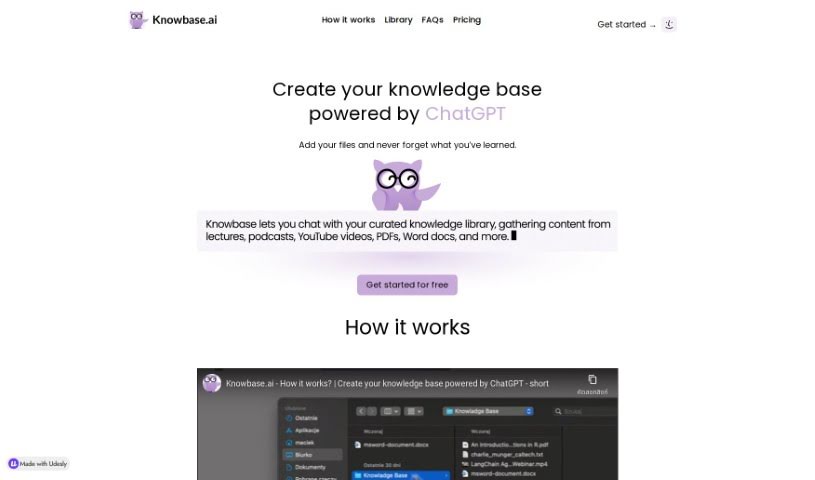
Screenshot of Knowbase.ai

Knowbase.ai

Discover what Knowbase.ai is and how to use it effectively in 2025. We'll explore its features and see how it stacks up against other documentation tools.

Screenshot

What is Knowbase.ai?

Knowbase.ai is a smart knowledge base that brings together the best of Dropbox and ChatGPT. It lets you keep all your important files neatly organized in a Library. Then, you can just ask questions in a chat interface, and it’ll find the answers for you right from your files. It’s a great way to manage all the information you’ve gathered, so nothing gets lost or forgotten. They offer a free plan to get you started, giving you 100 MB of storage and 10 questions each month. If you like it, you can always upgrade. Knowbase handles all sorts of files – PDFs, Word docs, PowerPoint slides, videos, and even audio. A really neat feature, especially with the Standard plan, is its ability to transcribe up to 900 minutes of video or audio. This means you can easily search through spoken content, which is super handy.

Plus, it speaks many languages, so people all over the world can use it to manage and find their knowledge in whatever language they prefer.

Who created Knowbase.ai?

While the specific founder or team behind Knowbase.ai isn’t publicly named, they’ve built a really useful knowledge base platform. It essentially combines the file-storing power of Dropbox with the conversational AI of ChatGPT. You can upload your files to the Library and then simply ask questions in the chat to get information. They offer a few different plans, including a free one with 100 MB of storage and 10 questions a month. The platform supports a variety of file formats, can transcribe audio and video, and even offers multilingual support, making it accessible for users worldwide.

What is Knowbase.ai used for?

Here’s a breakdown of what you can do with Knowbase.ai:

  • Store and organize your files: Keep everything tidy in your personal Library.
  • Chat for answers: Ask questions directly to find information within your stored files.
  • Transcribe recordings: Convert video and audio files into searchable text.
  • Global access: Use it in your preferred language, as it supports many.
  • Flexible storage: You can store unlimited files, depending on your plan’s space and upload limits.
  • Bulk uploads: Upload up to 100 files at once, in various formats.
  • Extensive transcription: Get up to 900 minutes of video or audio transcribed with the Standard plan.
  • Searchable recordings: It’s perfect for turning long audio or video into text you can easily search.
  • Multilingual knowledge: Store and access information in your preferred language.
  • Try it free: A free plan gives you 100 MB of storage and 10 questions monthly.
  • Organize and access: Keep your knowledge base neat and easily accessible.
  • Ask questions via chat: Get information directly from your files.
  • Upload diverse files: Handle PDFs, Word docs, PowerPoints, videos, audio, and even YouTube links.
  • Speech-to-text: Transcribe spoken content from videos and audio.
  • Broad language support: Works with Afrikaans, Arabic, Chinese, Dutch, English, French, German, Italian, Japanese, Russian, Spanish, and more.
  • Special Offers: Keep an eye out for deals like the Black Friday Flash Sale (50% off Standard with code SAVE50).
  • Free plan details: 100 MB storage and 10 questions per month for testing.
  • Standard plan storage: Up to 10GB of files.
  • Standard plan transcription: Up to 900 minutes of video or audio.
  • Efficient knowledge management: Organize and manage your information effectively.

Who is Knowbase.ai for?

Knowbase.ai is a great tool for:

  • Researchers
  • Educators
  • Knowledge workers
  • Content creators
  • Students
  • Teachers
  • Professionals across many different fields

How to use Knowbase.ai?

Getting started with Knowbase.ai is pretty straightforward. Just follow these steps:

  1. Sign Up:
    • First, create an account. The free plan is a good starting point, offering 100 MB of storage and 25 questions each month.
  2. Store Your Files:
    • Upload your documents to the Library. Knowbase accepts a wide variety of file types, including PDFs, Word documents, PowerPoint presentations, videos, audio recordings, and even YouTube links.
  3. Ask Away:
    • Use the chat feature to ask questions about the files you’ve stored. It’s like having a personal assistant that knows all your documents, thanks to its Dropbox-like storage and ChatGPT-like querying.
  4. Get Transcripts:
    • Knowbase can transcribe your video and audio recordings into text. If you have the Standard plan, you can transcribe up to 900 minutes, which is fantastic for making long recordings searchable.
  5. Multilingual Support:
    • No matter where you are, Knowbase supports many languages, like English, French, German, Spanish, and more, so you can manage your knowledge in the language you’re most comfortable with.
  6. Consider Upgrading:
    • If you need more space or features, the Standard plan offers up to 10GB of storage, allows larger file uploads (up to 1GB), and provides extended transcription time.
  7. Look for Discounts:
    • Keep an eye out for special offers, such as the Black Friday Flash Sale, where you can get discounts on premium plans using promo codes at checkout.

By following these steps, you’ll be able to easily store, organize, and access all your important information with Knowbase.ai. It’s a really comprehensive way to manage your knowledge, tailored just for you.

Related AI Tools

Discover more tools in similar categories that might interest you

Stay Updated with AI Tools

Get weekly updates on the latest AI tools, trends, and insights delivered to your inbox

Join 25,000+ AI enthusiasts. No spam, unsubscribe anytime.