What is Kel?
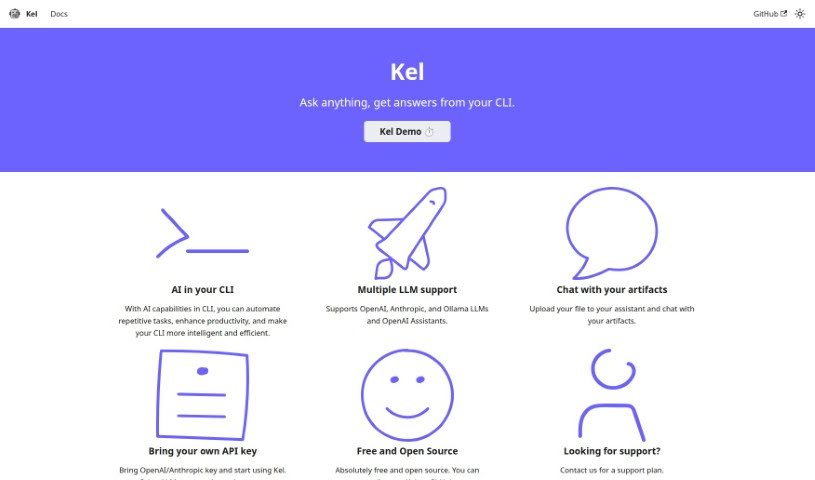
Kel is an AI-powered assistant built to make your work more productive. It’s designed to automate those repetitive tasks you often run into and generally make using Command Line Interfaces (CLIs) a much smoother, more efficient experience. What’s really neat is that Kel works with several popular Languages for Learning Machines (LLMs), including those from OpenAI, Anthropic, and Ollama. It also has a really unique way of letting you interact with your files – you can essentially ‘chat’ with your documents by uploading them directly to the assistant. Best of all, Kel is completely free to use and is open-source, meaning you can even contribute to its development on GitHub if you’re so inclined. You can also personalize your experience by using your own API keys for services like OpenAI and Anthropic. If you need more details, you’ll find comprehensive documentation on the main website. For support, you can reach out directly, and we’re planning to add support for even more LLMs down the road.
Who created Kel?
Kel was developed by QAInsights.com, and it first made its debut on December 11, 2023. This AI assistant, Kel, is all about boosting your productivity. It does this by automating those common, repetitive tasks and making your Command Line Interface (CLI) experience much more efficient. It’s compatible with major LLMs like OpenAI, Anthropic, and Ollama, and also works with OpenAI Assistants. Kel is free to use and open source, which means the community can contribute to its ongoing development on GitHub.
What is Kel used for?
Kel is a versatile tool that can help you in several ways:
- It automates those repetitive tasks you often encounter when working in the CLI.
- It boosts your overall productivity within the CLI by bringing AI capabilities to the forefront.
- It supports a variety of Languages for Learning Machines (LLMs), giving you flexibility in your AI tools.
- It offers a unique file interaction feature that lets you ‘chat’ directly with your documents or artifacts.
- You can personalize your experience by using your own API keys for services like OpenAI or Anthropic.
- You can contribute to its ongoing development by participating on GitHub.
- It works seamlessly with OpenAI Assistants.
- You can find detailed documentation on Kel’s main website to learn all about its features.
- The ‘bring your own API key’ feature lets you tailor the assistant to your specific needs.
- There are plans to add support for other LLMs in the future, expanding its capabilities even further.
- It’s great for enhancing productivity specifically within the CLI environment.
- It makes interacting with files much more intuitive by allowing you to ‘chat’ with them.
- Personalizing the assistant is straightforward using your API keys.
- You can access complete documentation about Kel whenever you need it.
- We’re working on adding support for more LLMs in the future.
- It functions as a helpful AI assistant right within your CLI.
Who is Kel for?
Kel is primarily designed for:
- Developers who spend a lot of time in the command line.
- Quality assurance professionals looking to streamline their testing processes.
How to use Kel?
To get the most out of Kel, here’s a simple guide:
- Understand Kel’s Purpose: Think of Kel as your AI assistant, right inside your Command Line Interface (CLI). Its main job is to automate tasks and generally make you more productive.
- LLM Support: Kel plays well with others! It supports various Languages for Learning Machines (LLMs) such as OpenAI, Anthropic, and Ollama, plus OpenAI Assistants.
- Chat with Your Files: This is a really cool feature. You can upload your files directly to Kel and then have a conversation with them, asking questions and getting insights.
- It’s Free and Open Source: You don’t pay a dime to use Kel, and it’s open-source. This means if you’re technically inclined, you can even contribute to its development on GitHub.
- Personalize with API Keys: If you use services like OpenAI or Anthropic, you can plug in your own API keys to personalize how Kel works for you.
- Help Develop Kel: Want to get involved? You can contribute to Kel’s development on GitHub. This might involve reviewing the code or suggesting new features.
- Check the Documentation: For a deep dive into everything Kel can do, detailed documentation is available on its website. It’s a great resource for understanding all the features and functionalities.
- Need Support?: If you run into any issues or have questions, support is available on a contact basis. Just reach out, and we’ll help you out.
- What’s Next?: We’re already planning to add support for more LLMs beyond OpenAI and Anthropic, so Kel will become even more versatile in the future.
- Find it on GitHub: You can access Kel’s GitHub repository right here: https://github.com/qainsights/kel. It’s a great place to contribute, see the source code, and suggest improvements.
By following these steps, you’ll be well on your way to using Kel effectively to boost your productivity and automate tasks within the CLI.