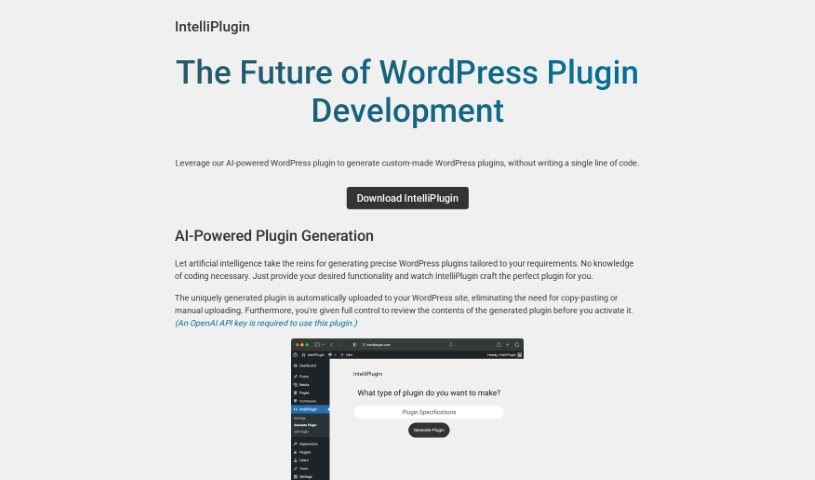
Screenshot of Intelliplugin

Intelliplugin

Discover what Intelliplugin is and how to use it effectively in 2025. We'll explore its features and see how it stacks up against other website builders.

Screenshot

What is Intelliplugin?

IntelliPlugin is a really neat AI-powered WordPress plugin. What’s cool about it is that it lets you create custom plugins without needing to write a single line of code. You just tell it what you want the plugin to do, and IntelliPlugin whips up a personalized one for you. It even uploads it straight to your WordPress site automatically, which is super convenient. You get to look over the generated plugin and tweak it before you actually turn it on. Plus, it plays nicely with WordPress, BuddyPress, WooCommerce, and other plugins, making it easy to boost your website’s capabilities.

Basically, this tool is designed to help anyone using WordPress harness the power of AI to create and customize plugins without any hassle. It cuts out the need for coding expertise, offering a straightforward way for anyone to develop WordPress plugins.

Who created Intelliplugin?

Intelliplugin was developed by a company called IntelliPlugin. They launched it on September 26, 2023. This company focuses specifically on creating AI-powered plugins for WordPress. Their innovative approach means users can easily generate and upload custom plugins without needing to know how to code, which really helps improve website functionality smoothly.

What is Intelliplugin used for?

IntelliPlugin is incredibly versatile! Here’s a rundown of what you can do with it:

  • Create custom plugins without any coding.
  • Automatically upload the plugins you generate right to your WordPress site.
  • Take a look at what’s inside a generated plugin before you activate it.
  • Edit and customize the functionality of any plugin IntelliPlugin creates.
  • Integrate smoothly with WordPress, BuddyPress, WooCommerce, and other plugins.
  • Show how many likes BuddyPress posts have.
  • Send birthday messages to users who are logged in on their special day.
  • Add extra security layers to your WordPress site.
  • Create custom settings pages.
  • Expand your website’s overall functionality.
  • Display the number of likes for each BuddyPress post right in the activity feed.
  • Add an extra layer of security to your WordPress site.
  • Expand your website’s functionality by creating new plugins with AI.
  • Review and customize the contents of generated plugins.
  • Seamlessly integrate with WordPress, BuddyPress, and WooCommerce.
  • Send a birthday message to logged-in users on their birthday.

Who is Intelliplugin for?

IntelliPlugin is a great tool for a variety of people:

  • Web Developers
  • WordPress Users
  • Website Administrators
  • WordPress Developers
  • Website Owners
  • Webmasters
  • Plugin Developers
  • AI Enthusiasts

How to use Intelliplugin?

IntelliPlugin makes creating custom WordPress plugins super simple, even if you don’t know how to code. Here’s a straightforward guide to get you started:

  1. Tell it what you want: First, just describe the specific functionality you need for your WordPress plugin.
  2. Let the AI create it: IntelliPlugin uses artificial intelligence to build a custom plugin based on your description.
  3. It uploads automatically: The plugin gets uploaded to your WordPress site without you having to do it manually.
  4. Review before you activate: Before you turn it on, take a moment to review the plugin’s contents to make sure it’s exactly what you need.
  5. Customize as needed: You can easily modify and customize the generated plugin to perfectly fit your website.
  6. Integrate with ease: IntelliPlugin works seamlessly with WordPress, BuddyPress, WooCommerce, and other plugins to boost your website’s features.
  7. Explore extra features: Check out cool functionalities like showing like counts for BuddyPress posts, sending birthday messages to users, and adding extra security layers to your site.
  8. Get your OpenAI API Key: To use IntelliPlugin, you’ll need an OpenAI API key. Make sure you have one handy.

By following these steps, you can easily use IntelliPlugin to create, customize, and integrate WordPress plugins that are perfectly tailored to your website’s needs.

Related AI Tools

Discover more tools in similar categories that might interest you

Stay Updated with AI Tools

Get weekly updates on the latest AI tools, trends, and insights delivered to your inbox

Join 25,000+ AI enthusiasts. No spam, unsubscribe anytime.