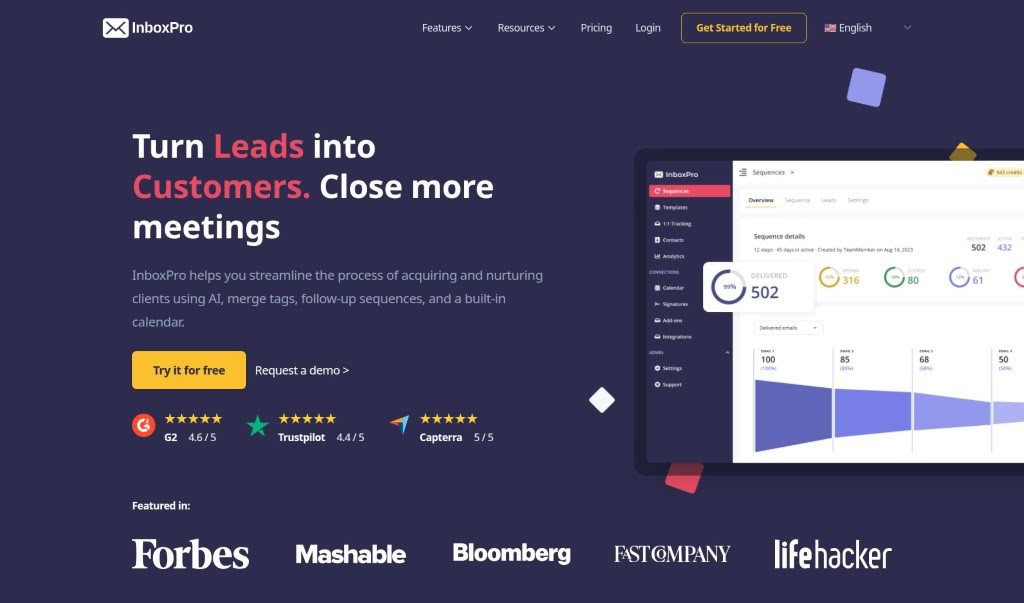
Screenshot of InboxPro

InboxPro

Discover InboxPro in 2025! Learn about its powerful features, including an AI email assistant and scheduling tools, and see how it stacks up against other meeting assistants.

Screenshot

What Exactly is InboxPro?

InboxPro is your all-in-one toolkit for making email management way less of a chore and a lot more productive. It’s packed with features designed to help you out, like an AI assistant that can actually help write your emails, set up automatic follow-ups, schedule meetings right from your inbox, track who’s opening your messages, and even offers templates and detailed analytics. The main goal here is to save you time and help you get a better handle on your inbox, making all your email communication smoother and more organized. They’ve got different plans, too, so whether you’re flying solo, part of a small team, or running a business, there’s likely something that fits. You get things like AI-generated emails, limits on how many emails you can send daily, handy templates, merge tags for personalization, and a whole lot more.

Who’s Behind InboxPro?

InboxPro was actually developed by a team of folks who are really into making people more productive with their email. They’ve built this whole suite of tools, including that AI assistant I mentioned, plus templates, follow-up sequences, and calendar scheduling, all aimed at making your email workflow much more efficient.

Who Should Be Using InboxPro?

  • Salespeople
  • Marketers

How Do I Actually Use InboxPro?

Getting the most out of InboxPro is pretty straightforward if you follow these steps:

  1. Bring Your Contacts Over: You can easily import your existing email contact list into InboxPro, or just add new contacts as you go. It even plays nicely with your Gmail contacts, making the transition smooth.
  2. Let the AI Email Assistant Help: Need to write an email? Just give the AI assistant some pointers – like the subject, a few keywords, and the tone you’re going for – and it’ll draft it for you. This really speeds up how fast you can get emails out.
  3. Set Up Follow-up Sequences: Want to make sure people get a reminder if they don’t reply? You can set up automatic follow-up emails based on certain triggers. It’s a great way to keep customers engaged and boost your chances of a conversion.
  4. Personalize with Merge Tags: Make your emails feel more personal by using merge tags. These can pull in specific details about the person you’re emailing, showing you understand their situation.
  5. Schedule Meetings with Calendar Integration: InboxPro has a built-in calendar that makes scheduling appointments a breeze. It syncs up with your Google Calendar, so managing your availability is super easy.
  6. Track Your Emails: Ever wonder if someone opened your email or clicked a link? InboxPro can notify you, so you know who’s interested and which leads are hot.
  7. Use Templates and Sequences: For those messages you send often, create templates. And for follow-ups, automate them with sequences to keep your communication flowing without constant manual effort.
  8. Check Your Email Analytics: Get a clear picture of how your emails are performing. You can see things like open rates and response rates, which helps you figure out what’s working best in your email strategy.
  9. Pick the Right Plan: Think about what you need. If you’re just starting out, their free plan might be perfect. If your business needs more advanced features and support, they have plans for that too.
  10. Enjoy All the Features: Once you’re set up, take advantage of cool features like AI Magic Compose, knowing when your emails are opened or links are clicked, getting real-time alerts, and diving into detailed reports.

Overall, InboxPro offers a really user-friendly experience. It’s packed with useful features like AI help, email tracking, and it integrates smoothly with Gmail, all designed to boost your productivity and make managing your emails much more efficient.

Related AI Tools

Discover more tools in similar categories that might interest you

Stay Updated with AI Tools

Get weekly updates on the latest AI tools, trends, and insights delivered to your inbox

Join 25,000+ AI enthusiasts. No spam, unsubscribe anytime.