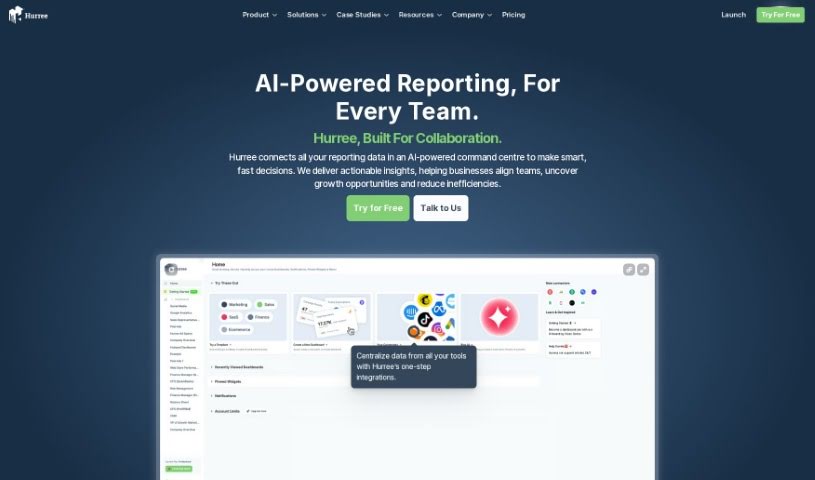
Screenshot of Hurree

Hurree

Discover what Hurree is and how to use it effectively in 2025. We'll explore its features and see how it stacks up against other documentation tools.

Screenshot

What is Hurree?

Hurree is more than just a dashboard platform; think of it as the central hub for all your data. Its main goal is to completely change how businesses bring together, visualize, and work with their data. It makes analyzing data much simpler, encourages teamwork, and delivers real results, all from one easy-to-use platform. This means you won’t have to waste hours trying to piece together information from different tools anymore.

Who created Hurree?

Hurree was actually started by a group of people who were really passionate about helping businesses make smarter decisions with their data. They’ve built a company culture that’s all about working together, being open, always learning, balancing work and life, valuing everyone, and making a positive impact in the community. They foster this environment so their team members have everything they need – the tools, the support, and the flexibility – to succeed together. Ultimately, Hurree wants to transform how businesses centralize, visualize, and collaborate on their data, making analytics easier and delivering impactful results through a single, intuitive platform.

Who is Hurree for?

  • Marketers
  • Data Analysts

How to use Hurree?

To get the most out of Hurree, here’s a simple guide:

  1. Sign Up and Log In: First, create your account on Hurree’s platform and then log in to start exploring.
  2. Connect Your Tools: Easily link your favorite tools to Hurree. This brings all your data together in one place.
  3. Build Dashboards: Use Hurree to create visual dashboards. These help you keep an eye on the most important metrics and key performance indicators (KPIs) for your business.
  4. Track Your Progress: Keep tabs on how your campaigns are doing right within Hurree. It simplifies tracking and keeps all your data consolidated.
  5. Use Visualizations: Make the most of Hurree’s powerful visualizations. They’re great for sharing data with others and improving how you communicate.
  6. Automate Reports: Let Hurree handle the repetitive tasks. You can schedule and automate report generation and distribution.
  7. Get Support: If you have questions or need a hand, check out the support options Hurree offers. They’re there to help.
  8. Explore Riva by Hurree: Don’t miss Riva by Hurree! It’s an AI assistant built to make data analysis and predictions smoother and faster.

Remember, Hurree’s whole point is to change how businesses centralize, visualize, and collaborate on data, making it much easier to get meaningful insights. By following these steps, you’ll be able to use Hurree effectively for all your reporting needs.

Related AI Tools

Discover more tools in similar categories that might interest you

Stay Updated with AI Tools

Get weekly updates on the latest AI tools, trends, and insights delivered to your inbox

Join 25,000+ AI enthusiasts. No spam, unsubscribe anytime.