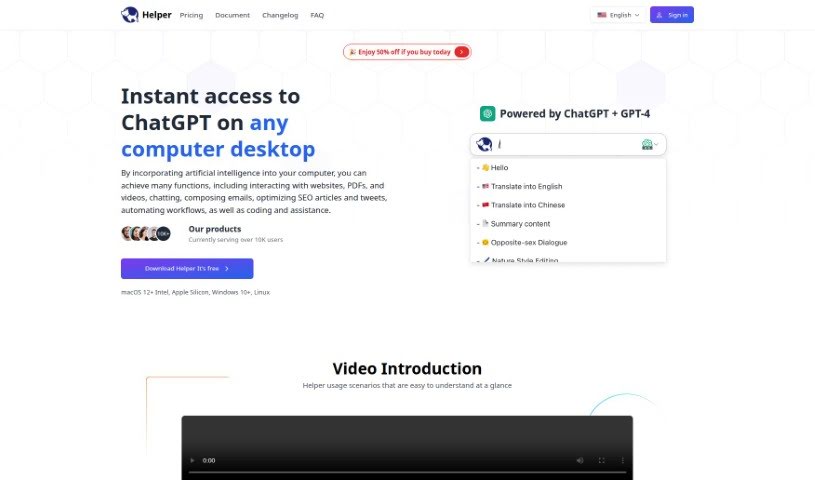
Screenshot of Helper.im

Helper.im

Discover Helper.im in 2025! Learn what this handy tool is, how to use its features for content, coding, and marketing, and see how it stacks up against other documentation tools.

Screenshot

What Exactly is Helper.im?

Helper.im is a desktop application built to help out entrepreneurs, developers, and marketers. It is your go-to assistant for things like easily accessing ChatGPT, using built-in AI commands, and keeping a handy prompt library. You can even use your own OpenAI API key, which means you get unlimited credits! It works smoothly on Windows, MacOS, and Linux. Whether you need help creating content, getting coding advice, tackling work tasks, or even managing social media interactions, Helper.im has you covered. What’s great is that it really focuses on keeping your privacy and security in check by letting you use your own API key. Plus, you’ll find plenty of documentation resources, an active Discord community to ask questions, and it all lines up with their privacy policies and terms of use.

Who’s Behind Helper.im?

Helper.im was actually created with entrepreneurs, developers, and marketers in mind, aiming to make their lives easier with features for content creation, coding help, and social media support. It first launched on July 3, 2023. The whole idea was to create a tool that integrates well with different applications, offering a really user-friendly experience. It also includes specific security features and handy shortcut keys to boost efficiency. You can access ChatGPT right through Helper.im on Windows, MacOS, and Linux, and by using your own OpenAI API key, you get unlimited credits to play with.

What Can You Actually Do With Helper.im?

Here’s a breakdown of what Helper.im is great for:

  • Content Creation: It really helps with generating marketing content, letting you write high-quality posts efficiently and supporting most mainstream writing software.
  • Developer Support: Developers can use it as an AI coding assistant right inside their Integrated Development Environments (IDEs).
  • Work Assistance: Need AI help for various work scenarios? Helper.im can meet most of your work-related needs.
  • Social Media: Get quick AI responses for social media interactions, no matter the platform.
  • Productivity Boost: It enhances your productivity with customizable shortcut keys.

Who Should Be Using Helper.im?

This tool is particularly useful for:

  • Entrepreneurs
  • Developers
  • Marketers

How Do I Get Started with Helper.im?

Using Helper.im is pretty straightforward. Just follow these simple steps:

  1. Get it Installed: First, download Helper.im from the official website. Then, install it on your Windows, MacOS, or Linux computer.
  2. Set Up Your API Key: When you’re setting it up, you’ll need to enter your own OpenAI API key. This is what enables all the AI magic to happen.
  3. Tweak Your Shortcut Keys: Want to make things even faster? You can customize shortcut keys. Just head over to Settings, then General, and look for ‘Shortcut keys’ to set your preferences.
  4. Start Chatting: To begin a conversation with the AI Helper, simply press Option + X or Alt + X. You can also highlight any text in an app or on a website, and Helper.im can explain it, translate it, or rephrase it for you.
  5. Creating Content: For content and marketing tasks, Helper.im is fantastic. You can generate great posts efficiently, and it works with lots of different writing software.
  6. Helping Developers: If you’re a developer, you’ll find it’s a great AI coding assistant right within your IDEs.
  7. Work Support: Get AI help for all sorts of work situations to make sure your tasks get done effectively.
  8. Social Media Chatting: It provides quick AI responses for your social media interactions, no matter where you’re posting.
  9. Keeping Things Private: Helper.im really cares about your privacy. It won’t access your unrelated files or data, and it only stores what’s necessary to make your experience better.
  10. Finding More Help: If you need more info, check out the documentation and FAQs on the Helper.im website. And don’t forget to join their active Discord community – it’s a great place to get extra help and connect with others.

By following these steps, you’ll be able to use Helper.im to its full potential for everything from creating content and getting coding help to managing your work and social media!

Related AI Tools

Discover more tools in similar categories that might interest you

Stay Updated with AI Tools

Get weekly updates on the latest AI tools, trends, and insights delivered to your inbox

Join 25,000+ AI enthusiasts. No spam, unsubscribe anytime.