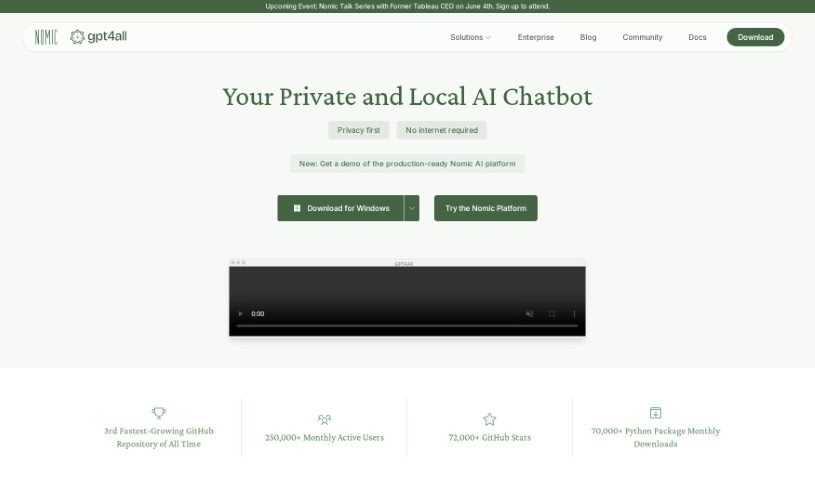
What is GPT4All?
GPT4All is a really neat AI tool that runs right on your computer, developed by Nomic AI. The best part? You don’t need a fancy internet connection or a powerful graphics card – it works great on regular CPUs. It’s designed with your privacy in mind, offering capabilities like understanding text, summarizing documents, helping you write, giving coding advice, and even a handy chat feature that works on pretty much any device. Plus, you can create your own custom language models, all while keeping your data safe and ensuring good quality.
Who created GPT4All?
GPT4All was actually started by the folks at Nomic AI, who launched it back on April 15, 2023. Nomic AI is the company behind this whole project. It’s part of a larger open-source movement, which means it’s a privacy-focused AI tool that runs locally on your standard computer hardware, no internet or special GPU needed.
What is GPT4All used for?
GPT4All is super versatile! You can use it for:
- Writing emails
- Summarizing long texts
- Getting answers to your questions
- Analyzing documents
- Getting help with your writing projects
- Receiving coding assistance
- Making your writing tasks easier overall
- Understanding and condensing text documents
- Drafting documents and even creative stories
- Getting tips and guidance for coding
- Working with models of different sizes, from 3GB up to 8GB
- Chatting with it across different platforms
- Running Large Language Models (LLMs) on both your CPU and GPU
- Chatting with your own local files, no internet required!
- Checking out over 1000 different open-source language models
- Customizing your chatbot experience to fit exactly what you need
How to use GPT4All?
Getting started with GPT4All is pretty straightforward. Here’s a quick rundown:
- Download and Install: First, grab the GPT4All AI model – they come in sizes from 3GB to 8GB – from the sources Nomic AI provides and install it on your computer.
- Works Offline: Remember, GPT4All runs completely offline. This is a big plus for keeping your data private and secure, as nothing needs to be sent over the internet.
- Helps with Tasks: GPT4All can help you understand documents, summarize information, assist with writing tasks like emails or stories, and even offer coding advice.
- Makes Writing Easier: Use its writing features to help you compose all sorts of content, making the whole process of generating text smoother and more effective.
- Connects with Python: If you’re into development, you can use Python bindings to easily connect GPT4All with your Python software, which is great for building applications.
- Train Your Own Models: You can train your own custom language models using GPT4All’s open-source setup. This lets you create personalized models that are perfect for your specific needs.
- Keeps You Secure: Because it operates offline and locally, you’re protected from many common internet risks, ensuring your data stays private.
- Chat Naturally: You can have natural conversations using the chat feature, which works across different platforms, making it easier to integrate into your workflow.
- Join the Community: There’s a lively GPT4All community you can join for support. Being open-source, it really focuses on quality, user security, and letting you customize things.
These steps should give you a good idea of how to use GPT4All effectively for various tasks while keeping your data safe and private.