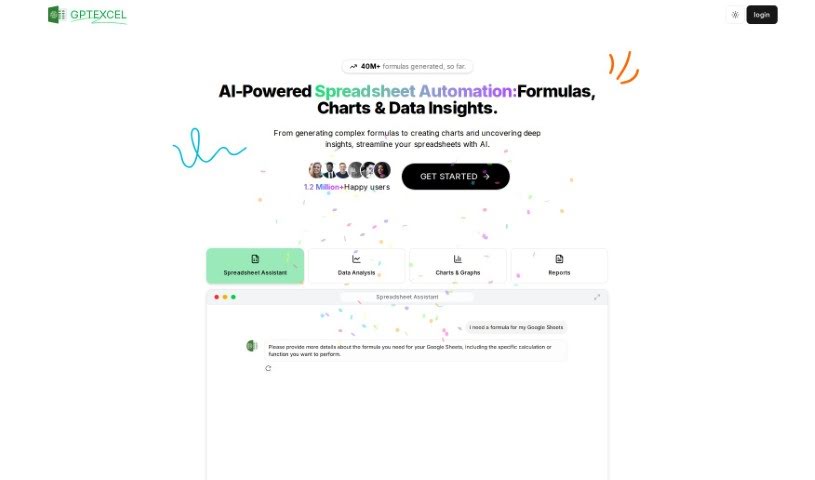
Screenshot of GPT Excel

GPT Excel

Discover what GPT Excel is and how to use it effectively in 2025. We'll explore its features, compare it to other Excel tools, and show you how it can boost your productivity.

Screenshot

What is GPT Excel?

GPT Excel is an AI tool designed to really boost your productivity and make working with spreadsheets, whether in Excel or Google Sheets, much smoother. It’s pretty neat because it can generate and even understand complex formulas for you. Plus, it helps you create VBA scripts for Excel, Apps Scripts for Google Workspace, and even SQL queries. It also supports over 50 languages, which is handy for a lot of people. Essentially, it empowers you to automate tasks and simplify data analysis, changing the game for how you work with spreadsheets.

Who created GPT Excel?

GPT Excel was developed as a powerful AI tool to help both individuals and businesses get more done with their spreadsheets. The main idea behind it was to automate those repetitive tasks, make data analysis less of a headache, and generally streamline how you handle spreadsheet work. So far, it’s generated over 2.26 million formulas! Some of its key features include generating and understanding complex formulas, creating VBA scripts, and writing SQL queries. It’s also designed to be user-friendly and works in over 50 languages, making it accessible to a wide range of users.

What is GPT Excel used for?

  • Excel Formula Generator AI: Need to create or understand a tricky Excel or Google Sheets formula? This feature helps boost your productivity by handling it for you.
  • Script Generator AI: Want to speed up your workflow? It can generate VBA scripts for Excel, Apps Scripts for Google Workspace, and even Airtable scripts.
  • SQL Query Generator AI: Crafting and troubleshooting complex SQL queries can be tough. This tool simplifies that process across different database systems.
  • Regex Generator AI: For data validation and filtering, generating and understanding regular expression patterns is key. This AI helps you do just that.
  • Template Generator AI: Need a quick start for your data? It can generate ready-to-use table templates for both Excel and Google Sheets.
  • Excel Formula Generator AI (again!): Yes, it’s that useful! It really helps boost your spreadsheet productivity by generating and understanding formulas in Excel and Google Sheets.
  • Script Generator AI (again!): Streamline your workflow even further by effortlessly generating VBA scripts for Excel, Apps Scripts for Google Workspace, and Airtable scripts.
  • SQL Query Generator AI (again!): Simplify the process of crafting and troubleshooting intricate SQL queries across various database systems.

Who is GPT Excel for?

This tool is a great asset for anyone who works with data and spreadsheets regularly. That includes:

  • Data Analysts
  • Financial Analysts
  • Accountants
  • Business Analysts
  • Researchers
  • Statisticians
  • Economists
  • Programmers
  • Marketers
  • Consultants

Basically, if spreadsheets are part of your job, GPT Excel can likely help.

How to use GPT Excel?

Using GPT Excel is pretty straightforward, and it offers several powerful features to make your spreadsheet tasks much easier. Here’s a quick rundown:

  1. Excel Formula Generator AI: This is a big one for boosting productivity. You can use it to create new formulas or understand existing ones in both Excel and Google Sheets.
  2. Script Generator AI: If you need to automate tasks within Excel, or work with Google Workspace or Airtable, this feature can generate the necessary VBA scripts or Apps Scripts for you, streamlining your workflow.
  3. SQL Query Generator AI: Dealing with databases? This tool simplifies the often complex task of crafting and troubleshooting SQL queries, no matter which database system you’re using.
  4. Regex Generator AI: For precise data validation and filtering, understanding regular expressions is crucial. This AI helps you generate and comprehend these patterns.
  5. Template Generator AI: Need to set up tables quickly? It can generate ready-to-use table templates for Excel and Google Sheets, saving you setup time.

Overall, GPT Excel is packed with features that really enhance how you work with spreadsheets. It supports over 50 languages, making it a versatile tool for users around the globe. Thanks to its top-notch AI capabilities, GPT Excel truly changes how you approach spreadsheet work. You can automate tasks, analyze data more efficiently, and significantly boost your productivity. So, why not upgrade your spreadsheet skills with GPT Excel and discover a more efficient, streamlined way to get things done?

Related AI Tools

Discover more tools in similar categories that might interest you

Stay Updated with AI Tools

Get weekly updates on the latest AI tools, trends, and insights delivered to your inbox

Join 25,000+ AI enthusiasts. No spam, unsubscribe anytime.