Google Vertex AI: What It Is & How to Use It
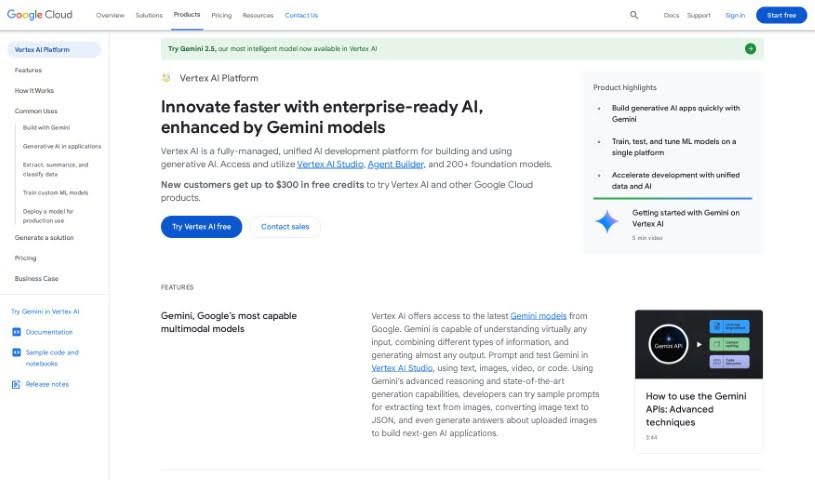
Screenshot of Google Vertex Ai

Google Vertex Ai

Discover what Google Vertex AI is and how it supports building, training, and deploying machine learning models on Google Cloud.

Screenshot

What is Google Vertex AI?

Google Vertex AI is a central hub for building and managing artificial intelligence models. It provides tools for every part of the machine learning process, from data preparation to training and deployment. With AutoML, you can create custom models without being a machine learning expert, and built-in MLOps features help streamline how you manage and monitor models. By bringing AI tasks together in one place, Vertex AI simplifies developing and using machine learning models.

Who created Google Vertex AI?

Vertex AI launched on January 20, 2022. It is developed and maintained by Google as a machine learning platform for getting AI models into production and keeping them running smoothly.

What is Google Vertex AI used for?

Vertex AI supports a range of machine learning tasks:

  • Summarizing, categorizing, and extracting information from text with generative AI.
  • Training custom ML models, with documentation and guides for custom training.
  • Building and training ML models without deep technical expertise via AutoML.
  • Preparing models for batch or real-time predictions using the Vertex AI Model Registry and prediction service.
  • Working with structured data for classification, regression, and recommendations.
  • Automating machine learning tasks and streamlining workflows with pre-built models, which can reduce operational costs.
  • Supporting better business decisions and improved customer experiences through AI.

Who is Google Vertex AI for?

The platform serves a wide range of professionals, including data scientists, machine learning engineers, business analysts, software developers, AI researchers, product managers, DevOps engineers, marketing analysts, operations managers, and healthcare analysts. Automated machine learning and pre-built models also make it accessible to people without deep technical backgrounds.

How to use Google Vertex AI?

Getting started follows a straightforward workflow:

  1. Set up your Google Cloud project: Create a new project or select an existing one in the Google Cloud Console. This is where you manage your Vertex AI work.
  2. Enable the APIs: In the Google Cloud Console, enable the Vertex AI API along with any other APIs your project requires.
  3. Prepare your data: Organize your data in the correct format for both training and prediction.
  4. Build your model: Use Vertex AI’s tools to build and train your model. AutoML features support automated training if you want to move faster or lack deep ML expertise.
  5. Deploy your model: Once your model is trained and evaluated, deploy it on Google Cloud so it can start generating predictions.
  6. Monitor and manage: Track model performance, manage resources, and make adjustments as needed.

Related

Related AI Tools

Discover more tools in similar categories

New tools, in your inbox.

Weekly picks of the best AI tools we've researched and added — no spam, unsubscribe anytime.

Join 25,000+ AI enthusiasts. No spam, unsubscribe anytime.