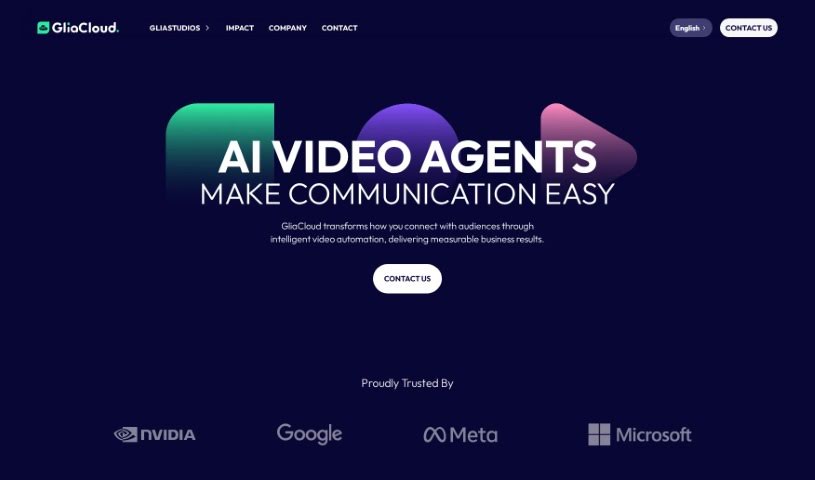
Screenshot of GliaStudio

GliaStudio

Discover what GliaStudio is and how to use it effectively in 2025. We'll explore its features and see how it stacks up against other Text To Video tools.

Screenshot

What is GliaStudio?

GliaStudio is a really neat online platform that lets you create videos right in your web browser – no software installation needed! It uses AI to turn your text-based content into engaging videos super fast. Whether you’ve got a news article, a social media post, live event updates, or even statistical data, GliaStudio can help you transform it into a video in just minutes. This is fantastic for anyone looking to tell better digital stories, connect with a wider audience, and get people interacting with their content through easy-to-watch videos. They say it can boost your video production volume by up to 10 times and save content creators about 50% of their time. Plus, with automated features like their News Video and Marketing Video tools, teams can really ramp up their video output and make sure their content looks great and reaches viewers effectively. You’ll also find helpful features like automatic text summarization, tons of media resources, options to add your own branding, and a workflow that’s just plain simple to use. It’s a super versatile tool for media companies and marketing teams alike.

Who created GliaStudio?

GliaStudio was developed by a team that built this web-based platform specifically for creating videos online. It’s powered by AI, making it super efficient at converting text into engaging videos. The whole idea is to make digital storytelling better and to really boost how much video content you can produce, all while saving creators up to half their usual time. GliaStudio’s automated tools are designed for all sorts of needs, from creating news videos to marketing content, making it a really valuable asset for media organizations and marketing departments.

What is GliaStudio used for?

Here’s a rundown of what you can do with GliaStudio:

  • Automated Video Creation: Turn text into videos from things like news articles, social media updates, live sports events, and statistical data.
  • Better Digital Storytelling: Make your stories more engaging with video.
  • Reach More People: Connect with broader audiences using videos that are easy to understand.
  • Boost Video Output: Increase how many videos you create by up to 10 times.
  • Save Time: Cut down your content creation time by up to 50%.
  • News & Marketing Videos: Specifically create videos for news content and marketing campaigns.
  • Consistent Branding: Customize your videos with your own branded themes and features.
  • Free Media Assets: Access a wealth of top-tier media resources without any extra cost.
  • Scale Up: Increase your video output, perfect for media organizations and marketing teams.
  • AI-Powered Videos: Efficiently create videos using AI, ideal for content creators, media companies, publishers, and marketing teams.
  • Automatic Summaries: Get quick summaries of longer texts.
  • Social Media to Video: Easily convert your social posts into videos.
  • Live Events to Video: Transform live sports events into engaging video content.
  • Data to Video: Generate videos directly from statistical data.
  • User Interaction: Drive more engagement by creating easily digestible videos.
  • Simplify Workflow: Make the whole video creation process much simpler.

Who is GliaStudio for?

GliaStudio is a great tool for:

  • Content creators
  • Media organizations
  • Publishers
  • Marketing teams

How to use GliaStudio?

Here’s a simple guide to using GliaStudio effectively:

  1. Get Started Online: Just head over to the GliaStudio platform – no software downloads are needed.
  2. Convert Your Content: Use the AI tool to turn different types of content, like news articles, social media posts, live sports events, or statistical data, into engaging videos.
  3. Summarize Text: Take advantage of the automatic text summarization to condense longer pieces into short, impactful summaries.
  4. Use Media Resources: Access a wide variety of media resources to make your video creation process even better.
  5. Brand Your Videos: Customize your videos with your specific branded themes and features to ensure consistency.
  6. Streamline Creation: Let GliaStudio automatically convert your content into videos, simplifying your workflow.
  7. Enjoy Free Assets: Make use of high-quality media assets at no extra cost.
  8. Learn More: Check out the platform’s FAQs to see how GliaStudio can help your content creation team and what video creation solutions it offers.
  9. Explore Pricing: Look at the pricing options that fit your needs, whether you’re a storyteller, a business wanting to scale video production, or an enterprise with high video demands.
  10. Try It Out: Request a demo or a free trial to experience the platform yourself and start creating compelling videos efficiently.

Following these steps should help you get the most out of GliaStudio’s features and capabilities, making it easy to create engaging videos.

Related AI Tools

Discover more tools in similar categories that might interest you

Stay Updated with AI Tools

Get weekly updates on the latest AI tools, trends, and insights delivered to your inbox

Join 25,000+ AI enthusiasts. No spam, unsubscribe anytime.