What is Genius Sheets?
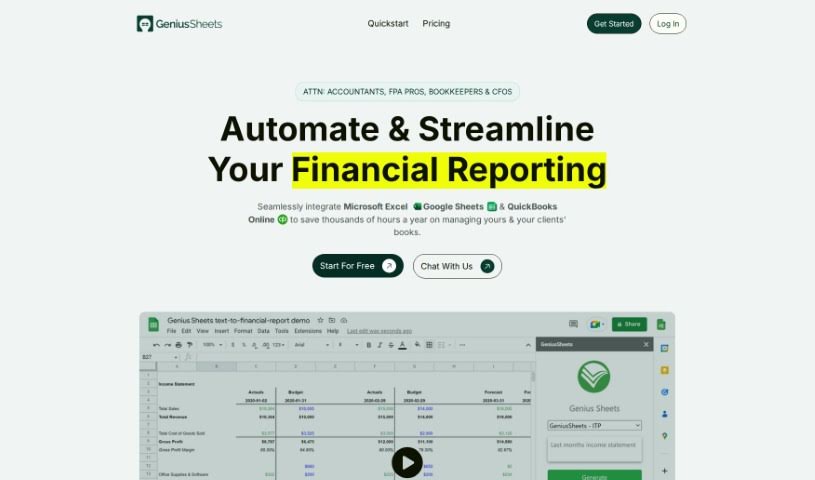
Genius Sheets is a handy tool for creating data reports, and it comes packed with some really useful features:
- Self-service reporting: You can easily connect to your Excel and Google Sheets data to build your own reports.
- Conversational AI: It’s super easy to use thanks to its chat-like interface. You can just ask it questions!
- Enterprise-level security: Your data is kept safe with strong security measures, just like you’d expect from a big company.
- No coding needed: You don’t need to know SQL or Python to use it.
- Flexible connections: You can connect to your data through a WebApp, Slack, or Teams.
- Custom formulas: You can even use your own formulas to link up with your data sources.
- Job opportunities: They’re also hiring for roles like UI/UX and Product Designer, Junior Frontend Developer, and Finance Analyst.
- Subscription tiers: There are different plans available – Starter, Business, and Enterprise – each offering various features. These can include cloud connectivity, coding tools, debugging help, mobile apps, web tools, version control, Git commands, and refactoring capabilities.
Want to learn more? You can check out the Genius Sheets website and sign up at https://app.geniussheets.com/signup.
Who created Genius Sheets?
Genius Sheets was actually started by Matt, who is the VP of Sales. He’s mentioned using the platform himself for in-depth analysis of Salesforce data. The company officially launched on November 18, 2022, and it’s based in San Francisco, California. We know this from a job posting for a UI/UX and Product Designer. The platform itself focuses on self-service reporting and uses conversational AI to make interacting with data much simpler and more intuitive. Genius Sheets really emphasizes strong enterprise security, making it easy for anyone to use without needing to code in SQL or Python. Plus, it offers a native interface that lets you connect to your data through popular platforms like WebApp, Slack, or Teams.
What is Genius Sheets used for?
Genius Sheets is great for a bunch of things, including:
- Using Conversational AI to interact with your data.
- Simplifying Onboarding processes.
- Saving time on reporting tasks.
- Being incredibly Easy to use.
- Supporting Sales teams with data insights.
- Managing Waitlist information.
- Automating Reporting tasks.
- Enabling Self Service Reporting.
- Providing top-notch Enterprise Security.
- Offering a Native Interface for data access.
- Giving you Instant Data Access.
- Automating Your Reporting workflows.
- Making it easy to Connect To Data In Excel and Google Sheets.
- Putting Data at our fingertips.
- Letting you Use custom formulas to connect to your data.
- Generating reports from text inputs.
- Providing Live data connections.
- Seamless Excel and Google Sheets integration.
- Acting as a flexible Self-service tool.
- Connecting directly to QuickBooks Online.
- Featuring a Variance analysis tool.
- Including a Projections feature.
- Creating Consolidated reports.
- Generating Custom reports tailored to your needs.
- Offering Self Service Reporting capabilities.
- Being Easy to Use - No SQL or Python Required.
- Providing a Native Interface - Connect to Data in WebApp, Slack, or Teams.
- Allowing you to Use Custom Formulas to Connect to Data.
- Ensuring Trusted Reporting.
- Facilitating Self Service Data analysis.
Who is Genius Sheets for?
Genius Sheets is designed for a variety of professionals and teams, including:
- Sales professionals.
- Teams involved in Onboarding new employees or clients.
- Managing Waitlist operations.
- Finance Analysts.
- UI/UX and Product Designers.
- Junior Frontend Developers.
How to use Genius Sheets?
Getting started with Genius Sheets is straightforward. Just follow these steps:
- Automate Reporting: Take advantage of self-service reporting by easily connecting your Excel and Google Sheets data. This makes generating reports much simpler.
- Conversational AI: You can interact with Genius Sheets just like you would talk to a colleague. Ask questions and get the data you need.
- Enterprise Security: Rest assured that your data is protected with enterprise-grade security standards, keeping everything safe and sound.
- Easy to Use: Forget about needing SQL or Python skills. You can connect to your data through a user-friendly interface that anyone can navigate.
- Custom Formulas: Need to connect to your data in a specific way? You can use custom formulas to do it effortlessly.
- Multi-Platform Access: Access your data conveniently through the Genius Sheets WebApp, Slack, or even Teams.
- Mission Statement: Genius Sheets is all about changing how people interact with data, aiming to make the experience much better for everyone.
- Available Positions: Keep an eye out for new job openings if you’re interested in joining the team. They have opportunities in various roles and locations.
- Newsletter Subscription: Want to stay in the loop? Subscribe to the Genius Sheets newsletter for the latest updates.
Ready to dive in?
- Choose your plan: You can sign up for the Starter plan (which is free!), the Business plan (great for small finance teams or startups), or the Enterprise plan (perfect for integrating across different departments).
- Explore advanced features: Make the most of tools like advanced coding assistance, debugging help, mobile apps, web tools, version control, Git commands, and refactoring capabilities.
- Bookmark for quick access: Save the site for easy access. You can use handy shortcuts like Ctrl + D to bookmark, Ctrl + ↑/↓ for sorting, and more.
By following these simple steps, you’ll be able to use Genius Sheets effectively for all your data reporting needs.