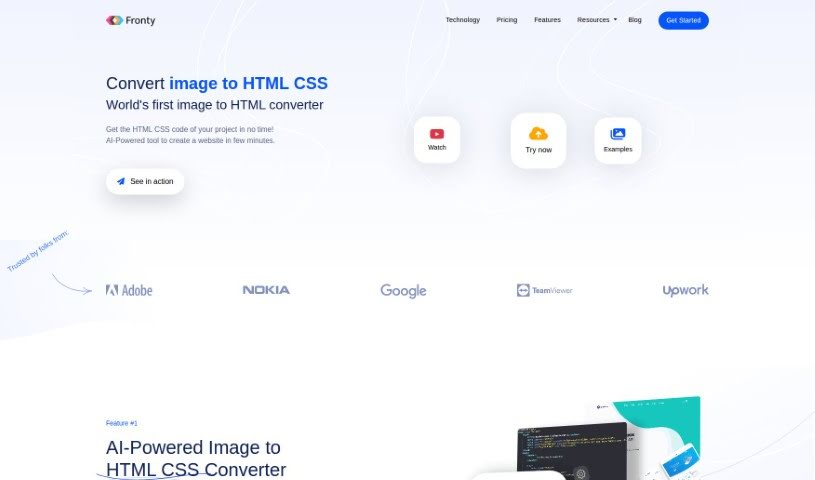
Screenshot of Fronty

Fronty

Discover what Fronty is and how to use it effectively in 2025. We'll explore its features and see how it stacks up against other website builders.

Screenshot

What is Fronty?

Fronty is an AI-powered tool that turns your image files into responsive, professional-looking HTML and CSS code. It is a smart converter that takes your visuals and generates clean, optimized code, saving you a ton of time and effort on web development projects. The code it produces works perfectly with all modern web browsers and you can tweak it to match your exact design vision. Plus, Fronty gives you a real-time preview of the code as you work, lets you customize colors, sizes, and fonts, and its AI conversion process ensures you get high-quality results. It’s a really useful tool, whether you’re a seasoned web developer or just starting out and want to build great-looking websites.

Who created Fronty?

Fronty was brought to life by Pascal Arnold and Grigori Tishkin. Their company is all about using AI to help people convert images into HTML CSS code, making website creation much more efficient. Fronty has really made a name for itself, with over 1 million websites built on their platform. They’ve even been recognized as the #1 Product of the Day on Product Hunt and snagged a Golden Kitty Award. People love Fronty because it’s easy to use, delivers great results, and genuinely speeds up web development for everyone, from pros to beginners.

What is Fronty used for?

  • Turning images into HTML CSS code
  • Building websites with AI assistance
  • Editing websites without needing to code
  • Launching websites with their hosting service
  • Converting designs from Figma and Adobe XD into websites
  • Getting AI-powered suggestions for UI/UX
  • Ensuring designs look good on mobile and tablet screens
  • Creating websites that load quickly
  • Building websites that are good for SEO
  • Designing websites that are accessible to everyone

Who is Fronty for?

  • Web Developers
  • UI/UX Designers
  • Graphic Designers

How to use Fronty?

Using Fronty is pretty straightforward. Here’s how you do it:

  1. Upload your image to Fronty: Start by uploading your image to the Fronty platform. The AI will then work its magic to quickly generate the HTML CSS code based on your picture.
  2. Get your HTML CSS code: In just a few minutes, you’ll have the HTML CSS code that was created from your image. It’s clean and ready to go, so you don’t need to do any manual coding yourself.
  3. Edit your website: Fronty offers a no-code editor that makes it easy to tweak your website. You can build all sorts of sites – think e-commerce stores, blogs, team pages, you name it. Managing styles, content, and even dynamic data is simple.
  4. Launch your website: When your site is looking just right, you can launch it using Fronty’s hosting service. You can connect your own domain, rely on their high uptime hosting, get backups, and rest assured your site will be SEO-friendly and mobile-friendly.
  5. Customize and preview: Fronty lets you see your converted HTML CSS code in real-time. This means you can easily adjust colors, sizes, fonts, and more, giving you complete control over your web page’s design.
  6. Explore advanced features: Fronty is always getting better at converting images to HTML CSS. You can also find helpful resources, check out their FAQs, and learn how Fronty compares to other website builders like Wix.

Fronty really simplifies turning images into professional code, offering a smooth process for creating attractive, responsive websites without the hassle of manual coding. No matter if you’re a beginner or an experienced developer, Fronty’s AI tools and editor will boost your web development projects, making them more efficient and effective.

Related AI Tools

Discover more tools in similar categories that might interest you

Stay Updated with AI Tools

Get weekly updates on the latest AI tools, trends, and insights delivered to your inbox

Join 25,000+ AI enthusiasts. No spam, unsubscribe anytime.