10Web
Web Development Website Builders
Learn More
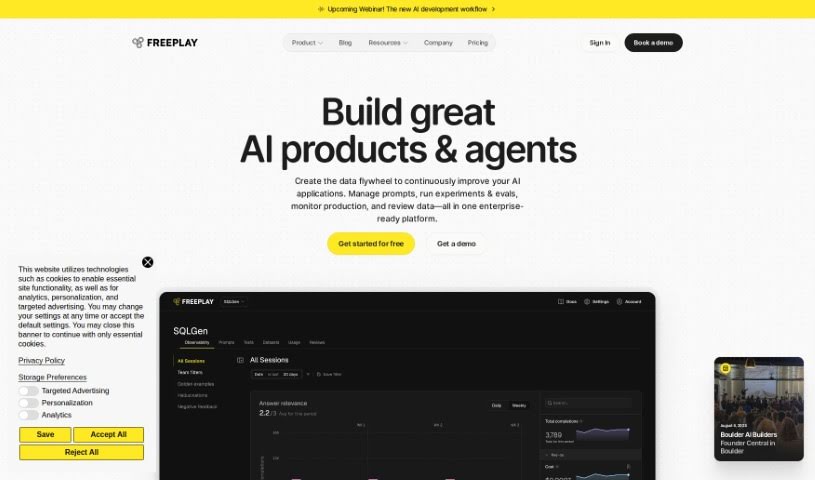
Discover what Freeplay is and how to use it effectively in 2025. We'll explore its features and see how it stacks up against other App Builders.
From what I’ve gathered in the “freeplay.pdf” document, Freeplay is a platform designed to make it super simple to add Large Language Models (LLMs) to your applications. The best part? You don’t need to write any code yourself. You can build, test, and then launch apps that use the latest text-generating models. It’s as easy as dragging and dropping components, tweaking settings, and watching the results happen in real-time. Freeplay also handles all the tricky stuff like security, making sure your app can scale up, and keeping performance high when using LLMs. This means you can create all sorts of apps, like chatbots that chat naturally, tools that generate content, or even ones that summarize long texts. Plus, Freeplay makes it a breeze to try out different LLMs, play around with their settings, and compare what they produce. It really makes integrating LLMs straightforward and efficient, especially for product teams and developers who want to harness the power of generative AI.
Basically, Freeplay is a tool that speeds up how you build things. It simplifies experimenting with prompts and models, helps you evaluate them, automates testing, and gives you visibility into how everything’s working. It even lets your colleagues jump in to experiment, review, and label data, or create evaluations, all without endless back-and-forth chats or needing to deploy every little change.
Freeplay was actually started by a team who came from Gen AI Partners. This company is all about helping build excellent software, especially when it comes to creating, testing, and launching apps that use the most advanced text-generating models smoothly. The platform lets people add LLMs to their apps without needing to code. It offers features for keeping track of different versions, testing them out, and seeing results right away. Freeplay also makes sure that using LLMs is secure, scalable, and performs well, making it a really useful tool for developers and product teams who are exploring generative AI models.
Freeplay is a really flexible tool that makes it much simpler to add Large Language Models (LLMs) to your applications, and you don’t even need to know how to code. Here’s a straightforward guide on how to get the most out of Freeplay:
By following these steps, you can use Freeplay to seamlessly add LLMs to your applications, try out different models, make sure they perform well, and work together effectively with your colleagues. Freeplay is a user-friendly platform that really empowers developers and product teams to harness the power of generative AI models with both ease and efficiency.
Discover more tools in similar categories that might interest you
Get weekly updates on the latest AI tools, trends, and insights delivered to your inbox
Join 25,000+ AI enthusiasts. No spam, unsubscribe anytime.