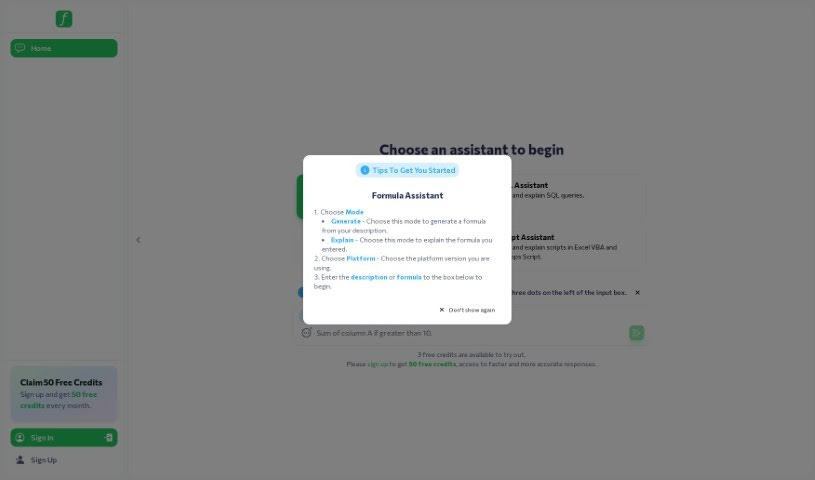
Screenshot of Formularizer

Formularizer

Discover what Formularizer is and how to use it effectively in 2025. We'll explore its features and how it stacks up against other Excel tools.

Screenshot

What is Formularizer?

Formularizer is a really neat AI tool designed to make working with spreadsheets much simpler, whether you’re using Excel, Google Sheets, or Notion. It’s built to help you create and understand complicated formulas just by telling it what you need. The main goal here is to save you time and boost your productivity. It’s perfect for students, data scientists, or really anyone who works with spreadsheets regularly. Instead of spending ages figuring out formulas or trying to remember them, Formularizer handles it. It even supports things like Excel VBA, Google Apps Script, and regular expressions, giving you a lot of flexibility. Plus, they’ve put a big emphasis on keeping your data private and secure. Honestly, its easy-to-use interface and accuracy mean that even complex spreadsheet tasks become much more manageable for everyone.

Who created Formularizer?

Formularizer was developed by a team that’s really passionate about making spreadsheet tasks easier with AI. They wanted to create a tool that genuinely boosts efficiency and productivity for people using Excel, Google Sheets, and Notion. How? By generating and explaining those tricky formulas you sometimes need. It’s a user-friendly tool that also supports Excel VBA, Google Apps Script, and regular expressions, all while making sure your data stays private and secure. Thanks to its straightforward interface and impressive accuracy, Formularizer really helps students, data scientists, and professionals get more done with their spreadsheets.

What is Formularizer used for?

Formularizer is pretty versatile, helping you out in a few key ways:

  • Formula Creation & Explanation: It can generate and explain formulas for Excel, Google Sheets, and Notion based on what you tell it you need.
  • Step-by-Step Task Help: Need to change a cell’s color just by typing a simple command? Formularizer can guide you through that.
  • Advanced Text Handling: It’s great for working with Regular Expression patterns, which are super useful for complex text manipulation and searching.
  • Automating Tasks: It supports generating and explaining code for Excel VBA and Google Apps Scripts, helping you automate repetitive jobs.
  • Easy Problem Solving: The interface is designed to be user-friendly, making it quick to solve your spreadsheet issues.
  • Formula Generation: As mentioned, it creates and explains formulas for Excel, Google Sheets, and Notion based on your instructions.
  • Task Assistance: It offers step-by-step guidance for things like changing cell colors with simple commands.
  • Regular Expression Support: It creates and explains Regex patterns for more advanced text manipulation and search tasks.
  • Scripting Support: It helps you generate and understand code for Excel VBA and Google Apps Scripts to automate your work.
  • User-Friendly Interface: You’ll find the interface simple and intuitive, which really helps when you need to solve spreadsheet problems fast.
  • Task Assistance: It provides step-by-step guidance, like changing cell colors by typing simple commands.

Who is Formularizer for?

  • Students
  • Data scientists
  • Professionals

How to use Formularizer?

Formularizer is an AI-powered platform that really simplifies working with spreadsheets, whether you’re using Excel, Google Sheets, or Notion. To get the most out of it, just follow these steps:

  1. Tell it your problem: Start by typing your task or issue into Formularizer’s interface.
  2. Get your formula or script: Formularizer will then generate the formula or script needed for your task based on what you entered.
  3. Understand how it works: The tool provides a clear, detailed explanation of the generated formula or script in a way that’s easy to grasp.
  4. Use the step-by-step help: Formularizer offers specific task assistance, like changing cell colors, using simple commands.
  5. Explore advanced features: Make sure to take advantage of its regular expression support for more complex text manipulation and search needs.
  6. Get help with scripting: You can also access support for Excel VBA and Google Apps Script to automate tasks efficiently.
  7. Enjoy the user-friendly interface: You’ll find the interface is straightforward and intuitive, making it easy to solve spreadsheet problems quickly.

Formularizer is a great choice for students, data scientists, and professionals who want to make creating and working with formulas much smoother. They’ve made sure to prioritize data privacy and security. You can start with their free plan, which covers the essential features, or upgrade to a Pro plan for even more capabilities. Basically, with Formularizer, you can easily improve your spreadsheet workflow and boost your productivity without a lot of hassle.

Related AI Tools

Discover more tools in similar categories that might interest you

Stay Updated with AI Tools

Get weekly updates on the latest AI tools, trends, and insights delivered to your inbox

Join 25,000+ AI enthusiasts. No spam, unsubscribe anytime.