Formix PDF (Productivity)
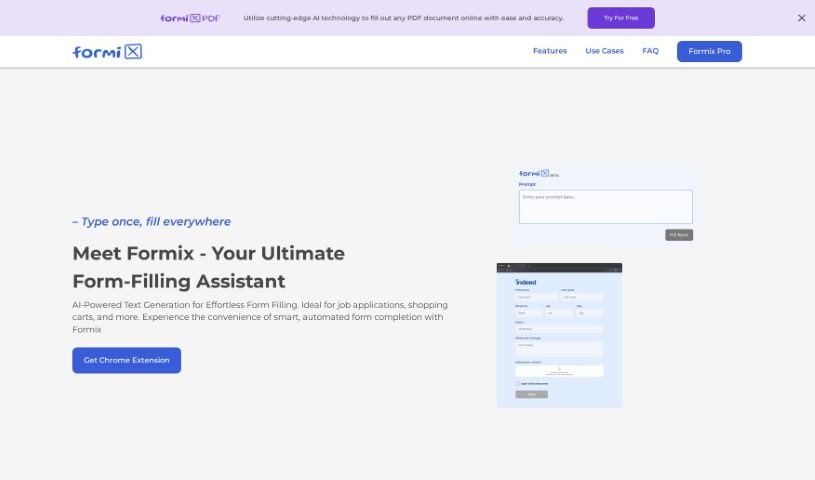
Screenshot of Formix PDF

Formix PDF

Discover Formix PDF, an AI assistant that autofills online forms using your stored details for job applications, checkouts, and classified ads.

Screenshot

What is Formix PDF?

Formix PDF is an AI-powered online assistant for filling out forms. It predicts and fills in form fields almost instantly, saving time on repetitive tasks like job applications, online checkouts, and classified ad postings. You enter your details once, and the AI populates them across different websites, keeping entries consistent.

Key features:

  1. Smart Autofill: Predicts and fills in form fields immediately.
  2. Local Data Storage: Your information is stored securely on your own device, keeping data privacy a priority.
  3. Broad Compatibility: Designed to work with any kind of online form.
  4. Pro Version: Offers higher daily limits, access to more documents, retrieval of older history, and priority customer support.

Formix PDF is currently in beta and is used through a Chrome Extension.

Who created Formix PDF?

Formix Assistant was developed by an individual founder as part of the Formix company, which builds AI-driven tools for online form filling. The company emphasizes data privacy by keeping all user information on the user’s device only.

What is Formix PDF used for?

  • Automating job applications: Speeds up submitting job applications.
  • Speeding up online shopping: Helps you get through checkout faster.
  • Classified ad submissions: Simplifies posting ads on sites like Craigslist.

Who is Formix PDF for?

  • Job seekers
  • Frequent online shoppers
  • People who regularly post classified ads

How to use Formix PDF?

  1. Install the extension: Add the Formix Chrome extension to your browser.
  2. Set it up: Provide documents and prompts so Formix can generate accurate form entries.
  3. Fill forms: Enter your information once, then let Formix autofill fields across websites.
  4. Review entries: Check the generated content, as Formix may occasionally make mistakes or miss something.
  5. Regenerate if needed: Click the reload button to regenerate a specific field if there’s an error or you want an update.
  6. Check supported sites: Formix works well on popular sites like eBay, Craigslist, and Google Forms, but it’s worth testing on specific sites to confirm compatibility.
  7. Consider Pro: Upgrade if you need higher daily limits, a larger document base, extended history retrieval, or priority support.

Related

Related AI Tools

Discover more tools in similar categories

New tools, in your inbox.

Weekly picks of the best AI tools we've researched and added — no spam, unsubscribe anytime.

Join 25,000+ AI enthusiasts. No spam, unsubscribe anytime.