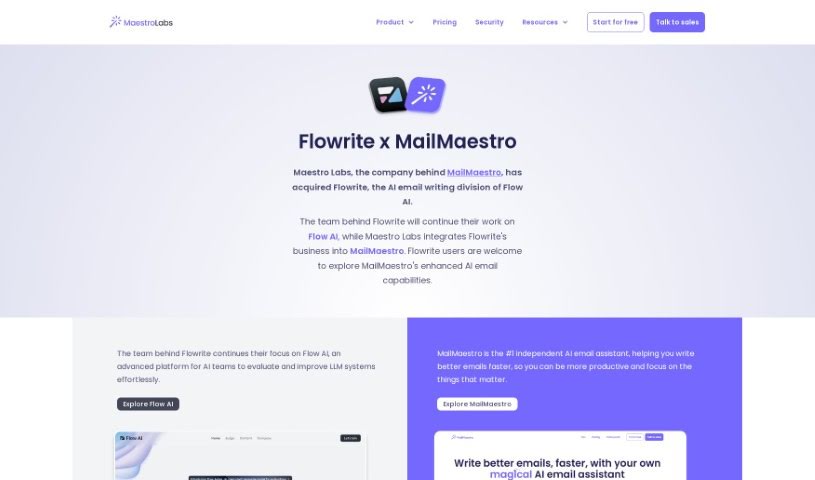
Screenshot of Flowrite

Flowrite

Discover what Flowrite is and how to use it effectively in 2025. We'll explore its features and see how it stacks up against other email writing tools.

Screenshot

What is Flowrite?

Flowrite is a really handy AI tool designed to help both individuals and companies with their everyday email and message writing. It makes it super easy to whip up personalized messages and emails in a flash. What’s great is that it works with over 20 popular apps, so you can use it pretty much anywhere you’re already working. Flowrite also has this cool AI template gallery filled with pre-written messages for all sorts of professional situations. You can either tweak these templates or just write your own instructions for the AI. By taking care of the writing for you, Flowrite saves you a ton of time and energy. This means you can get back to focusing on other important stuff, all while knowing your messages are going out professionally.

Who created Flowrite?

Flowrite was actually developed by a team that later decided to rebrand as Flow AI. Before that change, they built Flowrite, becoming one of the very first email assistants powered by LLMs (large language models). The talented folks behind Flowrite and Flow AI include people like Tiina Vaahtio, Minaam Shahid, Karolus Sariola, Daria Prygiel, Bernardo García del Río, Arkadiusz Wegrzyn, and Aaro Isosaari. This innovative tool is all about giving AI teams better tools to evaluate generative AI products across all sorts of different areas and uses.

What is Flowrite used for?

  • Crafting professional emails that make a good impression.
  • Easily scheduling meetings without the back-and-forth.
  • Automating those repetitive email and message writing tasks.
  • Quickly generating personalized messages and emails that feel just right.
  • Sending out sales prospecting messages that grab attention.
  • Accessing the tool conveniently across all your different platforms.
  • Seamlessly integrating with more than 20 popular apps you likely already use.
  • Using an AI template gallery that’s packed with pre-written message templates for various needs.
  • Simply giving instructions to generate unique messages, letting the AI do the heavy lifting.
  • Automating the writing process to save you time and really boost your productivity.

Who is Flowrite for?

  • Anyone needing an Email Assistant.
  • Those involved in Content Creation.
  • Copywriters looking for a boost.
  • Anyone needing a Writing Assistant.
  • Professionals focused on clear Communication.

How to use Flowrite?

To really get the most out of Flowrite, just follow these simple steps:

  1. Access Flowrite: Head over to the Flowrite website and log in to your account. You can find the login page right here: https://app.flowrite.com/login.
  2. Seamless Integration: Flowrite plays nicely with over 20 popular apps. This means you can easily use the tool across different platforms whenever you need it, making your workflow smoother.
  3. Explore the AI Template Gallery: Take a look through Flowrite’s AI template gallery. It’s full of pre-written message templates perfect for professional situations. Feel free to customize them, or if you prefer, you can create your own specific instructions for the AI.
  4. Input Your Instructions: Just give Flowrite simple instructions by typing a few words or short sentences. Or, if you’d rather, you can let Flowrite get creative and generate unique messages all on its own.
  5. Generate with One Click: Once you’ve got your instructions ready, just click the button! Flowrite will instantly generate personalized messages. The AI makes sure each message is unique and fits the context perfectly.
  6. Boost Your Productivity: By automating your writing tasks with Flowrite, you’ll save valuable time. This lets you concentrate on other important things, all while ensuring your messages and emails are written professionally.

Following these steps should help you really make the most of what Flowrite offers and streamline your communication tasks effectively.

Related AI Tools

Discover more tools in similar categories that might interest you

Stay Updated with AI Tools

Get weekly updates on the latest AI tools, trends, and insights delivered to your inbox

Join 25,000+ AI enthusiasts. No spam, unsubscribe anytime.