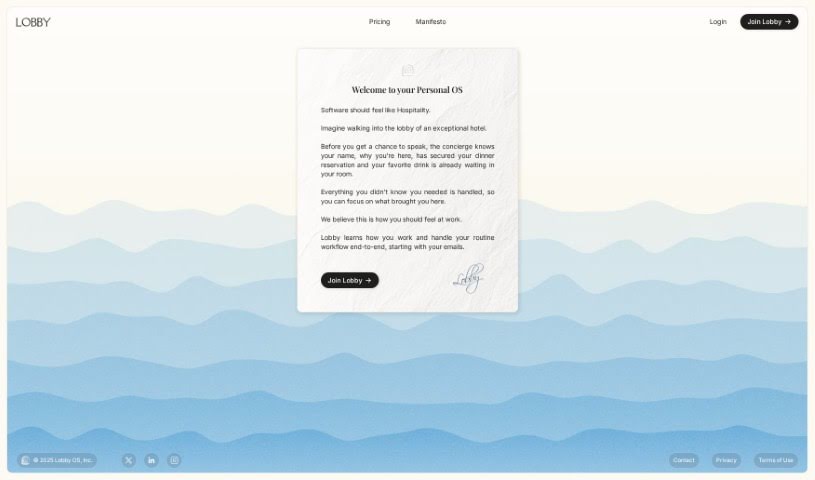
Screenshot of Floode

Floode

Discover what Floode is and how to use it effectively in 2025. We'll walk through its features and see how it stacks up against other Meetings Assistants.

Screenshot

What is Floode?

Floode is your personal AI executive assistant, designed to take over those time-consuming communication tasks and make conversations across all your messaging apps and email much smoother. It brings everything together in one spot, sorting, labeling, and summarizing your messages so managing your inbox feels way less overwhelming. Plus, Floode helps you draft replies with smart prompts and suggestions, handles scheduling tasks and events for you, and generally makes communicating feel more powerful with customizable folders that you can set up just how you like. It even learns your unique writing style and tone, and importantly, it respects your privacy by never selling your data. Oh, and it understands commands in multiple languages, which is pretty neat.

Who created Floode?

Floode first came onto the scene on June 18, 2024. While the specific founder isn’t mentioned in the details we have, the company itself is called “Floode.” Its whole purpose is to act as that AI executive assistant we talked about – automating communication, smoothing out conversations, and centralizing everything with an interface that’s genuinely easy to use.

What is Floode used for?

Floode is really about making your work life better. Here’s a quick rundown of what it helps you achieve:

  • Boosts productivity: Get more done in less time.
  • Enhances workflow: Make your daily tasks run more smoothly.
  • Automates communication tasks: Let the AI handle the repetitive stuff.
  • Streamlines conversations: Keep your chats organized and focused.
  • Centralizes all conversations: No more jumping between apps.
  • Sorts and labels messages: Your inbox stays tidy.
  • Schedules tasks on autopilot: Never miss a deadline or appointment.
  • Unifies messaging platforms: Manage everything from one place.
  • Automates email management tasks: Say goodbye to inbox clutter.
  • Handles calendar management: Keep your schedule in order effortlessly.

Who is Floode for?

Floode is a great tool for anyone who juggles a lot of communication. It’s particularly helpful for:

  • Email Marketers
  • Customer Support Agents
  • Sales Representatives
  • Business owners
  • Executives
  • Freelancers

Basically, if you communicate a lot for work, Floode can likely help.

How to use Floode?

To really get the most out of Floode, here’s a simple guide to using its features:

  1. Customize Your Interface: Start by organizing your conversations. You can create custom folders that fit your workflow perfectly, making it super easy to find what you need.
  2. Let the AI Adapt: Floode is smart! It learns your writing style and tone over time. By analyzing how you communicate, it can offer really personalized writing help.
  3. Your Privacy Matters: You can relax knowing Floode takes your privacy seriously. It doesn’t sell any of your data, so your information stays safe.
  4. Connect All Your Platforms: Floode isn’t just for email. It works with lots of different messaging apps, so you can manage all your communications from one central hub.
  5. Tidy Up Your Inbox: Make email organization a breeze. Floode automatically sorts and labels your emails, keeping your inbox neat and manageable.
  6. Get AI-Powered Email Prioritization: Let Floode help you focus on what’s important. It can figure out which emails need your attention most, based on your preferences.
  7. Automate Your Tasks: Need to schedule something? Floode makes it easy to set up tasks, meetings, and events automatically, keeping you organized and efficient.
  8. Supercharge Your Productivity: By handling repetitive tasks and giving you a single place for communication, Floode really boosts your productivity. This frees up your valuable time for more important work.
  9. Works for Everyone: Whether it’s for your job or your personal life, Floode’s smart AI adapts to all sorts of communication needs. It’s useful for a wide range of users.
  10. Exciting Future Updates: Keep an eye out! We’re working on an AI assistant feature that’s designed to make your communication and workflow even more efficient.

By following these tips, you can really make the most of Floode to manage your communications effectively and boost your productivity every day.

Related AI Tools

Discover more tools in similar categories that might interest you

Stay Updated with AI Tools

Get weekly updates on the latest AI tools, trends, and insights delivered to your inbox

Join 25,000+ AI enthusiasts. No spam, unsubscribe anytime.