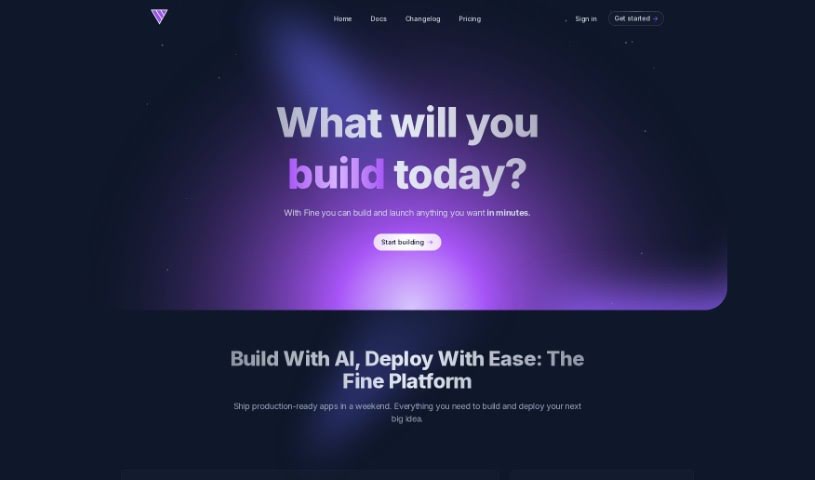
Screenshot of Fine

Fine

Discover what Fine is and how to use it effectively in 2025. We'll explore its features, compare it to other code generators, and show you how to get the most out of it.

Screenshot

What is Fine?

Based on the details in the “fine.pdf” document, Fine is an AI software development platform packed with features designed to make coding smoother for teams.

  1. Fine helps teams use AI agents to simplify coding tasks and generally improve how software gets developed.
  2. You can choose from monthly or yearly plans, each offering different features depending on what you pick.
  3. Fine can actually help boost your DORA metrics. It does this by using AI agents to automate and fine-tune various parts of the software development process.
  4. The platform is highly customizable. This means your team can really tailor the environment, how things work, and how you interact with the AI to fit your specific needs.
  5. When Fine processes code, it does so in isolated, secure dev containers. If you’re on an Enterprise account, you can even set up automatic cleanups or install Fine on your own servers.
  6. Think of the AI agents in Fine like junior developers who get better over time. They learn from your feedback and code reviews, picking up your style and improving their performance.
  7. Unlike GitHub Copilot, Fine works asynchronously. Its main focus is handling entire repository tasks from start to finish, and it keeps compiling and testing code until everything is just right.
  8. For Enterprise clients, Fine also offers self-hosted agents.

This summary breaks down Fine’s features and capabilities in a way that’s easy to understand, steering clear of overly technical or robotic language.

Who created Fine?

Fine was developed by a team at Fine Dev, though the specific individuals leading it aren’t publicly disclosed. The platform itself is an AI development environment designed to automate everyday tasks, offer answers based on your code’s context, and make changes across your entire codebase while sticking to coding standards. Essentially, Fine aims to make software development much more efficient by using AI agents for everything from initial design and research to coding, reviews, debugging, and managing CI/CD pipelines. The goal is to boost team productivity and streamline processes.

What is Fine used for?

  • Helping with Design & Research
  • Handling Everyday Coding tasks
  • Automating Testing
  • Performing Automated Code Reviews
  • Bug-fixing
  • Creating Self-healing CI/CD pipelines
  • Providing Specs & Code insight
  • Ensuring Seamless Git Workflow
  • Maintaining Code Integrity
  • Generating Live Previews

Who is Fine for?

  • Developers
  • Software engineers
  • AI enthusiasts
  • Tech enthusiasts

How to use Fine?

To really get the most out of Fine, here’s a straightforward guide:

  1. Getting Started: First, sign up for Fine. You’ll want to pick a plan that fits your needs – whether you’re an individual, part of a team, or an enterprise.
  2. Integration: Connect Fine with your Git workflow. This lets it handle branching, committing changes, and managing pull requests automatically, making things much smoother.
  3. Code Integrity: Use Fine’s agents to work with your CI/CD pipeline. It can compile code, run tests, linters, and other checks to make sure your code stays clean and reliable.
  4. Live Previews: Take advantage of Fine’s live previews. You get immediate feedback on your code changes, which really helps when you’re iterating and making improvements quickly.
  5. Team Collaboration: Fine is built for teams. It makes it easy for everyone to create, share, and use AI agents together.
  6. Developer-First Design: You’ll appreciate Fine’s design, which is really focused on developers. It’s simple, easy to use, and works great with keyboard shortcuts.
  7. Resolving Pull Requests: Speed up how you handle pull requests. You can bring Fine into your GitHub conversations to automatically address feedback.
  8. Customization: Fine offers a lot of flexibility. Teams can adjust the environment, workflows, and how the AI interacts to match their specific development habits and objectives.
  9. AI Agents Development: As you use Fine’s AI agents, give them feedback and review their code. They’ll learn your style and get better over time.
  10. Comparison with GitHub Copilot: Fine works differently than GitHub Copilot. It’s completely asynchronous, handles tasks across your whole repository, compiles and tests applications, and keeps working until tasks are done.

By following these steps, you can really use Fine’s AI capabilities to improve your software development process, simplify tasks, and work more effectively with your team.

Related AI Tools

Discover more tools in similar categories that might interest you

Stay Updated with AI Tools

Get weekly updates on the latest AI tools, trends, and insights delivered to your inbox

Join 25,000+ AI enthusiasts. No spam, unsubscribe anytime.