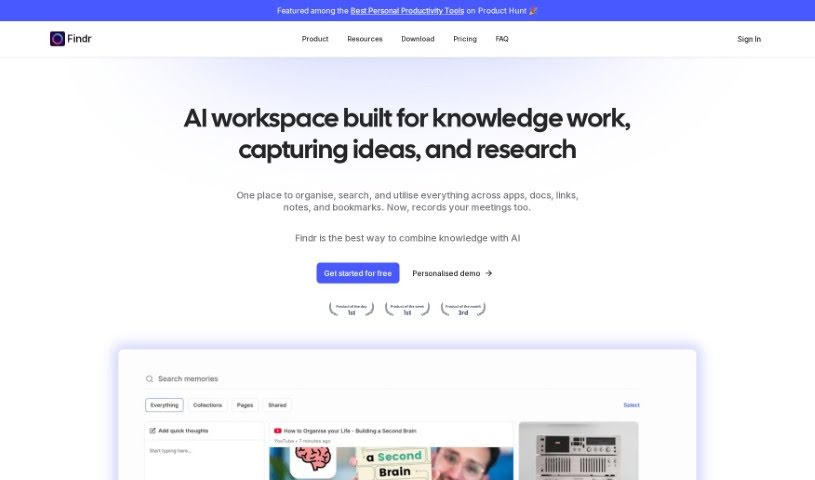
What is Findr?
Findr is a smart internal search platform that uses AI to make finding information across all your apps much simpler. It is a single search bar for everything. It works by understanding what you’re looking for, then pulling the right data from your connected apps using their search APIs. After that, it uses its own ranking system to sort and prioritize everything, so you get the most important stuff first. With Findr, you can quickly find links, documents, and other details you need. Plus, it can even chat with you directly, giving you answers, summarizing content, or helping you write emails. Security is a big deal for Findr. They use strong encryption, a secure setup, and strict access controls. They also fetch data in real-time, meaning your user data stays safe and sound, exactly where it belongs. Findr doesn’t store your data, and their security is backed by ISO and SOC2 certifications, showing they’re serious about protecting your information. It connects seamlessly with apps like Gmail, Slack, Jira, and Drive, so any updates you make are immediately searchable. You can also connect multiple accounts, set specific access levels, choose from different plans, and get insights into how your workplace uses information.
Who created Findr?
Findr was developed by a team of creators, though the founder’s name isn’t specifically mentioned in the details we have. It first launched on May 9, 2023, as an AI-powered internal search tool aimed at simplifying how people find information across various applications through one central search. The company really focuses on security, employing robust encryption, a secure infrastructure, and tight access controls. They’ve also earned ISO and SOC2 certifications, which are pretty big deals for data protection and integrity. Findr’s capabilities include real-time syncing with popular apps, providing direct answers to questions, summarizing documents, and assisting with email composition. It also supports connecting to and searching across multiple accounts at once and offers flexible plans to suit different needs.
What is Findr used for?
- Searching Everywhere: It acts as a universal search tool for all your connected apps.
- Instant AI Answers: Get quick, AI-generated responses to your questions.
- Custom AI Assistants: Create collections to build your own specialized AI assistants.
- Multi-Account Search: Connect and search across several accounts at once.
- Real-time Data Fetching: Always get the most up-to-date information.
- Role-Based Access Controls: Manage who can see what.
- Data Protection: It’s ISO Certified for data protection.
- Security Standards: It’s also SOC 2 Certified for data security.
- Boosting Workplace Knowledge: Helps improve how your team accesses and uses information.
- Direct Query Responses: Get answers straight from the system.
- Simplifying Information Discovery: Makes finding what you need across different apps much easier with one unified tool.
- Smart Data Retrieval: It pulls relevant data from apps using search APIs and then uses its ranking engine to sort the results.
- Quick Access: Helps you find links, documents, and other essential details fast.
- User Interaction: It can directly answer your questions, summarize content, and help you write emails.
- Seamless App Sync: Connects in real-time with apps like Gmail and Slack.
- Multiple Account Access: Lets you connect to and search through several accounts simultaneously.
- Strong Security: Prioritizes security with robust encryption, a secure setup, and strict access controls.
- Real-time Data Fetching: Ensures your user data stays in its original place by fetching it in real-time.
- Data Integrity: Your user data remains untouched because it fetches information in real-time.
- No Data Storage: It doesn’t store your user data; it just uses search APIs to get the information you need.
Who is Findr for?
- Professionals working with a lot of data.
- Anyone whose job involves finding and using information regularly (knowledge workers).
- People who do in-depth research.
- Analysts who need to process and interpret data.
- Consultants who advise clients.
- Management professionals who need quick access to company information.
How to use Findr?
Here’s a simple guide to getting the most out of Findr:
- Ask Your Question: Start by typing your query into Findr.
- Get Your Data: Findr uses search APIs to grab the relevant information from your connected apps right away. It’s all done in real-time.
- See Ranked Results: The Findr ranking engine then organizes these results, making sure the most important information appears at the top.
- Direct Answers: Think of Findr as your personal search assistant. It gives you direct answers, so you don’t have to hunt for links or documents yourself.
- All Your Info in One Place: It gathers all the context you need about a topic, saving you the trouble of jumping between different apps.
- Data Safety First: Findr keeps your data safe. It searches in real-time using app search APIs, meaning it never indexes or stores your information. Plus, its strong encryption and ISO/SOC2 certifications mean your data is well-protected.
- Always Up-to-Date: As soon as you add or change something in your connected apps, Findr makes it instantly searchable.
- Connect Your Apps: Findr syncs in real-time with popular apps like Gmail, Slack, Jira, and Drive. This ensures that any updated information is immediately available for your searches.
By following these steps, you’ll be able to take full advantage of Findr’s efficient search capabilities and its strong focus on data security.