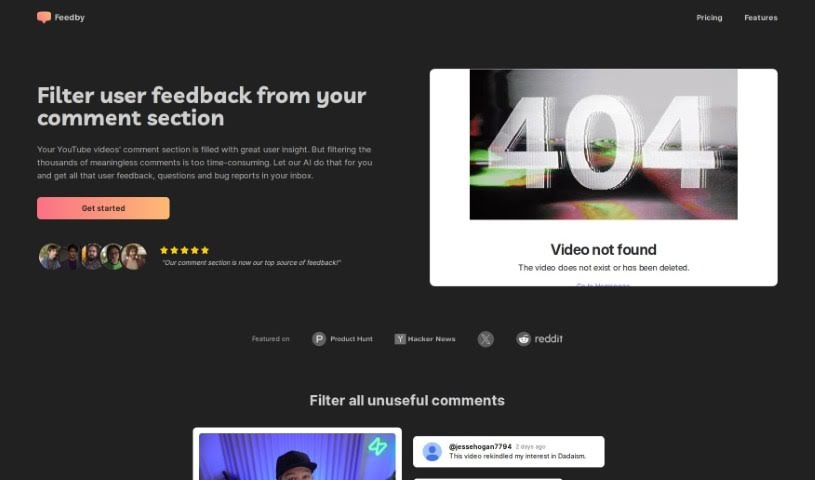
Screenshot of Feedby

Feedby

Discover Feedby in 2025! Learn what this AI tool does for YouTube comments, how to use its features, and how it stacks up against other YouTube video editors.

Screenshot

What is Feedby?

Feedby is a smart, AI-powered tool designed to make managing your YouTube comments much simpler. It uses artificial intelligence to sort through all your comments, filtering out the ones that aren’t really helpful. This way, you can easily spot and focus on the valuable feedback, questions, and bug reports that matter most. Instead of spending hours sifting through comments yourself, Feedby does the heavy lifting for you, sending you a neat, organized summary right to your inbox. It’s a real game-changer for anyone creating content on YouTube or running a business there, as it helps you connect better with your audience by pointing out what people are saying that can help you improve your videos. Plus, it’s super easy to set up, doesn’t break the bank (starting at just $1 for every 1,000 comments after the free allowance), and really helps you get the most out of your comment section.

Who created Feedby?

Feedby was developed with a clear goal: to make managing YouTube comments easier and more efficient using AI. The founders wanted to simplify how content creators and businesses interact with their audience online. They aimed to highlight the most important feedback, questions, and suggestions while filtering out the noise. The whole idea was to streamline the process of reviewing comments, delivering organized summaries straight to your inbox. Feedby’s pricing is quite affordable, too, kicking off at just $1 per 1,000 comments after you use up the initial free amount. This makes it a really accessible way for creators to boost their engagement and improve their video content.

What is Feedby used for?

  • Affordable Pricing: It’s budget-friendly, costing only $1 per 1,000 comments beyond the free tier.
  • Effortless Setup: Getting started is quick and easy.
  • Automated Comment Filtering: It automatically sorts through your comments, saving you time.
  • Valuable Insights: It highlights key feedback, questions, and feature requests from your audience.
  • Inbox Delivery: You receive organized summaries directly in your email.
  • Streamlined YouTube Engagement: It simplifies how you interact with your audience.
  • Focus on Important Feedback: Helps you easily spot crucial user comments and suggestions.
  • Convenient Insight Delivery: Get organized summaries sent straight to your inbox.
  • Quick Implementation: The setup process is designed to be hassle-free.

Who is Feedby for?

  • YouTube content creators
  • Businesses

How to use Feedby?

Here’s how to get the most out of Feedby:

  1. Sign Up: First, head over to the Feedby website and create an account.
  2. Connect Your YouTube: Link your YouTube account to Feedby so it can access your comments and start using its features.
  3. Let the AI Filter: Turn on the AI-powered comment filtering. This smart function automatically separates out comments that aren’t helpful, letting you concentrate on the valuable feedback, questions, and bug reports your audience sends.
  4. Check Your Inbox: Feedby will send you a complete summary of the important insights directly to your email. Everything is organized and ready for you to review.
  5. Focus on Key Feedback: Pay close attention to the crucial user feedback, questions, and feature requests that your audience shares.
  6. Enjoy the Easy Setup: You’ll find the setup process is really straightforward, so you can start benefiting from Feedby right away without any complications.
  7. Benefit from Affordable Pricing: Take advantage of Feedby’s cost-effective pricing. It costs just $1 for every 1,000 comments after you’ve used the initial free amount.

Don’t forget to check out Feedby’s FAQs if you need more details on how it works, how to set it up, or its pricing. By following these steps, you can really improve how you manage your YouTube comments and connect better with your audience.

Related AI Tools

Discover more tools in similar categories that might interest you

Stay Updated with AI Tools

Get weekly updates on the latest AI tools, trends, and insights delivered to your inbox

Join 25,000+ AI enthusiasts. No spam, unsubscribe anytime.