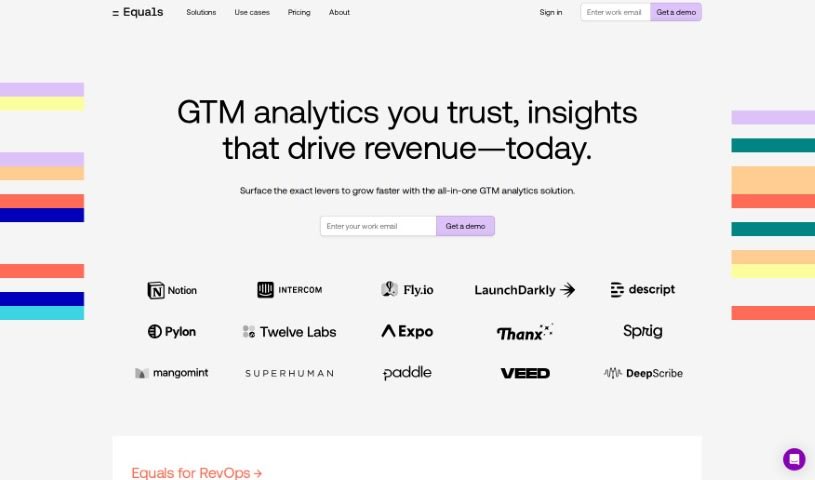
What is Equals?
Equals is an AI assistant built to make your spreadsheet work much easier and faster. It is your smart helper for all sorts of tasks, whether you need to create formulas, run SQL queries, summarize data, or collaborate with others. It really shines with its real-time collaboration features, support for over 100 different formulas, and professional-grade charting tools. Equals can automate your spreadsheets by connecting to your data sources, help you build calculated columns, and even offers handy features like formula auto-extension, advanced keyboard shortcuts, and a built-in SQL editor.
Plus, it’s got a visual query builder if you’re not a SQL expert, version history so you can always track changes and reproduce results, and you can even schedule queries to run automatically. You can also import scripts from APIs and other tools.
The AI assistant, called Equals AI Assist, really steps up your spreadsheet game. It automates processes, handles more than 100 formulas, and offers advanced tools for data visualization, seamless real-time collaboration, and that all-important version history for reproducibility. It can help you generate, edit, explain, and even fix SQL queries right inside your spreadsheet. It supports visual query building and can even connect with GPT-4 Turbo for instant SQL help and chart creation. Your data’s security and privacy are a top priority; the tool is SOC 2 Type II compliant, meaning it doesn’t need to train on your data. Equals AI Assist connects to over 10 different data sources, automates data collection, and helps you generate insights and build dashboards.
Who created Equals?
Jason Zoltak, who also serves as the CEO and Co-founder, is the driving force behind Equals. The app officially launched on June 18, 2024. Equals offers AI-powered help for tasks like creating formulas, writing SQL queries, and features that allow for real-time collaboration. The platform supports over 100 formulas, provides professional-grade charting, and includes data connectors to automate various tasks.
What is Equals used for?
Equals is a versatile tool that helps with a wide range of spreadsheet tasks:
- Real-time collaboration: Work with others on spreadsheets simultaneously.
- Formula generation: Easily create and write formulas.
- SQL queries: Write and execute SQL queries directly.
- Data summarization: Perform advanced data summarization.
- Formula support: Works with over 100 different formulas.
- Charting: Offers professional-grade charting capabilities.
- Automation: Automates spreadsheets using data connectors.
- Calculated columns: Create custom calculated columns.
- Workflow efficiency: Streamlines your overall workflow.
- SQL assistance: Helps explain and debug SQL commands.
- Formula generation and writing: Creates and writes formulas.
- SQL query execution: Writes and runs SQL queries.
- Advanced data summarization: Summarizes data in sophisticated ways.
- Formula support: Handles over 100 formulas.
- Professional charting: Provides high-quality charts.
- Spreadsheet automation: Automates spreadsheets via data connectors.
- Calculated columns: Allows for the creation of calculated columns.
- Formula auto-extension: Extends formulas automatically during model refreshes.
- Keyboard shortcuts: Offers advanced shortcuts for faster work.
- Formula creation: Generates and writes formulas.
- SQL query execution: Writes and executes SQL queries.
- Workflow improvement: Enhances workflow efficiency.
- In-spreadsheet SQL: Generates SQL queries directly within the spreadsheet.
- Extensive formula support: Supports over 100 types of formulas.
- Data visualization: Builds and visualizes data using professional charts.
- Automated spreadsheets: Automates spreadsheets through data connectors.
- Collaboration: Supports real-time collaboration.
- Error fixing: Helps fix SQL queries and formulas.
- Data security: Takes user privacy and data security seriously.
- Reporting: Offers capabilities like ARR reporting and sales funnel reporting.
- Reproducibility: Enables version history for reproducible results.
- Data analysis: Performs data analysis without needing a separate database platform.
- Visual query builder: Uses a visual query builder for users unfamiliar with SQL.
- Broad formula support: Supports over 100 types of formulas for building models and analyses.
- Data source connectivity: Automates spreadsheets via data connectors, linking to over 10 data sources.
- Simultaneous editing: Supports real-time collaboration, letting multiple users view and edit spreadsheets at the same time.
- SQL command handling: Offers explanation, debugging, and fixing for SQL commands.
- Diverse reporting: Provides reporting features like ARR reporting, sales funnel reporting, and SQL database reporting.
- Efficiency boost: Improves workflow efficiency by generating insights, assisting with queries, and enabling real-time actions.
- Calculated columns: Facilitates the creation of calculated columns.
Who is Equals for?
Equals is designed for a wide range of professionals who work with data and spreadsheets:
- Data Analysts
- Database administrators
- Business analysts
- Financial Analysts
- Market research analysts
- Management Analysts
- Operations Research Analysts
- Quality Control Analysts
- Business Intelligence Professionals
- Data scientists
- Market analysts
- Accountants
- Financial Planners
- Marketers
- Sales professionals
- Operations Managers
- Consultants
- Researchers
How to use Equals?
To get the most out of Equals AI Assist, here’s a simple guide:
- Formulas and SQL: Equals AI Assist can generate formulas and run SQL queries for you. Make sure to use its built-in SQL editor and take advantage of the support for over 100 formulas.
- Summarize and Visualize Data: Use its advanced data summarization features and professional-grade charting tools to effectively summarize and visualize your data.
- Automate Your Spreadsheets: Connect to your data sources, create calculated columns, and use data connectors to automate your spreadsheet tasks. This includes automating model refreshes with calculated columns.
- Collaborate in Real-Time: Take advantage of the real-time collaboration features that let multiple users edit and view spreadsheets at the same time.
- Track Changes and Schedule: Use the version history to keep track of changes and reproduce results. You can also schedule queries to get automated updates, ensuring your analyses are always current.
- Keep Data Secure: You can trust that Equals AI Assist handles user privacy securely. It’s SOC 2 Type II compliant, which means your personal and sensitive information is safe.
- Build Dashboards: Use Equals AI Assist to create custom dashboards right within your spreadsheet. This makes visualizing data and finding insights much simpler.
- Navigate Efficiently: Use the advanced keyboard shortcuts for quicker navigation and editing. If you’re not comfortable with SQL, the visual query builder can help you write queries easily.
- Fix Errors Quickly: Equals AI Assist helps you find errors, offers one-click fixes, and provides suggested prompts to help you correct SQL queries and formulas efficiently.
- Boost Your Workflow: By automatically generating insights, assisting with queries, and offering real-time support, Equals AI Assist significantly improves your workflow efficiency and overall productivity.
By following these steps and using the many features Equals AI Assist offers, you can make your spreadsheet tasks smoother, collaborate better, and improve how you analyze and visualize data.