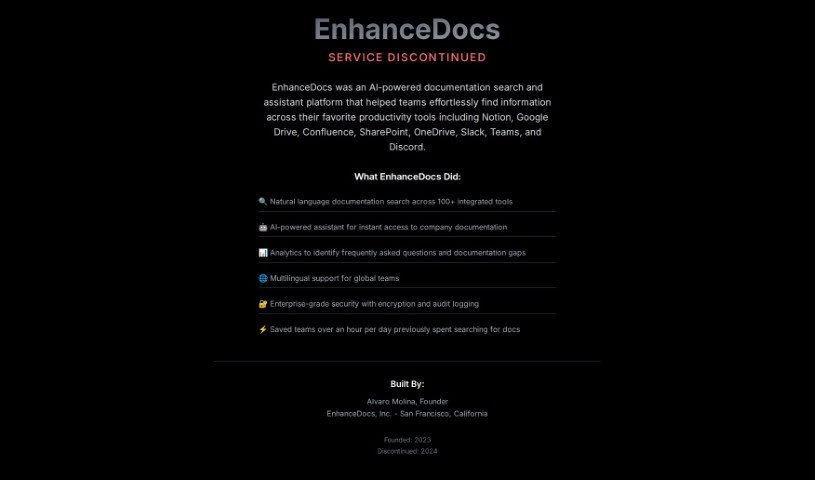
Screenshot of EnhanceDocs

EnhanceDocs

Discover what EnhanceDocs is and how to use it effectively in 2025. We'll explore its features, compare it to other documentation tools, and show you how it can boost your team's productivity.

Screenshot

What is EnhanceDocs?

EnhanceDocs is a smart tool designed to help you find information across all your platforms, like Notion, Google Drive, Confluence, SharePoint, and OneDrive. It uses natural language understanding and AI to make searching your documentation super easy. You can ask questions conversationally, get AI-powered suggestions for your documentation, access documents directly, and even gain insights from analytics. Plus, you can connect it with tools you already use, such as Slack, Teams, or Discord, to make finding information even smoother and boost your team’s productivity. Users have shared that EnhanceDocs has really helped them save time, be more productive, and understand what questions people ask most often.

Who created EnhanceDocs?

Alvaro, the founder, started EnhanceDocs. He’s really focused on changing how we find and create documentation. The company uses AI and integrates smoothly with popular productivity tools, making information easy to get to and always accurate. Alvaro’s vision is for documentation search to feel like a natural conversation – making it as simple as talking to someone to find what you need.

What is EnhanceDocs used for?

  • Gaining valuable insights from your data.
  • Connecting with your favorite productivity tools.
  • Searching documentation using everyday language.
  • Getting AI-generated help with your documentation.
  • Accessing documents directly when you need them.

Who is EnhanceDocs for?

  • Software developers
  • Project managers
  • Technical Writers
  • Team Leads
  • Product Managers
  • Customer support teams

How to use EnhanceDocs?

Here’s how you can get the most out of EnhanceDocs:

  1. Sign Up: Head over to the EnhanceDocs website. You can start with a free trial or pick a plan that fits your business best.
  2. Access Documentation: You can get to your documentation right away through the productivity tools you already use, like Slack, Teams, or Discord.
  3. Natural Language Search: Just ask your questions naturally! This feature lets you find information in your documentation easily, just like you’d chat with someone.
  4. AI-Generated Documentation: Let the AI help you out. It can suggest content for common questions, keeping your knowledge base up-to-date and complete.
  5. Direct Access: Grab the original documents you need without having to search all over again. It really saves time and effort.
  6. Valuable Insights: Use the analytics EnhanceDocs provides. They’ll show you what questions people are asking most, so you can improve your documentation where it matters.
  7. Integration with Productivity Tools: Connect EnhanceDocs with platforms like Slack, Teams, or Discord. This makes accessing your documentation super smooth.

Basically, EnhanceDocs makes the whole documentation process simpler and faster. Finding information becomes much easier, which means your team can be more productive and efficient. Users often mention how easy the interface is, how smart the AI search is, and how well it connects with other tools. By using EnhanceDocs, you can really change how your team finds and creates documentation, making your workflow and overall productivity much better.

Related AI Tools

Discover more tools in similar categories that might interest you

Stay Updated with AI Tools

Get weekly updates on the latest AI tools, trends, and insights delivered to your inbox

Join 25,000+ AI enthusiasts. No spam, unsubscribe anytime.