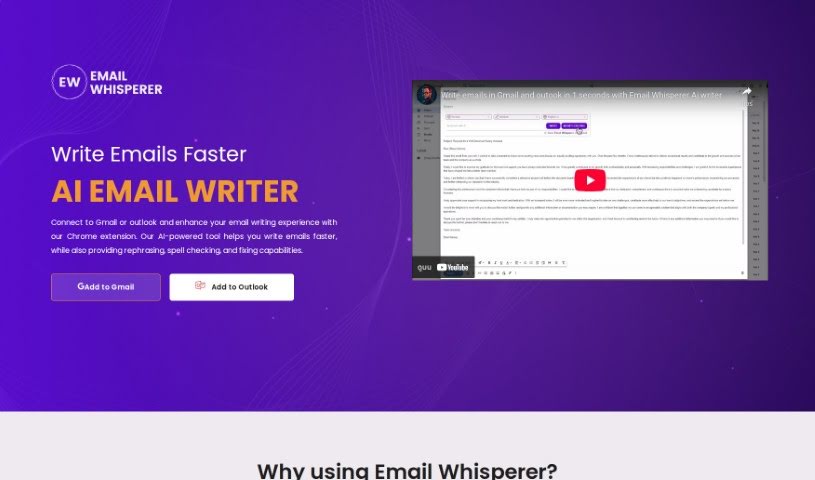
What is Email Whisperer?
Email Whisperer is a smart tool that helps you write better emails, right inside Gmail and Outlook. It works as a Chrome extension, offering handy features like suggesting different ways to phrase things, checking your spelling, and fixing errors to make your emails clearer and more stylish. You can even teach it to sound just like you by letting it learn from your website or PDF files. It supports many languages, comes with different pricing options depending on what you need, and its main goal is to help you send emails that are always professional and error-free.
Who created Email Whisperer?
Email Whisperer was developed by its founder, and you can find more company details on their website, emailwhisperer.ai. This AI-powered tool for email communication first launched on January 22, 2024. It’s packed with features like real-time suggestions for rephrasing, spell checking, and error correction. Plus, it lets you customize your communication tone and can even learn to mimic your unique writing style by analyzing content from your website or PDF documents.
What is Email Whisperer used for?
- Making your emails clearer, more stylish, and professional.
- Getting suggestions to rephrase sentences for better flow and style.
- Fixing spelling mistakes and improving your grammar.
- Writing emails that sound like they come from you personally.
- Setting and remembering your preferred communication tone.
- Training the AI to copy your specific writing style.
- Creating emails that are free of errors, with suggestions as you type.
- Speeding up your email writing with a variety of helpful tools.
- Boosting the overall style and effectiveness of your email communication.
- Crafting personalized and genuine-sounding email responses.
- Summarizing long emails.
- Checking spelling.
- Sending an unlimited number of emails daily (on certain plans).
- Ensuring your emails sound like you wrote them.
- Getting responses in major languages.
- Receiving suggested replies.
- Accessing affordable pricing tiers.
- Generating emails in the background.
- Utilizing a shared knowledge base.
- Getting early access to new features.
- Supporting major languages for your communications.
- Receiving rephrasing suggestions for your email content.
- Getting real-time spell checking and error correction.
- Customizing the tone of your emails.
- Training the AI using your website or PDF files to understand your business and write personalized emails.
- Learning to mimic your writing style.
- Setting a preferred tone for your email conversations.
- Getting suggestions to rewrite phrases or sentences for better communication.
- Automatically checking for spelling errors and improving grammar in your emails.
- Increasing your email writing speed and efficiency.
- Sending personalized emails.
- Getting rephrasing suggestions.
- Fixing errors.
- Improving clarity, style, and professionalism.
- Setting and remembering your tone preferences.
- Customizing your communication tone.
- Mimicking your writing style.
Who is Email Whisperer for?
- Anyone who communicates via email, both personally and professionally.
- Professional writers.
- Marketers.
- Business owners.
- Sales professionals.
- Customer service representatives.
- Executives.
- Anyone in any profession that involves sending emails.
- Entrepreneurs.
- Students.
- Professionals working in finance, law, consulting, or tech.
- Individuals focused on personal communication.
- Professionals involved in business communication.
- Anyone who needs to send emails in multiple languages.
How to use Email Whisperer?
Here’s a straightforward guide to using Email Whisperer:
- Understand What Email Whisperer Does: Think of Email Whisperer as your AI assistant for emails. It works within Gmail and Outlook via a Chrome extension, offering helpful features like rephrasing suggestions, spell checking, and error correction to make your emails clearer, more stylish, and professional.
- Install Email Whisperer:
- First, head over to the Email Whisperer website. You’ll see options to ‘Add to Gmail’ or ‘Add to Outlook’.
- Click the one you need, and it’ll take you to the Chrome web store. From there, you can easily add the extension to your Chrome browser.
- Try the Rephrasing Feature:
- Email Whisperer can suggest different ways to phrase your sentences or words. This is great for making your emails clearer and improving their overall style.
- Make Your Emails Personal:
- Want your emails to sound exactly like you? You can train Email Whisperer by giving it access to your website or PDF files. This helps it understand your unique communication style so it can write emails that truly sound like they came from you.
- Daily Email Limits:
- Just so you know, the Free plan gives you three AI-generated emails per day. If you need more, the Unlimited and Business plans offer unlimited emails.
- Write Faster and More Efficiently:
- Email Whisperer really speeds up your email writing. With real-time suggestions for rephrasing, instant spell checks, and the ability to set your preferred tone, you can get your emails done much more efficiently.
- Improve Grammar & Spelling:
- The tool automatically checks for spelling mistakes and offers corrections right within your email. This makes the writing process smooth and ensures accuracy.
- Customize Your Communication Tone:
- You can easily set your preferred tone for emails. This gives you flexibility to match your communication style to different situations and recipients.
- Explore the Plan Options:
- Email Whisperer offers a few different plans: Free, Unlimited, and Business. Each plan comes with different features, such as personalized emails in multiple languages, tone customization, and the ability to train custom AI models specifically for your business needs.
- Language Support:
- To help you communicate effectively across borders, Email Whisperer supports responses and personalized emails in many major languages.
Remember, Email Whisperer is a handy Chrome extension that works with both Gmail and Outlook. It offers some really unique features, like setting your personal tone and training the AI on your own content, which leads to more personalized and efficient email communication.