What is Ellie?
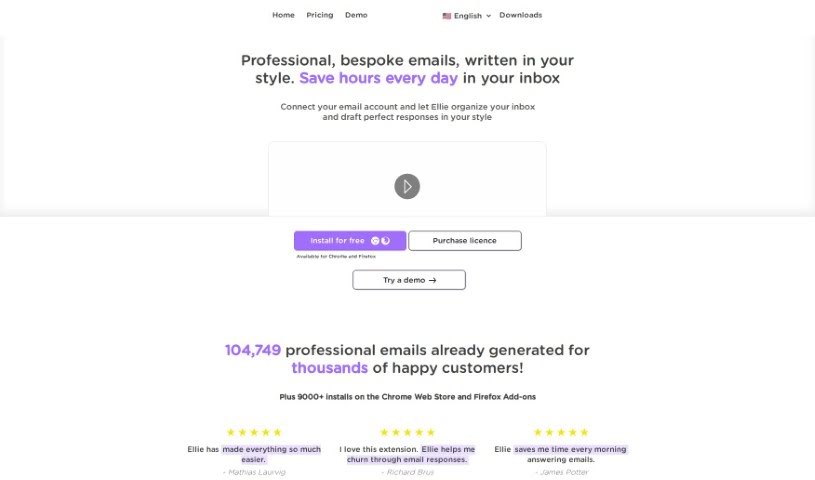
Ellie is your personal AI email assistant. It’s designed to learn your unique writing style, so it can craft email replies that sound just like you wrote them. This means you can generate professional, personalized emails without spending hours on them. Ellie really gets the context of your emails and can create smart, thoughtful replies with that personal touch you value. Plus, you can teach Ellie new things by giving it documents or links to learn from. And don’t worry about privacy – Ellie only uses your email replies to help it generate responses and doesn’t store your email data.
Who created Ellie?
Ellie was actually built by Danielle and James, a couple of developers who travel the world on a small sailboat. They’re independent, meaning they don’t have any outside funding, and they’re really focused on privacy and using data ethically. They created Ellie as an AI email assistant to help people automate their email replies and save precious time. This AI tool offers a variety of features to help you manage your email responses efficiently, and it customizes replies to match your specific writing style.
What is Ellie used for?
Ellie can help with a lot of things, like:
- Automating email replies: Let Ellie handle the back-and-forth.
- Overcoming reply anxiety: If you ever feel stuck on how to respond, Ellie can help.
- Improving language and grammar: It’s a great tool for individuals with dyslexia or anyone looking to polish their writing skills.
- Handling automated emails: Ellie can even manage replies to automated messages.
- Assisting with dyslexia or language/grammar: It’s a supportive tool for these specific needs.
- Supporting small teams: If your team lives in their inbox and sends tons of emails daily, Ellie can be a lifesaver.
- Helping large teams and enterprises: For those sending hundreds of emails a day, it streamlines communication.
- Managing email overload: If you’re feeling swamped by emails, Ellie offers much-needed assistance.
- Customizing email AI models: Tailor the AI to your specific needs.
- Providing email training: Ellie learns how to write emails in your unique style.
- Knowledge base training: Teach Ellie specific information to make its replies even more relevant.
- Assigning roles: You can give Ellie different roles depending on the email type (e.g., a customer support role).
- Integrating into workflows: Seamlessly fit Ellie into how your team already works.
- Offering one-on-one support: Get personalized help to set up and use Ellie.
- Aiding with email reply anxiety: Specifically designed to ease the stress of responding.
- Generating replies: Simply put, it helps you craft replies to emails.
- Smart email crafting: Use an intelligent AI model for better communication.
- Providing email training: Learn from your own sent emails to improve responses.
- Team sharing: Share training materials and roles across your team for consistent messaging.
- Customer support: Get dedicated email support for your customers.
Who is Ellie for?
Ellie is a great fit for a variety of users, including:
- Large teams and enterprises: Especially those sending hundreds of emails daily.
- Small teams: Perfect for those who are constantly in their inboxes.
- Small business owners: Manage your communications efficiently.
- Customer support specialists: Handle inquiries with ease.
- Business professionals: Streamline your daily email tasks.
- Anyone overwhelmed with emails: Get the help you need to stay on top of your inbox.
How to use Ellie?
Getting started with Ellie is straightforward. Just follow these steps:
- Choose Your Plan:
- Pick the plan that best fits your team’s needs, whether you’re a small business, a professional, or a large enterprise.
- Initial Setup:
- Once you’ve made your payment, you’ll receive a license key to activate the browser extension.
- Browser Compatibility:
- Ellie works as a Chrome or Firefox extension, making it easy to integrate right into your browser.
- Email Client Compatibility:
- Right now, it works perfectly with Gmail and Fastmail. If you use other clients, you can still use a toolbar popup to generate replies. We’re working on full support for more web-based clients soon!
- Training Ellie:
- To help Ellie learn your writing style, you can provide up to 1,000 of your previously sent emails. With our Advanced Training option, you can also teach Ellie specific information to make its responses even better.
- Roles Feature:
- You can assign different roles to Ellie depending on the type of email. For instance, you might give Ellie a ‘Customer Support Role’ so it can access specific documentation relevant to that task.
- Team Sharing:
- Want everyone on your team to communicate consistently? You can share your AI model, training materials, and assigned roles across your entire team.
- Specialized Support:
- We offer 1-on-1 support specialists who can help you get set up and make sure you’re using Ellie to its full potential.
- Usage Limitations:
- Keep in mind that Ellie is designed for replying to emails, not for writing cold outreach emails. Each plan comes with a set number of daily replies based on your subscription.
By following these steps, you can really make the most of Ellie’s AI capabilities to make your email communication much more effective and efficient.