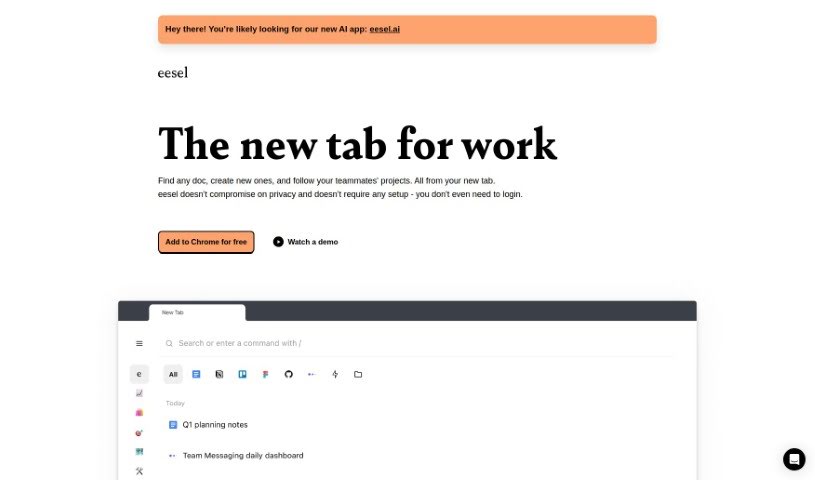
Screenshot of Eesel

Eesel

Discover Eesel in 2025! Learn what this productivity tool does, how to use its features effectively, and how it stacks up against other documentation tools.

Screenshot

What is Eesel?

Eesel is a handy productivity tool designed to make accessing your work-related links super simple. Instead of digging through bookmarks or searching, it shows you all the important documents, designs, and other content you need right when you open a new browser tab. It is your instant gateway to everything work-related. What’s really neat is that Eesel takes care of your privacy, requires absolutely no setup or login, and just works seamlessly. It automatically sorts your work into folders, so you can quickly get to project-specific pages or customer info without any manual organizing. Plus, Eesel plays nicely with any application you open in your browser, letting you switch between different tools and platforms effortlessly to boost your productivity.

Who created Eesel?

Andrey Sundiev is the mind behind Eesel. The team also includes some key players: Chris Roy heads up Product Design, Jean du Plessis directs Engineering, Jérémy Seyman leads Sales, and Sid Suri is in charge of Marketing.

How to use Eesel?

Getting started with Eesel is a breeze. Just follow these simple steps:

  1. Installation: You don’t need any complicated setup or login. Just add the Eesel extension to your browser, and you’re good to go.
  2. Organizing Your Work: Eesel automatically sorts your work into different folders. This makes it super easy to find exactly what you need, when you need it.
  3. Accessing Documents: Forget searching! Eesel puts all the links you need for work right there in your new tab, ready for you.
  4. Following Projects: Want to stay in the loop? You can follow projects and even get pages created by your teammates delivered straight to your new tab.
  5. Speed and Efficiency: Why wait for websites to load? Use Eesel’s shortcuts to open it up and zip through your work instantly, whether it’s local or online.
  6. Compatibility: Eesel works smoothly with any application you open in your browser, giving you the flexibility to use it across all your different platforms.

By following these steps, you’ll be able to take full advantage of Eesel’s features, making your work management and collaboration much more efficient.

Related AI Tools

Discover more tools in similar categories that might interest you

Stay Updated with AI Tools

Get weekly updates on the latest AI tools, trends, and insights delivered to your inbox

Join 25,000+ AI enthusiasts. No spam, unsubscribe anytime.