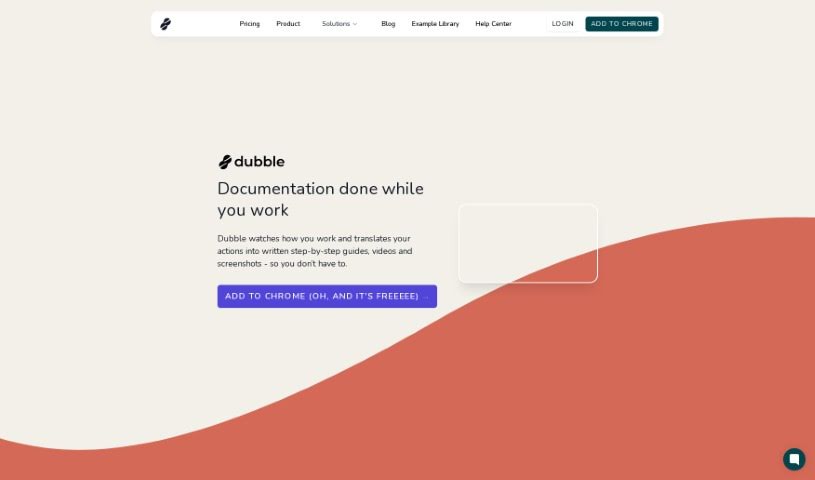
Screenshot of Dubble

Dubble

Discover what Dubble is and how to use it effectively in 2025. We'll explore its features and see how it stacks up against other project management tools.

Screenshot

What is Dubble?

Dubble is a smart documentation tool that uses AI to automatically create detailed, step-by-step guides, videos, and screenshots. It is your personal assistant for documentation. It works by simply recording what you do on your computer. Then, it turns those actions into clear, comprehensive guides. You can easily edit these guides and share them with your team or post them on platforms that handle rich content or markdown. It’s really user-friendly, which is great news for support, operations, and product teams. Dubble helps keep your documentation current and can really speed up the whole process for any team. Plus, it supports markdown, makes sharing your guides a breeze, and even has a handy Chrome extension for quick access.

Who created Dubble?

Dubble was developed by a team focused on creating an AI-driven tool that automates the creation of step-by-step guides, videos, and screenshots. It first launched on March 14, 2024. The people who get the most out of Dubble are typically support teams, operations teams, and product teams. This tool is fantastic for standardizing and scaling best practices, documenting internal procedures, building guides for software products, and handling all sorts of other documentation needs. The platform offers a range of features, including automating documentation creation, recording your actions, turning those actions into guides, allowing for quick edits, integrating with different platforms, and supporting rich content or markdown. It’s designed to be user-friendly and incredibly beneficial for support, operations, and product teams.

What is Dubble used for?

Dubble is incredibly versatile and can be used for a variety of tasks:

  • Creating ‘How to’ guides and general instructions.
  • Recording your screen to capture videos and screenshots.
  • Making tutorials for software or processes.
  • Automating the entire documentation creation process.
  • Generating clear, step-by-step guides.
  • Producing videos and screenshots automatically.
  • Recording your specific user actions.
  • Translating those recorded actions into easy-to-follow guides.
  • Sharing your created materials easily with team members.
  • Making quick edits to your guides as needed.

Who is Dubble for?

Dubble is particularly helpful for:

  • Support Teams
  • Operations teams
  • Product teams

How to use Dubble?

Here’s a simple way to get the most out of Dubble:

  1. Record Your Actions: Just open the Dubble Chrome extension and hit record while you’re doing the tasks you want to document on your computer.
  2. Automatic Translation: Dubble will then automatically turn everything you did into detailed instructions, complete with videos and screenshots.
  3. Edit Guides: You can easily tweak the descriptions, add markup, or even swap out screenshots. You can even pick different screenshots from your existing recordings if you need to.
  4. Sharing Guides: Sharing your finished guides is super simple – just a single click. You can also invite team members to collaborate on editing.
  5. Integration: Dubble plays nicely with other platforms you might already use, like Google Docs, Notion, and others that support rich content or markdown.
  6. Maintenance: Keeping your documentation fresh is easy. You can go back and record new steps or pull relevant screenshots from past sessions whenever needed.
  7. Refund Policy: If for any reason you’re not happy with Dubble, you can request a refund within 7 days of your purchase.

Related AI Tools

Discover more tools in similar categories that might interest you

Stay Updated with AI Tools

Get weekly updates on the latest AI tools, trends, and insights delivered to your inbox

Join 25,000+ AI enthusiasts. No spam, unsubscribe anytime.