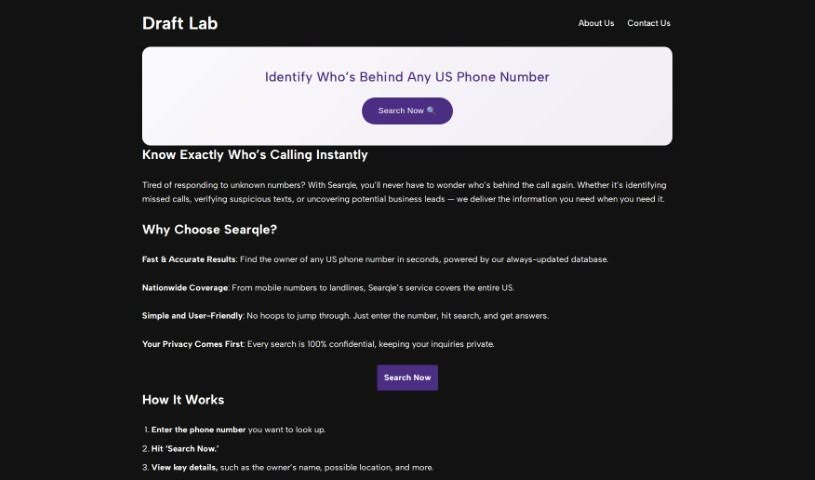
Screenshot of DraftLab

DraftLab

Discover what DraftLab is and how to use it effectively in 2025. We'll explore its features and see how it stacks up against other Email Writing Tools.

Screenshot

What is DraftLab?

DraftLab is your personal AI writing assistant, specifically designed to help you conquer writer’s block and finally get to that coveted inbox zero. It fits right into Gmail, offering up personalized email responses that actually sound like you. It’s pretty neat because it can handle those repetitive emails automatically, sort your important messages based on what they’re about, and generally help you craft professional emails quickly without staring at a blank screen. Essentially, it boosts your productivity by smoothing out the writing process and giving you real-time tips to make your emails even better.

Who created DraftLab?

DraftLab was developed as a smart, AI-driven tool aimed at helping people beat writer’s block and achieve inbox zero within Gmail. The specific founder isn’t mentioned in the information I have. This tool acts like a copilot for your Gmail, generating personalized replies using advanced AI. It really helps boost productivity by offering suggestions as you type, letting you set your own preferences, and integrating smoothly with Gmail, making email writing a much smoother experience.

How to use DraftLab?

DraftLab is an AI tool that works directly within Gmail to make writing emails much simpler. Here’s a straightforward guide on how to get the most out of it:

  1. Seamless Gmail Integration: DraftLab comes as a Chrome extension that fits right into your Gmail interface. You won’t need to jump between different applications.
  2. Pay-as-you-go Pricing: You’re only charged when you actually use the AI to generate an email. There’s no upfront cost, and you can cancel your monthly subscription whenever you like.
  3. Your Privacy Matters: DraftLab takes user privacy seriously. It doesn’t store your emails unless you choose to use a personalized model, which is a separate option.
  4. Personalization is Coming Soon: Soon, you’ll be able to train DraftLab’s AI to perfectly match your unique writing style. This will save you even more time while keeping your emails sounding authentic.
  5. Automate Routine Emails: You can teach DraftLab’s AI to automatically reply to emails you get often. This means no more relying on generic, canned responses.
  6. Smart Email Sorting: DraftLab can learn to sort and label your important emails based on their content. This way, crucial messages won’t get buried in your inbox.
  7. AI as Your Co-pilot: DraftLab acts like a helpful assistant for your Gmail. It analyzes incoming emails and helps you write great, personalized replies.
  8. Beat Writer’s Block: Thanks to DraftLab’s smart AI, you can easily overcome writer’s block and write professional, engaging emails without the usual struggle.
  9. More Helpful Features: DraftLab offers ways to customize its responses to your preferences, provides real-time suggestions to improve your writing, and integrates smoothly with Gmail for easy access.
  10. Boost Your Productivity: By automating email replies, DraftLab frees up your time and energy. This lets you concentrate on more important tasks, significantly increasing your overall productivity.

All in all, DraftLab really changes how you write emails. It gives you AI help, lets you customize it, and offers real-time tips, all of which boost your productivity and make reaching inbox zero feel effortless.

Related AI Tools

Discover more tools in similar categories that might interest you

Stay Updated with AI Tools

Get weekly updates on the latest AI tools, trends, and insights delivered to your inbox

Join 25,000+ AI enthusiasts. No spam, unsubscribe anytime.