What is DocumentPro?
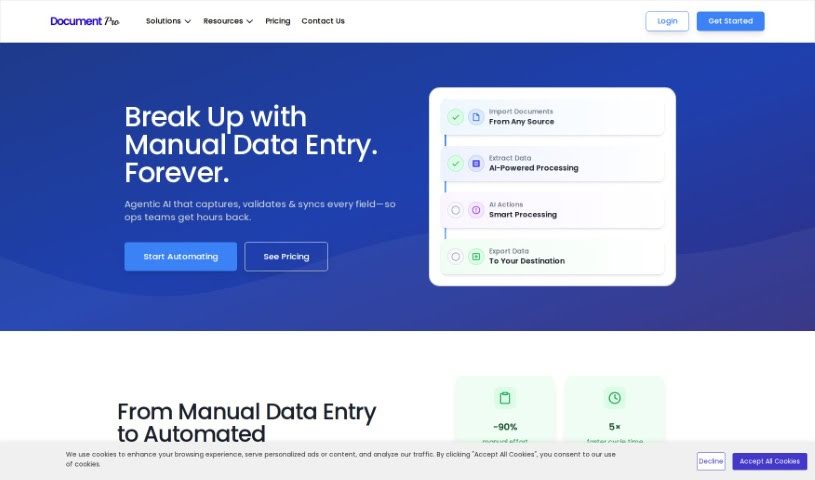
DocumentPro is a cloud-based tool designed specifically for small and medium-sized businesses. It uses AI to pull invoice data directly from images and PDFs. Once it extracts the information, it can export it all to a CSV file. You’ll find it really easy to use, thanks to its drag-and-drop interface, which makes uploading invoices a breeze. Compared to older OCR methods, DocumentPro is much more accurate. It handles various file types like PDF, PNG, and JPG, and you can even process several invoices at the same time. This makes it a great fit for industries such as business services, logistics, transportation, and retail. The tool works quickly, offers helpful tips for uploading your files, and even provides sample invoices if you need a reference. Simply put, using DocumentPro cuts down on the time you’d normally spend on data entry and reduces the chances of making mistakes.
Who created DocumentPro?
Documentpro Overview:
Documentpro, a cloud-native document processing tool, first launched on April 15, 2023. It was founded by a team who are really passionate about making data extraction more efficient. They offer AI technology that can pull information from invoices found in images and PDFs. The platform, guided by its dedicated founders, also provides easy integration options through webhooks and strong APIs, which allows for real-time automation. Documentpro takes data privacy and security seriously, offering enterprise-grade security with encrypted storage and strict access controls.
What is DocumentPro used for?
DocumentPro is incredibly versatile and can handle a wide range of documents:
- Invoices: It effortlessly extracts vendor details and line items, helping you automate invoice processing, manage expenses, and streamline accounts payable.
- Resumes: It can pull out information from resumes in any format, significantly improving your recruitment process and reducing the time it takes to hire someone.
- Contracts: Extract key terms, dates, and parties involved to automate contract management and cut down on manual data entry. You can even build custom parsers for different providers.
- Insurance Claims: Pull out claim numbers, policy numbers, and other vital details to automate claims processing and speed up turnaround times. Custom parsers can be built for each insurance provider.
- Bank Statements: Extract transaction details, account balances, and more to automate bank reconciliation and simplify expense management. Custom parsers are available for different banks.
- Bills of Lading: Extract shipper and consignee details to automate logistics processes and reduce manual data entry.
- Doctor’s Orders: Capture patient and procedure details from both handwritten and physical documents, helping to reduce the administrative workload in healthcare settings.
- Order Confirmation Emails: Automatically process new order notifications by extracting order details from emails, which can then trigger various workflows.
- Custom Support and Leads Emails: Automatically capture leads and support requests directly from emails, making it easier to route leads and manage support tickets.
- Thousands of other custom use cases: DocumentPro’s powerful capabilities extend to many other areas. This includes applying AI parsers to various document formats, selecting specific pages for extraction, using Regex rules for precise parsing, and leveraging a robust API platform.
Essentially, DocumentPro helps you automate tasks like invoice processing, expense management, accounts payable, claims processing, contract management, recruitment, bank reconciliation, logistics, healthcare administration, order processing, and lead management. It’s faster than traditional OCR and helps maintain operational efficiency.
Who is DocumentPro for?
DocumentPro is ideal for a variety of professionals and industries:
- Industries: Business services, logistics and transportation, and retail.
- Professionals: Business services professionals, logistics and transportation professionals, retail professionals, accountants, claims processors, contract managers, recruiters, financial analysts, logistics specialists, healthcare administrators, and customer support representatives.
It’s particularly useful for automating processes related to:
- Invoices
- Insurance claims
- Contracts
- Resumes
- Bank Statements
- Bills of Lading
- Doctor’s Orders
- Order Confirmation Emails
- Custom Support and Leads Emails
- Healthcare
If your work involves processing any of these document types, DocumentPro can significantly streamline your operations.
How to use DocumentPro?
Using DocumentPro is straightforward. Just follow these steps:
- Upload Your Invoices: Start by using the easy drag-and-drop interface to upload your invoices. DocumentPro accepts files in PDF, PNG, or JPG formats.
- Let the AI Extract Data: DocumentPro’s AI technology will then automatically pull out essential information, such as vendor details and payment terms.
- Process Multiple Invoices: For greater efficiency, the tool is designed to handle multiple invoices at the same time.
- Export Your Data: Once the data is extracted, you can export it in CSV format for easy use in other applications.
- Check Upload Requirements: Make sure your files meet the necessary upload criteria. You can refer to the provided guide and sample invoices for assistance.
- Select Specific Pages: If needed, you can choose only the relevant pages for extraction and apply AI parsers accordingly.
- Use Regex Rules: For more precise data matching, you can utilize regex rules to pinpoint specific content within your documents.
- Integrate with the API: Take advantage of the powerful API platform to enhance your data extraction and automate workflows even further.
- Choose a Plan: Select a subscription plan that best suits your needs, whether you prefer one-time credits or ongoing subscription options.
- Get Support: If you have any questions about the tool, don’t hesitate to reach out using the ‘Contact Us’ option.
DocumentPro is really designed with small and medium businesses in mind, offering accurate and efficient invoice data extraction powered by advanced AI. This helps improve your operational efficiency and manage risks more effectively.