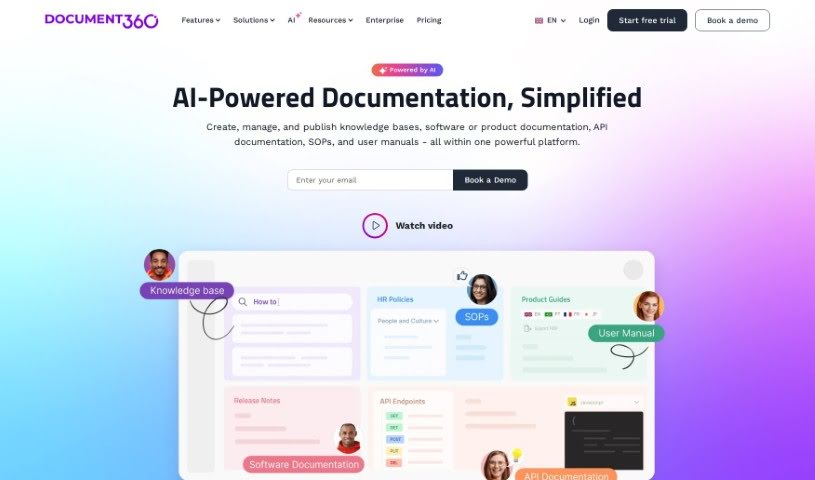
Discover Document360, a powerful knowledge base software. Learn what it is, how to use its features for FAQs, user guides, and more, and how it stacks up against other documentation tools in 2025.

Document360 is a really useful knowledge base software. Its main purpose is to help you create self-service knowledge bases for your customers. It is a central hub where you can build all sorts of helpful documents. This includes things like frequently asked questions (FAQs), step-by-step user guides, detailed product documentation, and even standard operating procedures. It’s designed to be helpful for a wide range of people – from editors and writers who create the content, to reviewers who check it, and finally to the customers or employees who need to access it. Developers can also find it valuable. Because of this flexibility, Document360 works well across many different industries, like SaaS companies, legal firms, healthcare providers, and financial services. The platform comes packed with features that make managing your documentation easier, such as analytics to see what’s working, tools for managing your content workflow, ways to optimize your content for search engines (SEO), and options to connect it with other software you use. It also includes a business glossary to keep your company’s terms consistent and a ticket deflector to help customers find answers before they even need to submit a support ticket. Plus, it helps with SEO by creating search engine-friendly web addresses and making sure your content is optimized for the keywords people are actually searching for. It really helps streamline your workflow by making the process of creating, reviewing, and publishing content much more organized.
Document360 was actually created with the goal of completely changing how we create and manage documentation. It’s a knowledge base software that lets you build all sorts of documents, from FAQs and user guides to full product documentation and standard operating procedures. It first launched on October 8, 2023. The team behind Document360 was really focused on building a platform that’s not only user-friendly but also packed with powerful features. It’s built to be useful for editors, writers, reviewers, customers, and developers alike, and it’s a great fit for industries like SaaS, legal, healthcare, and financial services.
Document360 is incredibly versatile. Here’s a breakdown of its key uses:
Specifically, it’s great for:
It also offers comprehensive analytics to track how well your content is performing and assists with data migration to help you move your existing documentation over smoothly.
Document360 is a tool that serves a wide audience. You’ll find it useful if you’re an:
It’s particularly beneficial for professionals in:
And for teams within:
It’s also a great fit for:
Essentially, anyone involved in creating, managing, or consuming information will find value in Document360.
To really get the most out of Document360, here’s a step-by-step guide:
Get to Know the Core Features: Start by exploring Document360’s main capabilities. This includes using the analytics to see how your content is performing, understanding the workflow management tools to keep your creation process smooth, leveraging SEO optimization to boost visibility, and checking out the integration options to connect with other platforms you use.
Build Your User Guides & FAQs: Make good use of Document360 for creating essential user guides, helpful FAQ sections, and clear product documentation. Remember, the platform’s workflow management and SEO optimization features are there to help your content get noticed.
Explore Industry-Specific Solutions: Take some time to understand how Document360 is tailored for different industries like legal, healthcare, and financial services. It offers specialized solutions that can really help when you’re creating and managing documentation specific to those fields.
Dive into Educational Resources: Don’t miss out on the educational materials Document360 provides. They offer blogs, tutorials, webinars, and customer case studies that can teach you a lot about how to use the platform to its full potential.
Understand API Documentation: If you’re a developer, learn about the API documentation features within Document360. This allows you to create well-structured documentation for your APIs, making it much clearer for other developers to understand how they work.
Leverage Support & Migration: Familiarize yourself with the support Document360 offers, especially for data migration. The tool can help you move your existing content over, answer questions about product documentation, and generally make transitions smoother.
Consider Payment Options: Look into the billing options Document360 provides. You can choose to pay monthly or yearly, and opting for yearly billing usually comes with a discount. Payments can typically be made via invoice, bank transfer, or through their online portal.
Utilize Private Knowledge Bases & Add-ons: You can create private Knowledge Bases that only specific readers can access. Also, if your current plan doesn’t cover everything you need, you can often select additional features as add-ons from higher-tier plans.
Manage Data Storage & Business Glossary: Document360 provides space for storing your project artifacts. Plus, the business glossary feature is a great way to define and manage specific business terms consistently across your documentation.
Make the Most of Tutorials & Resources: Actively use the tutorials Document360 offers to help you navigate the features easily. Also, check out resources like customer case studies and webinars to deepen your understanding of the software.
By following these steps, you’ll be well on your way to effectively using Document360 to create, manage, and optimize your knowledge base for all sorts of purposes and across different industries.
Discover more tools in similar categories that might interest you
Get weekly updates on the latest AI tools, trends, and insights delivered to your inbox
Join 25,000+ AI enthusiasts. No spam, unsubscribe anytime.