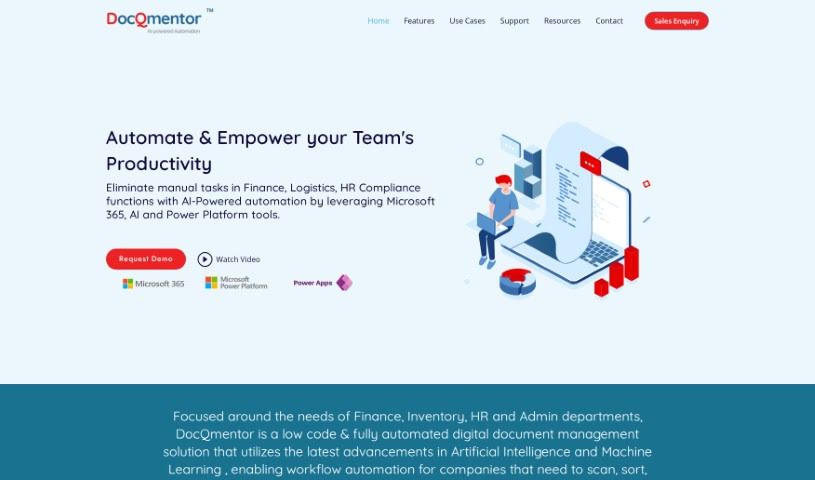
Screenshot of DocQmentor

DocQmentor

Discover what DocQmentor is and how to make the most of it in 2025. We'll dive into its features, compare it to other documentation tools, and show you exactly how to use it.

Screenshot

What Exactly is DocQmentor?

DocQmentor is your digital assistant for making work smoother across different departments – whether that’s Finance, Inventory, HR, or Admin. It’s a smart, low-code system that fully automates document management. What’s really neat is how it uses AI and Machine Learning to handle your workflows. You just drop your files into a special folder, and DocQmentor takes over. It’ll scan them, pull out the important data, rename the files correctly, add all the necessary metadata, and then file them away securely in your Microsoft 365. Plus, it taps into the robust security already built into Microsoft 365, so your documents are well-protected. It even gives you confidence scores for the forms it processes, so you can easily keep an eye on how accurate the data is. DocQmentor can also connect with other major business applications, offering smart automation solutions tailored for your teams.

Who’s Behind DocQmentor?

DocQmentor was developed as a digital automation solution powered by AI, specifically designed to boost productivity in areas like finance, logistics, HR, and compliance. It first launched on July 12, 2022, in Lewisville, TX. The team behind it is made up of experts who’ve focused on leveraging the latest advancements in AI and machine learning. This low-code, fully automated document management system works seamlessly with Microsoft platforms, including M365, Power Apps, Dynamics CRM, and Business Central. By integrating with these tools, it efficiently automates tasks across various departments.

What Can You Do With DocQmentor?

DocQmentor is fantastic for a range of tasks:

  • Automating Workflows: It takes the manual effort out of your processes.
  • Boosting Efficiency: Get more done in less time.
  • Enhancing Security: Keep your documents safe and sound.
  • Automatic Triggers: Tasks start automatically when you need them to.
  • Confidence Scores: Get insights into data accuracy.
  • Smart Automation for Teams: Equip your teams with intelligent tools.
  • Scaling Team Productivity: Help your teams handle more work effectively.
  • Connecting with Business Apps: It plays well with your existing software.
  • Streamlining Productivity: Make finance, logistics, HR, and compliance functions run much smoother.
  • Automating Repetitive Tasks: Take the tedium out of routine workflow steps.

How Do I Start Using DocQmentor?

Getting started with DocQmentor is straightforward. Just follow these simple steps:

  1. Automate Your Tasks: Simply drop your files into the designated DocQmentor folder. The tool then takes care of the rest. It scans the documents, extracts key information, renames them appropriately, and stores them securely within your Microsoft 365 environment.
  2. Rely on Security: DocQmentor makes full use of the advanced, built-in security features of Microsoft 365. This means only authorized individuals who have the correct credentials can access, modify, or delete your files, ensuring your data is well-protected.
  3. Monitor with Confidence Scores: The system assigns recognition confidence scores to the forms it processes. This feature allows you to easily track the accuracy of the data being input. If a score happens to drop below a specific level you’ve set, the document can be automatically sent for manual review, ensuring accuracy.
  4. Seamless Integration: DocQmentor is designed to integrate easily with a wide variety of leading business applications. This includes CRM systems, ERPs, HR software, email clients, and many others, making it a flexible addition to almost any business setup.

By using DocQmentor in these ways, you can really improve how you manage documents, automate your workflows, keep everything secure, and make sure your data is accurate. It’s a great way to make your business operations more efficient.

Related AI Tools

Discover more tools in similar categories that might interest you

Stay Updated with AI Tools

Get weekly updates on the latest AI tools, trends, and insights delivered to your inbox

Join 25,000+ AI enthusiasts. No spam, unsubscribe anytime.