20Paths
Productivity Documentation
Learn more
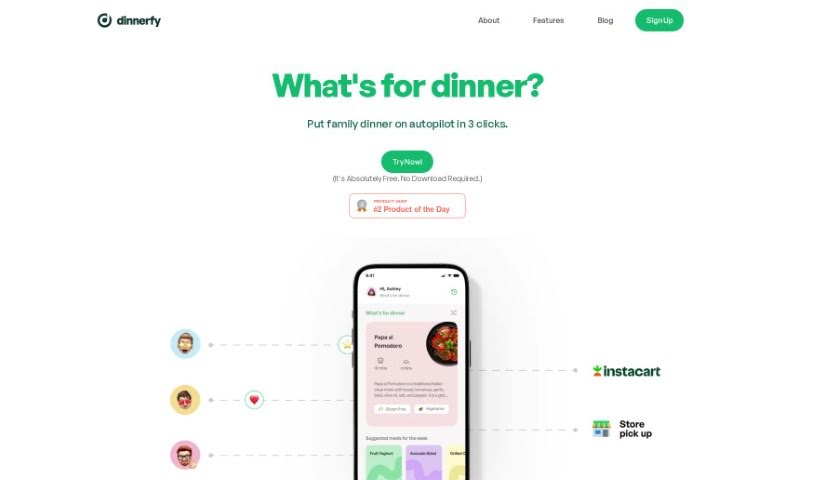
Discover what Dinnerfy is, how it plans family meals, and how it sends grocery lists to Instacart.
Dinnerfy is a Progressive Web App (PWA) that runs in your web browser — no download from Apple’s or Google’s app stores required. You can add it to your device’s home screen like a regular app. The app is designed to help families spend more quality time together: its technology learns what your family likes and helps you reach your goals, and you can customize your menus. Dinnerfy is free to use, with voluntary donations accepted to keep it running.
Chuck and Aman created Dinnerfy, as they shared in a message on the website. Their stated goal is to help families achieve their goals and spend more time together using the app’s taste-learning technology. They also welcome user feedback to improve the platform.
Dinnerfy is aimed at families, and the site also lists professionals such as:
Adding recipes: Click your profile picture in the top left corner of the home screen, choose ‘RecipeBox,’ and click ‘Upload.’ You can pick ‘Magic’ to have the app create recipes automatically, ‘Text’ to type them in yourself, or ‘Link’ to add recipes from other websites by pasting the URL.
Getting groceries delivered: Tap the Cart icon at the bottom right of the screen, confirm your meals, and click ‘Proceed.’ Customize your grocery list — remove items you already have and add anything else you need — then press the Instacart button to send your list to the “Dinnerfy Cart” for delivery.
Three-step dinner process: Every family member can add their dietary preferences and make meal choices by swiping left or right. You can generate a complete grocery list for the entire week with one click via Instacart.
Calendar view: Click your profile picture in the upper left corner of the home screen and adjust the ‘Calendar View’ switch to change views.
Related
Discover more tools in similar categories
Weekly picks of the best AI tools we've researched and added — no spam, unsubscribe anytime.
Join 25,000+ AI enthusiasts. No spam, unsubscribe anytime.