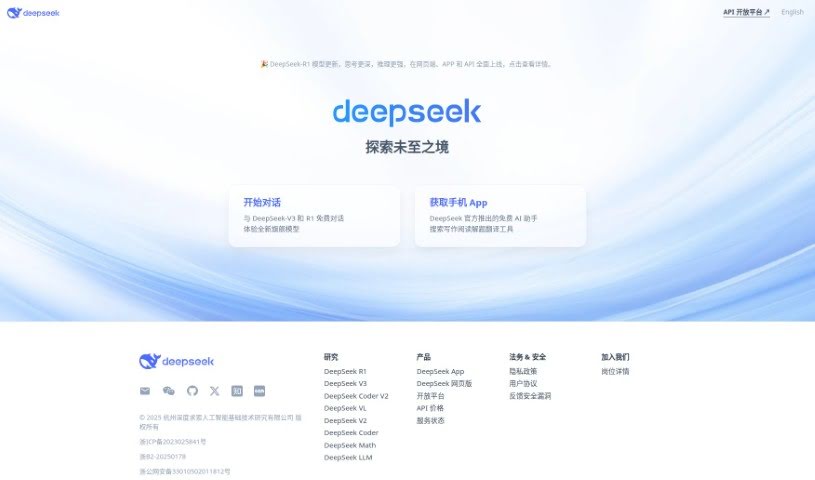
Learn what DeepSeek is and how to use it effectively in (2025). Explore its features and how it compares with other Chatbots.
The AI world is changing, and a new name is making a big impact: DeepSeek. This Chinese AI firm is challenging the dominance of industry giants like OpenAI, offering powerful, low-cost, and open-source AI models.
In January 2025, the DeepSeek website saw a total of 267.90 million page visits.
Many people are noticing DeepSeek because its R1 model has managed to outpace ChatGPT in app downloads, signaling a significant shift in user interest.
In this blog, youāll learn step-by-step how to use DeepSeek. Weāll also explore how it could change the artificial intelligence industry by providing high-quality AI at a lower price. Letās get started!
DeepSeek is a powerful AI-driven platform that transforms information discovery and analysis through machine learning, natural language processing, and data mining.
It helps users explore large datasets, uncover hidden patterns, and extract meaningful insights with speed and accuracy. Designed for academic research, business intelligence, and personal exploration, DeepSeek offers a seamless and user-friendly experience.
By combining precision, adaptability, and efficiency, it empowers individuals and organizations to make informed decisions and stay ahead in a data-driven world.
DeepSeek AI has developed different types of AI models, each designed for a specific purpose. Hereās a simple breakdown of what each one does:
DeepSeek-R1 is an AI model built to analyze and reason like a human. It performs well in problem-solving tasks, similar to OpenAIās AI models.
Thereās also a special version, DeepSeek-R1-Zero, which was trained to think independently without being guided by humans. This model can double-check its own answers and improve over time.
DeepSeekMoE is a unique way of building AI models that helps them become more specialized and efficient. It uses a technique called Mixture of Experts (MoE) to focus on specific tasks and improve performance.
Over time, this has led to new versions like DeepSeek-V2, V2.5, and the latest V3, each getting better at understanding and generating information.
DeepSeek LLM is an AI model that can write text, summarize information, and answer questions. It comes in different sizes, including DeepSeek LLM 7B and DeepSeek LLM 67B, trained on a massive amount of text in English and Chinese (over 2 trillion words).
DeepSeek-Coder is designed to help programmers write and fix code in over 80 programming languages. The latest version, DeepSeek-Coder-V2, is much more powerful, with 236 billion parameters and training on 6 trillion words of code and math-related data.
DeepSeek-VL models help AI understand both visual (images) and text information together. The first version was trained on a massive dataset of 900 billion words and images. The latest version, DeepSeek-VL2, improves accuracy and efficiency and comes in different sizes (Tiny, Small, and Standard), with 1 billion to 4.5 billion parameters.
DeepSeek-Math is a specialized AI for complex math problems. It builds on DeepSeek-Coderās knowledge and has been trained on 120 billion math-related words and symbols. This makes it great for handling tough calculations, equations, and logical reasoning.
DeepSeek-Prover is an AI model designed to solve and prove complex mathematical theorems. It works with Lean 4, a software used for writing formal math proofs. The newest version (V1.5) is even better at understanding and verifying complex mathematical statements.
Janus is an AI that can both understand and generate images and text. Janus separates its learning process into two different pathwaysāone for understanding images and text and another for creating them. It has different versions, including JanusFlow and Janus-Pro, designed for different creative tasks.
DeepSeek was founded in May 2023 by Liang Wenfeng, who is also the co-founder of High-Flyer, a prominent Chinese hedge fund.
The company was established as an independent AI research lab under the High-Flyer umbrella, focusing on the development of open-source large language models (LLMs).
DeepSeekās journey began with the release of its first model in November 2023, which marked the start of its evolution in the AI space.
DeepSeek is a versatile AI platform that helps with research, automation, decision-making, and problem-solving across multiple industries. It uses machine learning, natural language processing (NLP), data mining, and multimodal AI to enhance productivity and efficiency.
DeepSeek can be used by a wide range of users across different industries, including:
Yes, DeepSeek offers a free tier that allows users to access its core features without any cost. This is a great way to explore its capabilities and see how it can assist you with tasks like answering questions, generating content, or analyzing data.
However, DeepSeek also provides paid plans for users who need advanced features, higher usage limits, or access to more powerful models. These plans are designed for individuals or businesses with more demanding needs.
Determining whether DeepSeek is better than ChatGPT depends on your specific needs and use cases. Hereās a comparison to help you decide:
| DeepSeek | ChatGPT | |
|---|---|---|
| Capabilities | Faster and more efficient for technical tasks like coding and data analysis. | Better for conversational AI, creative writing, and explaining complex topics. |
| Cost & Accessibility | Free, open-source model, making it budget-friendly. | Free version available, premium at $20/month for faster responses. |
| Focus Area | Built for businesses and professionals needing accurate AI-driven solutions. | More versatile and user-friendly, great for general-purpose tasks. |
| AI Development | Optimized for efficiency with fewer resources. | Uses larger computing power for broader applications. |
| Best For | Developers, data analysts, and businesses needing AI-powered efficiency. | Writers, marketers, and general users who need AI for everyday tasks. |
| Recommendation | Choose DeepSeek for tech-heavy tasks and free access. | Choose ChatGPT for versatility, high-quality conversations, and creativity. |
Hereās a simple summary to get started with DeepSeek:
Now, letās dive into a detailed step-by-step guide:
To start using DeepSeek, head over to the official website. You can do this by typing āDeepSeekā into your web browser on your desktop. If youāre on your mobile phone, search āDeepSeekā on Google Play Store or Apple Store and hit the Install button.
If you have a Gmail account, you can immediately log in and start using the DeepSeek R1 model. On the other hand, you donāt need to log in or create an account for DeepSeek V3. It is free to use.
If not, create your DeepSeek account by entering your email address. Click Send code, which will send a code to your email address for verification. After consenting to DeepSeekās Terms of Use and Privacy Policy, hit Sign up to create your account.

To ask DeepSeek a question, you have several options:
Type Your Query
Click on the message bar at the bottom of the screen. Type your question or request and press the Up arrow button (š¢) to get a response.
Use the āSearchā Feature
This feature is only available on DeepSeek R1. Type your query on the message bar and click on the Search button before hitting the Up arrow. Instead of using its stored information, it retrieves current data from the web.
Add File
Only DeepSeek R1 offers the option to add files to explain your query, but itās limited to text extraction of 50 docs or images of 100MB each.

DeepSeek-chat model is an intelligent AI tool designed to deliver accurate answers, helpful suggestions, and insightful solutions to your queries. To make the most of its capabilities, follow these tips on how to interact with its responses effectively.
Edit Your Question
If DeepSeekās response doesnāt fully match what you need, consider rephrasing your question to make it more specific. Adding more details can help DeepSeek better understand your request.
For example, instead of asking āHow do I start a business?ā, you could ask āWhat are the first three steps to starting a small business?ā
Continue the Conversation
You donāt need to restart your conversation every time, as DeepSeek remembers the context of your queries. You can ask follow-up questions to get more details.
For instance, if DeepSeek provides information about starting a business, you could follow up with, āCan you give me a budget breakdown?ā
Copy DeepSeekās Response
If DeepSeek provides valuable information, you can copy and paste the response into your notes, documents, or emails for easy access. Just click on the Double square button below the response.

Generate a New Response
If youāre not satisfied with the response, you can ask DeepSeek to generate a new response. You may also request a different perspective or tone, such as formal, casual, detailed, or brief, depending on your needs. Just hit the Revolving arrows button next to the Copy button.

Rate the Response
DeepSeek allows you to provide feedback on its answers. If the response is helpful, rating it positively can improve future AI interactions.
If the response is inaccurate or unclear, giving a negative rating and rephrasing your question can lead to better results. Hit Thumbs up for like and Thumbs Down for dislike.

Share Your Conversation
Naturally, you may want to share DeepSeekās response with your friends, colleagues, and a wider audience. Unlike ChatGPT, thereās no button to share the response, so you have to select the Copy button and paste the content on Doc, Spreadsheet, or chatbox.
Create a New Chat
If you want to start fresh with your conversation with DeepSeek, just select the New chat button above the chatbox. However, unless you delete your conversation history yourself, DeepSeek will store your information.

DeepSeek is an AI tool that you can use for chatting, research, and coding help. If youāre not tech-savvy, donāt worry! Hereās a simple step-by-step guide to using DeepSeek on your Windows, Mac, or Linux computer without needing advanced skills.
If you donāt want to install anything, you can use DeepSeek directly on the web.
If you want to use DeepSeek without the internet, you can install it on your computer. Hereās how:
Go to the Ollama website (https://ollama.com/) and click Download for Windows.
Open the downloaded file and follow the installation instructions.
After installation, open Command Prompt (just search ācmdā in the Start menu). Type this to download DeepSeek: ollama pull deepseek-r1
Once the download is done, start chatting by typing: ollama run deepseek-r1
Open the Terminal app (found in Applications > Utilities). Copy and paste this command and press Enter to install DeepSeek: brew install ollama
Then, type this to download DeepSeek: ollama pull deepseek-r1
To start using it, type: ollama run deepseek-r1
Open the Terminal on your Linux computer. Type the following command and press Enter to install Ollama: curl -fsSL https://ollama.com/install.sh | sh
Download the DeepSeek model by running: ollama pull deepseek-r1
Once downloaded, start DeepSeek by typing: ollama run deepseek-r1
DeepSeek API is a powerful tool that allows you to use AI for text generation, coding, and data analysis without having to build an AI model yourself. DeepSeek API makes apps smarter and improves the overall user experience!
Hereās a step-by-step guide to help you get started.
Before you begin, itās important to understand what DeepSeek API is capable of. By knowing its capabilities, you can decide how best to use it for your needs. The API allows users to:
To access DeepSeek API, you first need to create an account on the official DeepSeek platform. Without a key, you wonāt be able to use the API, so make sure you keep it secure.
Here are the steps to get your API key:

3. Read the Instructions (API Documentation)
The API documentation is a guide that explains how to use the DeepSeek API properly. It includes:
To send requests to the DeepSeek API, you need a way to communicate with it. There are different tools available, such as:
Now that you have your API key and workspace ready, itās time to send a request. A request is a message you send to the API asking it to do something.
For example:
Once you send a request, the API will send back a response. This response may contain:
Make sure to check if the response meets your needs. If not, you can refine your request and try again.
Most APIs, including DeepSeek, have limits on how many times you can send requests in a day. This is called a rate limit.
To avoid reaching the limit too soon:
Some platforms provide a dashboard where you can monitor your usage.
DeepSeek can assist you in creating various types of content, from articles and blogs to creative writing and summaries. Hereās a step-by-step guide to help you get started:
Open DeepSeek on your browser or mobile app. Once logged in, youāll be directed to the main dashboard where you can access all the features.
Ask DeepSeek to generate high-quality content with the right prompt. For instance, if you need a blog post about āThe Future of Artificial Intelligence,ā type a request such as āWrite a 1000-word blog post on how AI is shaping the future of industries.ā
If you need marketing copy, specify details like tone and target audience, such as āCreate an engaging social media post promoting a new eco-friendly product.ā
Add the prompt āProvide relevant links for citations and referencesā to generate links that you can use to cross-check information.
After DeepSeek generates the content, cross-check the information. For blogs and posts, make sure to conduct a keyword analysis separately. Format the structure, add relevant information, add keywords and images to polish the content.
Pay attention to structure, tone, and accuracy. If you donāt like the response, click Regenerate or add new instructions before hitting the Up arrow button.
Use DeepSeek to generate code snippets, explain and debug codes, and work with multiple programming languages. See how DeepSeek can help developers:
1. Log into DeepSeek
Open DeepSeek on your web browser or mobile app and log in. If youāre generating code, decide the programming language and functionality required.
If you are debugging an error, gather the problematic code snippet. If you need an explanation, have the function or concept you want to understand ready.
Provide a clear and specific request to DeepSeek. Type something like, āWrite a Python function to sort a list in ascending order,ā or paste your code and ask, āWhy is this JavaScript function returning an undefined error?ā
Copy the generated code and paste it into your preferred code editor or development environment. Run the program and test its functionality. If the output is incorrect or not optimized, ask DeepSeek to modify it.
You can request, āMake this Python function more efficientā or āReduce the time complexity of this sorting algorithm.ā If you need to convert the code to another language, ask something like, āTranslate this Java function to JavaScript.ā
Copy DeepSeekās response and save it on a file. Analyze the codes deeper by requesting explanations, and conducting additional research on the topic. Cross-check with other sources to ensure that youāre working with accurate data.
Research can be overwhelming, especially when youāre drowning in endless documents, reports, and data. Hereās a practical step-by-step guide to using DeepSeek effectively:
Open your browser and visit DeepSeek AI. If youāre new, create an account using your email or Google account. Existing users can log in directly with their Gmail.
Type your query with as much detail as possible since this is a research and analytical query. Attach supporting files (like CSV, JSON, PDF, Excel, or Doc) to analyze the data and provide a context for DeepSeek.
For example, type āHow do AI-powered customer support chatbots influence conversion rates and customer retention in SaaS businesses? Share insights based on recent case studies (2022-2024), industry reports, and real-world dataā.
Make sure to add āProvide relevant links for citations and referencesā, before finalizing the query.

DeepSeek also highlights key statistics, trends, and citations within each document, allowing you to quickly assess the credibility of the source.
If a source lacks citations or comes from an unknown publisher, verify its credibility using academic databases like Google Scholar, PubMed, or Semantic Scholar.
DeepSeek automatically summarizes lengthy articles and research papers, giving you a quick snapshot. Later, make sure to cross-check information accuracy.
Since weāre talking about research and analysis, donāt forget to use the DeepThink (R1) button to run the query. This feature will allow DeepSeek to analyze all available copies on the question and present more informative and up-to-date data.
If youāre working with structured data, ask DeepSeek to identify patterns and correlations, perform sentiment analysis, and generate statistical summaries.
Copy DeepSeekās response and share it in Excel or Word. Analyze the content deeper by asking more questions, requesting explanations for difficult information, and conducting additional research on the topic.
Generate citations from DeepSeek in APA, MLA, or Chicago format. Ask it to modify sections according to your research instructions.
DeepSeek can improve customer support for your business by providing AI-driven insights, automating responses, and analyzing customer interactions. Check out the steps right here:
Open your browser and visit DeepSeek AI. If youāre new, create an account using your email or Google account. Existing users can log in directly with their Gmail.
To analyze customer interactions, import relevant data into DeepSeek. Upload support tickets, chat logs, and CSV files containing customer queries.
If your company uses a CRM or helpdesk system like Zendesk, Freshdesk, or Intercom, connect DeepSeek to pull in real-time data.
Additionally, you can attach customer feedback surveys, including NPS and CSAT scores, to gain deeper insights into customer satisfaction levels.
Once the data is uploaded, ask DeepSeek to categorize common customer complaints, such as login failures, billing issues, or feature requests. Ask it to analyze sentiment trends to determine whether customer feedback is positive, neutral, or negative.
Type additional queries to extract key findings on recurring pain points, feature requests, and areas so you can improve your service.
Request DeepSeek to create AI-generated reply templates for frequently asked questions such as password resets or refund policies. You can also train chatbots to deliver accurate, contextual replies with the help of DeepSeek.
DeepSeek can also minimize support tickets by proactively generating AI-driven knowledge base content, converting recurring customer issues into helpful FAQs, tutorials, and troubleshooting resources.
After optimizing customer support queries with DeepSeek, track the performance metrics with relevant tools. Then, customer satisfaction can be assessed by analyzing CSAT and NPS scores to identify areas that need improvement.
DeepSeek is capable of efficiently translating text, documents, and even structured data across multiple languages. Follow this step-by-step guide to use DeepSeek for translation:
Open DeepSeek on your web browser or mobile app and log in. Prepare the documents that you want to translate.
If you have a short text, paste it into the input box. For larger projects, such as reports or research papers, upload files in PDF, Word, or TXT. DeepSeek handles website localization by processing HTML files or extracting text directly from URLs.
Mention whether you want a formal, casual, or technical tone. Or if you need translations optimized for marketing, legal, or academic purposes. Then, ask DeepSeek to translate the content to your preferred language.
After reviewing the translation, copy and save the translated content to a Word, PDF, or CSV file. If you can integrate DeepSeek directly with your CMS, you can directly transfer translated text into your content workflow.
To make money using DeepSeek AI, explore various avenues that leverage its capabilities:
Capitalize on platforms like Upwork and Fiverr by offering AI-enhanced writing, coding, and data analysis services. Offering competitive rates initially can help scale up as demand grows.
Create and monetize blogs with AI-generated, SEO-friendly content. Revenue can be generated through methods like Google AdSense, affiliate links, and sponsored content. Itās important to optimize content for Googleās Helpful Content Update.
Automate your YouTube channel by using DeepSeek AI to create engaging scripts, voiceovers, animations, and visuals. Monetization can be achieved through AdSense, brand sponsorships, and affiliate marketing.
Enhance affiliate marketing efforts by using AI to identify trending products, create automated reviews, and optimize for high-conversion keywords. Success can be increased by combining AI insights with Google Trends.
Improve e-commerce operations on platforms like Shopify by optimizing product descriptions, using AI chatbots for customer service, and developing more effective ad campaigns.
Develop AI-based tools such as chatbots and logo design platforms and offer them on a subscription basis to generate recurring income.
Monetize AI knowledge by offering workshops, training, and consulting services to businesses, or by creating and selling AI-related courses on platforms like Udemy.
Consider investing in AI-related stocks, launching AI-focused newsletters, or partnering with AI startups.
Generate and sell AI-created ebooks, courses, and printable designs.
Provide lead generation and SEO services using AI to analyze data, automate outreach, and improve SEO for clients, potentially charging monthly retainers.
Produce AI-driven videos using AI-generated avatars and scripts for platforms like YouTube, with the potential to earn daily income from views.
Construct AI-generated websites on various topics and monetize them through advertising and affiliate links.
Create engaging content for platforms like Instagram and TikTok to drive traffic and generate income through ads, sponsorships, and affiliate links.
Offer AI automation services to businesses to streamline their operations for a fee.
Create various types of websites with DeepSeek AI, such as blogs, portfolios, and e-commerce sites, often without needing to write code. Follow the steps below to create your own website to grow your brand and your finances:
Example Prompt for a Portfolio Website: āCreate a responsive portfolio website using HTML, CSS, and JavaScript with sections for Home, About, Skills, Projects, and Contact. The site should have a modern design with smooth scrolling and a clean layout.ā
Deleting all chats in DeepSeek is easy. Just follow the steps below:
Note: Some users have reported issues with deleting all chats simultaneously. If you encounter problems, consider deleting chats individually or reaching out to DeepSeekās support for assistance.

To delete your DeepSeek account, follow these steps:

Currently, DeepSeek only supports 2 types of system language - English and Chinese. However, the AI tool is capable of translating text into any language.
To change the system language on DeepSeek, follow these steps:

Changing the color scheme is as easy as changing the system language. Here are the steps that you can follow:

| Pros | Cons |
|---|---|
| Quickly turns raw data into useful information. | Higher risks in the event of technological failures or malfunctions. |
| Automates simple, repetitive tasks. | Demands significant modifications to the existing IT infrastructure to use it. |
| Works well with large amounts of data and complex tasks. | Restricted in certain markets due to information leak. |
| Can do difficult calculations and data analysis. | More suitable for users with coding knowledge. |
| Costs less to develop than other competitors. | The system language is limited to English and Chinese only. |
| Easily available to the public at no cost. | Security features must be implemented manually. |
| Integrates with existing workflows and systems. |
To use the DeepSeek API for free in your projects, follow these steps:
DeepSeek offers advanced AI models with powerful features designed for efficiency and high performance. Here are some of its key innovations:
Uses a specialized Mixture-of-Experts architecture, which activates only relevant parameters for different tasks, improving efficiency and accuracy.
To make your model work faster, smarter, and more efficiently, use the following techniques:
Discover more tools in similar categories that might interest you
Get weekly updates on the latest AI tools, trends, and insights delivered to your inbox
Join 25,000+ AI enthusiasts. No spam, unsubscribe anytime.