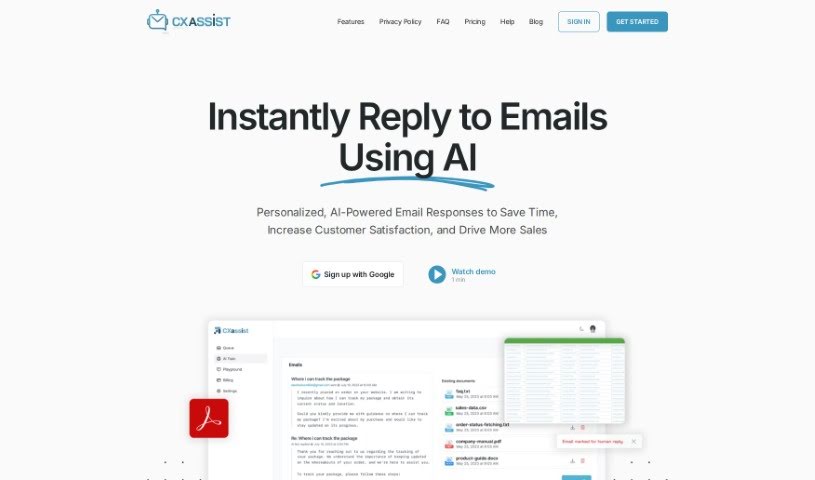
Screenshot of CX Assist

CX Assist

Discover what CX Assist is and how to use it effectively in 2025. We'll explore its features and see how it stacks up against other Email Writing Tools.

Screenshot

What is CX Assist?

CXassist is your personal AI assistant, specifically designed to help you manage your email inbox. What’s really neat is that you can train it with your own business content, allowing it to send out timely and accurate replies to both potential customers and existing ones. This AI tool uses the latest technology to read and respond to emails in a way that feels genuinely human, all based on the information you provide. CXassist comes with three ready-made personas – Generalist, Support, and Sales – each offering a slightly different approach to how it handles responses. Just so you know, they do require a valid credit card for the free plan; this helps cut down on spam and fraud. Getting CXassist set up is pretty straightforward: you sign in with your Google account, give it the necessary permissions, train it with your business content, and then you can easily turn it on or off as you need. It’s also great because it supports over 50 languages, lets you set specific rules for how emails are handled, and gives you analytics on every email it sends out. Plus, you can really tailor CXassist to match your brand’s unique tone and voice by simply uploading a style guide. Right now, it works with Gmail accounts, and there are some limits on how many emails it can process each month, depending on your account type. If you run into any issues or have questions, you can always reach out to [email protected] for help.

Who created CX Assist?

CXassist was actually created by Theresan AI. This email management AI assistant first launched on September 10, 2023. It’s designed to send personalized email responses, drawing from the content you upload. It can even adopt different email personas, like Generalist, Support, and Sales. Currently, CXassist is only compatible with Gmail accounts and can reply in more than 50 languages. The company is really focused on privacy compliance, using your email information only through APIs from Google and OpenAI, and they promise not to share or sell your data.

What is CX Assist used for?

  • Sending emails powered by AI
  • Automating email management tasks
  • Responding to customers automatically
  • Training AI with your specific business content
  • Filtering and managing emails based on different personas
  • Working seamlessly with Google email accounts
  • Teaching AI with your own custom content
  • Supporting over 50 languages for communication
  • Providing analytics and reports on your email activity
  • Connecting directly with your Gmail account

Who is CX Assist for?

  • Sales teams
  • Customer Support
  • General business use

How to use CX Assist?

Getting started with CXassist is pretty simple. Here’s a quick rundown of the steps:

  1. First, you’ll need to sign in using your Google account.
  2. Next, grant CXassist the necessary permissions to access your email.
  3. Then, train CXassist by uploading your business content – this is key for personalization.
  4. After that, choose one of the three pre-set personas: Generalist, Support, or Sales, depending on your needs.
  5. You can also set up specific rules to manage different types of emails, like excluding certain domains or labels.
  6. Rest assured, CXassist is designed with privacy in mind, only using your email information via API, and it doesn’t share or sell your data.
  7. You’re in control – you can manage your email account by simply toggling CXassist on or off whenever you like.
  8. Keep an eye on how it’s performing by monitoring the analytics and reporting features that are provided.
  9. As a subscriber, you’ll automatically receive updates, so it’s always improving.
  10. Make sure you’re using it with a Google account and a supported browser for the best experience.
  11. You can pick from different plans, including a free trial, a personal plan, or a business plan.
  12. And the best part? You can cancel anytime; there are no long-term contracts.
  13. If you need a hand, there are training resources and documentation available to help you out.
  14. Want CXassist to sound just like you? You can upload a style guide to help it reflect your brand’s unique tone and voice.
  15. If you ever need assistance, just contact support at [email protected].

Following these steps will help you make the most of CXassist for smarter, AI-powered email management.

Related AI Tools

Discover more tools in similar categories that might interest you

Stay Updated with AI Tools

Get weekly updates on the latest AI tools, trends, and insights delivered to your inbox

Join 25,000+ AI enthusiasts. No spam, unsubscribe anytime.