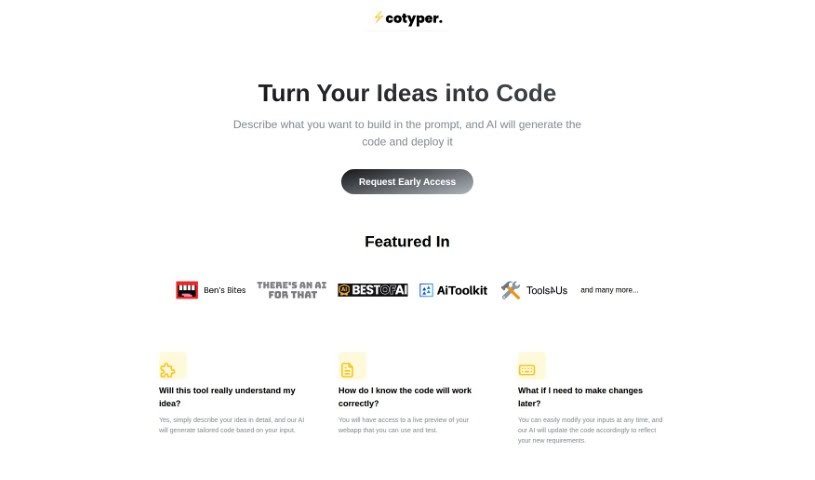
What is Cotyper?
Cotyper is a handy browser extension built to make your online life smoother. It is a way to create your own personal AI assistants, or ‘web copilots,’ right in your browser. These copilots can automate all sorts of tasks for you. For example, they can pull information directly from websites like LinkedIn and YouTube, let you chat with your PDFs, and even help you build your own custom AI tools. The main idea is to make browsing more efficient, boost your productivity, and give you a more personalized experience. Plus, they really care about your privacy and keeping your data safe. Right now, Cotyper works with Chrome and other Chromium-based browsers, and they’re working on adding support for Firefox and Safari soon. If you decide to subscribe, you can manage your payments securely through Paddle.com, and canceling is just as easy on the same platform.
Who created Cotyper?
Cotyper, which is essentially a browser extension that lets you create ‘Copilots for Web,’ was developed to improve how users interact with the internet by automating tasks and making browsing more efficient. It first launched on March 5, 2023. While the specific founder and company details aren’t readily available in the information provided, Cotyper’s core features include building custom web copilots, automating browser tasks, pulling data from websites, and offering a personalized browsing experience with a strong focus on security. It’s currently available for Chrome, with plans to expand to Firefox and Safari.
What is Cotyper used for?
Cotyper is incredibly versatile and can help you with a wide range of tasks:
- Interacting with Documents: Easily chat with your PDFs.
- Boosting Productivity: Enhance your daily workflow and overall efficiency.
- Streamlining Browsing: Make your online experience smoother and faster.
- Automating Tasks: Handle repetitive daily tasks automatically.
- Extracting Information: Pull specific data from websites, including platforms like LinkedIn and YouTube.
- Building Custom AI Tools: Create your own AI tools tailored for web use.
- Personalizing Your Experience: Develop custom web copilots to suit your needs.
- Improving Internal Data Search: Help your employees find information across your company’s internal data and apps more effectively.
- Onboarding New Hires: Answer questions for new employees, reducing the burden on senior staff.
- Enhancing Customer Support: Resolve customer queries efficiently, improving retention.
- Supporting Sales: Provide quick answers to customer questions, potentially increasing revenue.
- Ensuring Privacy: Your data isn’t used for advertising or training AI models.
- Secure Payments: Handle payments safely through Paddle.com.
- Easy Subscription Management: Cancel your subscription smoothly whenever needed.
- Extending Browser Functionality: Add new capabilities to your browser.
- Interacting with Documents: Work with various document types directly.
- Creating Custom Tasks: Set up specific actions for your copilots.
- Developing Copilots for Web: Build personalized AI assistants for your online activities.
- Answering New Hire Questions: Prevent senior employees from burning out by automating onboarding.
- Improving Customer Retention: Provide quick answers to sales and support queries.
- Customizing Browsing: Build personal tools for a unique online experience.
Who is Cotyper for?
Cotyper is designed for a variety of users who want to improve their online efficiency and data handling:
- Sales and support teams
- General employees
- New hires needing quick information
- Sales team members looking to streamline their process
- Support team members aiming for faster query resolution
How to use Cotyper?
Getting started with Cotyper is straightforward. Just follow these simple steps:
- Installation:
- First, install Cotyper as a Chrome extension. It works seamlessly with Google Chrome, Microsoft Edge, and Brave Browser.
- Browsing Enhancement:
- Once installed, Cotyper automatically starts streamlining your browsing. It can extract information from websites like LinkedIn and YouTube, and you can even chat with your PDFs directly.
- Build Your Own Tools:
- You have the power to create your own custom tools within Cotyper. This is a great way to boost productivity and tailor your browsing experience exactly how you like it.
- Privacy First:
- Cotyper is committed to user privacy. They don’t sell your data for ads or AI model training. They use external AI models and handle payments securely via Paddle.com.
- Managing Your Subscription:
- If you choose to subscribe, it costs $50 per user per month. You can cancel your subscription at any time through Paddle.com, and your card details are kept secure.
- Future Browser Support:
- Good news for Firefox and Safari users – support for these browsers is currently in development and will be available soon!
- Broad Website Functionality:
- Cotyper works across most websites, helping you extract information, interact with documents, and build those custom AI tools.
- Boost Your Productivity:
- Really, Cotyper is all about enhancing your productivity. By automating tasks, creating custom tools, and streamlining your browsing, you get a much more tailored and efficient experience.
- Smart AI Model Use:
- Cotyper uses foundational AI models that are designed not to use your personal data for training, which ensures both privacy and efficient functionality.
By following these steps, you’ll be able to effectively use Cotyper to make your browsing smoother and significantly boost your productivity.