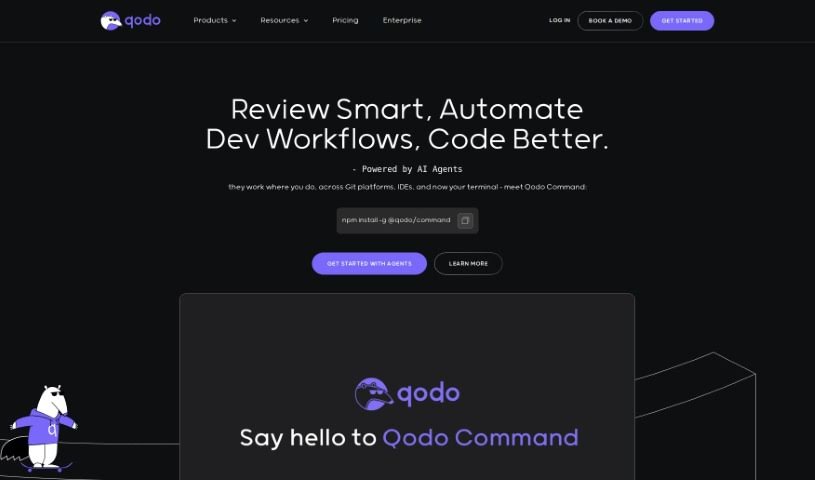
Screenshot of Codiumai

Codiumai

Discover Codiumai in 2025! Learn what this AI tool does, its key features, how it compares to other code generators, and how to use it to boost your productivity and code integrity.

Screenshot

What is Codiumai?

CodiumAI is a tool designed to really nail down code integrity. It does this by generating tests, which helps developers get a clearer picture of how their code actually behaves. It is a smart assistant that points out tricky edge cases and any suspicious patterns, ultimately making your code more robust. What sets CodiumAI apart is its laser focus on code integrity, rather than just general code completion. It brings in real expertise from the testing world, can handle multiple test prompts at once to give you a variety of tests, and is really good at grabbing just the right code context for those prompts. It’s free for individual developers and works with popular languages across IDEs like VSCode and JetBrains. Plus, they’re serious about security and privacy – they only look at the code needed to generate tests, use SSL encryption for data, and are SOC2 certified. While CodiumAI can definitely speed things up and make your code better, it’s always a good idea to double-check the tests it creates. If you want to dive deeper or get started, you can grab the free VSCode extension, the JetBrains plugin, or just head over to the CodiumAI website.

Who created Codiumai?

CodiumAI was actually started by Itamar Friedman and Dedy Kredo. Itamar is the Co-Founder & CEO, and Dedy is the Co-Founder & CPO. They’re based in Tel Aviv and are really focused on building a new way to think about code integrity, blending artificial intelligence with human intelligence. Their big goal? To help developers build software faster, with absolutely zero bugs. CodiumAI’s main tool is an extension for your IDE that works alongside you, generating useful tests and explaining your code to make you more productive and your code higher quality.

What is Codiumai used for?

CodiumAI is pretty versatile, helping you with a bunch of development tasks:

  • Boost your productivity: Get more done, faster.
  • Generate meaningful tests: Understand exactly how your code should behave.
  • Find tricky edge cases: Catch those unusual scenarios before they cause problems.
  • Spot suspicious behavior: Identify anything that looks a bit off in your code.
  • Write code that works as intended: Make sure your code does what you actually meant it to do.
  • Improve code integrity: Use TestGPT to ensure your code is solid.
  • Support for popular languages: Works with Python, JavaScript, and TypeScript right now, with Java coming soon, all within VSCode & JetBrains IDEs.
  • Enhance code reviews: Make the process smoother, especially for pull requests.
  • Streamline development: Simplify your workflow and build more confidence.
  • Ensure quality with AI: Use generative AI to keep your code top-notch.
  • Increase code coverage: Generate a wide variety of tests to cover more ground.
  • Simplify documentation and bug detection: Make it easier to understand your code and find bugs.
  • Handle happy paths and edge cases: Get a good mix of tests for all situations.
  • Go beyond basic completion: Improve code integrity in ways that simple code completion tools can’t.
  • Flexible deployment: Offers options for enterprises, including self-hosting.
  • Highlight potential issues: Point out problems for reviewers to easily see.
  • Automate tasks: Free up your time and boost your confidence.
  • Bulletproof quality: Align your code with the best organizational practices.
  • Explain generated tests: Understand why tests are generated to avoid false positives.
  • Make pull requests easier: Generate clear descriptions and flag potential issues.
  • Free for individuals: Get started without cost, with enterprise options available.

Who is Codiumai for?

CodiumAI is a great tool for:

  • Software developers
  • DevOps Engineers
  • Testers
  • Code Reviewers

How to use Codiumai?

Getting started with CodiumAI is pretty straightforward. Here’s a quick rundown:

  1. Get CodiumAI: You can either sign up on their website or install the extension for your favorite IDE, like VSCode or JetBrains. For individual developers, it’s completely free!
  2. Check out the Top Features: CodiumAI is great at generating tests that help you understand your code, finding those tricky edge cases and suspicious behaviors, and making sure your code does exactly what you want it to.
  3. Supported Languages: Right now, CodiumAI works with Python, JavaScript, and TypeScript in VSCode and JetBrains IDEs. They’re planning to add Java support soon, too.
  4. How it Differs from Other Tools: Unlike general code completion tools, CodiumAI really hones in on code integrity. It creates tests specifically to help you understand your code’s behavior and make it more robust.
  5. Security and Privacy: CodiumAI takes your data security very seriously. They only analyze the code needed to generate tests, all data is encrypted, and they’re SOC2 certified.
  6. Using it Day-to-Day: You can interact with CodiumAI directly within your IDE. Use it to generate those helpful tests, improve your code quality, and speed up your development tasks.
  7. Community Support: They offer different support levels – community, standard, and priority – each with varying guarantees on how quickly you’ll get a response.
  8. Data Handling: CodiumAI uses user data to improve its models for generating better test suites. They respect your privacy, though, and you can opt out if you prefer.

By following these steps and using CodiumAI’s unique features, you can really level up your code quality, make your testing process smoother, and boost your overall development efficiency.

Related AI Tools

Discover more tools in similar categories that might interest you

Stay Updated with AI Tools

Get weekly updates on the latest AI tools, trends, and insights delivered to your inbox

Join 25,000+ AI enthusiasts. No spam, unsubscribe anytime.