10Web
Web Development Website Builders
Learn More
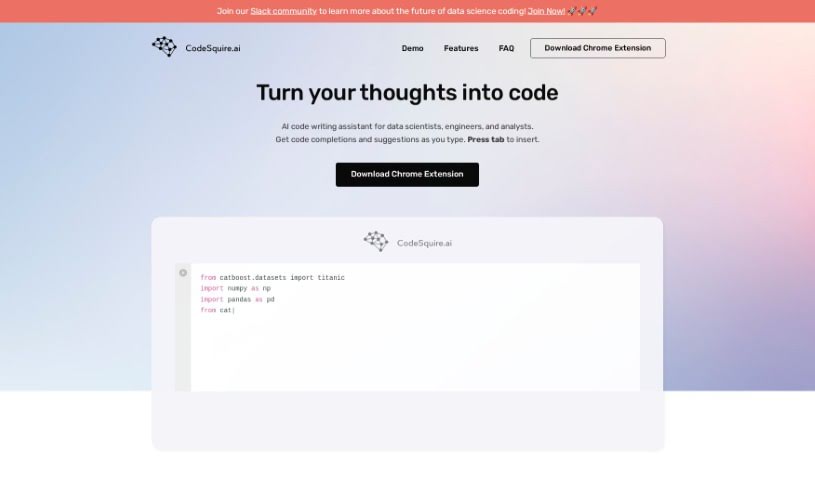
Discover CodeSquire, your AI coding assistant for data scientists in 2025. Learn about its features, how it works with platforms like Google Colab and BigQuery, and how it stacks up against other code generators.
CodeSquire is an AI-powered coding assistant built specifically for data scientists. It offers smart code suggestions and autocompletions across popular platforms like Google Colab, BigQuery, and JupyterLab. What’s really neat is that CodeSquire can actually generate entire functions, all tailored to your specific data science needs. This means you can save a lot of time and make sure your code is efficient. It is your trusted copilot in the data science world, always ready with intelligent suggestions and real-time recommendations to make your coding experience smoother.
CodeSquire was developed by a team passionate about improving AI code-writing assistance. While the co-founders’ identities aren’t publicly detailed in the information I have, the company itself has created an advanced AI code writing assistant specifically for data scientists. It’s designed to offer powerful code suggestions and completions, all customized for particular use cases. Users get intelligent recommendations and efficient code snippets that work seamlessly with various development platforms, really boosting the coding experience for data science projects.
Getting started with CodeSquire is pretty straightforward. Here’s a general idea of the steps involved, especially when training a model:
CodeSquire is designed to offer smart suggestions that match your coding style and specific use cases. It really boosts productivity by providing code completions and suggestions right as you type. It works seamlessly in environments like Google Colab, BigQuery, and JupyterLab, and you can easily access it via a browser extension. If you want to see how powerful its code autocompletion is, you can try the CodeSquire demo.
Beyond that, CodeSquire can also help you write functions using popular libraries, translate your comments directly into code, and even generate SQL queries from simple instructions. This could be anything from pulling data to joining tables and grouping results.
To get started, just download the Chrome Extension, sign up for an account, and you’ll be ready to use CodeSquire to make your coding experience much better.
Discover more tools in similar categories that might interest you
Get weekly updates on the latest AI tools, trends, and insights delivered to your inbox
Join 25,000+ AI enthusiasts. No spam, unsubscribe anytime.