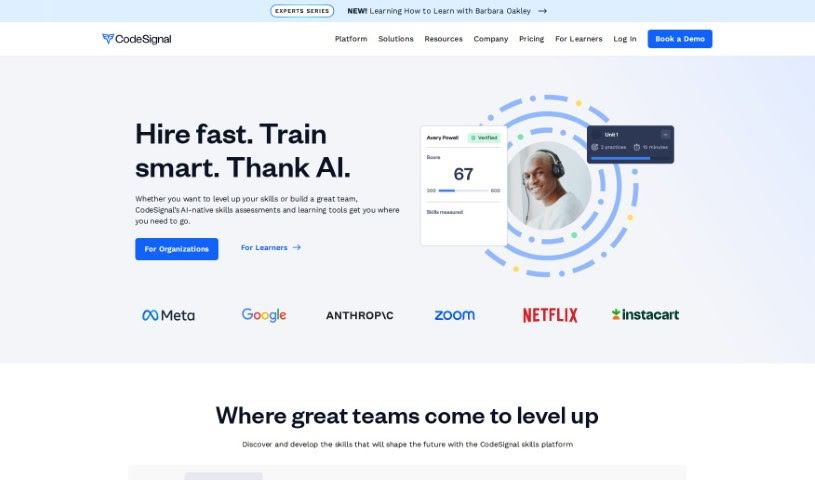
Screenshot of CodeSignal

CodeSignal

Discover what CodeSignal is and how to use it effectively in 2025. We'll explore its features, compare it to other code generators, and show you how to get the most out of it.

Screenshot

What is CodeSignal?

CodeSignal Learn is a really practical platform designed to help you learn key tech skills through hands-on practice. Think Data Science, Front-End and Full Stack Engineering, and Machine Learning – it covers a lot of ground. What’s neat is that it has a built-in AI tutor called Cosmo. Cosmo offers personalized help, adapting to where you are in your learning journey. You’ll tackle challenges that feel like real-world tasks, which is a great way to boost your technical abilities and earn skill badges as you go. Whether you’re just starting out or you’re a seasoned pro looking to sharpen your skills, CodeSignal Learn is built to help you succeed and match what employers are looking for in today’s job market.

Who created CodeSignal?

CodeSignal Learn officially launched on February 9, 2024. The company itself was co-founded back in 2015 by Tigran Sloyan and Sophia Baik. Tigran, who graduated from MIT, is the CEO. He’s really focused on guiding the company’s mission to help both teams and individuals find and develop the skills they truly need. Sophia, who has experience in finance and operations from places like Wayfair and Zynga, is the COO, managing the day-to-day operations at CodeSignal.

What is CodeSignal used for?

  • Learn at your own pace: You can go through the material on your schedule.
  • Get personalized help: Cosmo, the AI tutor, provides tailored assistance.
  • Focus on doing, not just reading: It’s all about hands-on practice.
  • Practice like it’s real: The challenges mimic actual job scenarios.
  • Bite-sized, practical lessons: Easy-to-digest modules that get straight to the point.
  • Showcase your skills: Earn badges to prove your expertise.
  • Solve real problems: The exercises are designed to tackle practical issues.
  • Covering many career paths: It’s useful for a variety of tech jobs.
  • Focus on essential tech areas: You’ll dive into crucial fields like Data Science and Engineering.
  • Great for everyone: Whether you’re a beginner or an experienced professional, it’s designed for you.

Who is CodeSignal for?

  • People working in Data Science
  • Front-End Engineers
  • Full Stack Engineers
  • Machine Learning Professionals
  • Anyone focused on Data Science, Front-End Engineering, or Full Stack Engineering
  • Software engineers looking to advance their careers

How to use CodeSignal?

Here’s a straightforward way to get the most out of CodeSignal Learn:

  1. Sign Up: First things first, create your account on CodeSignal Learn. This gives you access to everything the platform offers.
  2. Explore Tech Areas: Take a look around and see all the different tech fields you can dive into, like Data Science, Front-End Engineering, and Machine Learning.
  3. Focus on Practice: Instead of just reading theory, really dive into the practice-based learning. These exercises are designed around real job roles, which is the best way to truly master tech skills.
  4. Lean on Cosmo: Don’t forget to use Cosmo, your AI tutor! It’s there to give you personalized help that fits your specific learning path.
  5. Earn Skill Badges: As you work through the challenges and solve those real-world problems, make sure to earn your skill badges. They’re a great way to show off what you know.
  6. Learn at Your Own Speed: One of the best parts is that you can learn at your own pace. It’s perfect whether you’re just starting out or have been in the industry for years.
  7. Boost Your Skills: Use CodeSignal Learn to really improve your software engineering and Data Science abilities.
  8. Advance Your Career: You can even get mentoring for your tech career here, helping you make sure your skills are exactly what the industry demands.
  9. Practice with Real Scenarios: Get ready for actual job challenges by practicing with scenarios that are just like what you’ll face in the real world.
  10. Adapt Your Learning: While you can’t customize the course content itself, you can definitely shape your learning journey to match your career ambitions and goals.

Related AI Tools

Discover more tools in similar categories that might interest you

Stay Updated with AI Tools

Get weekly updates on the latest AI tools, trends, and insights delivered to your inbox

Join 25,000+ AI enthusiasts. No spam, unsubscribe anytime.