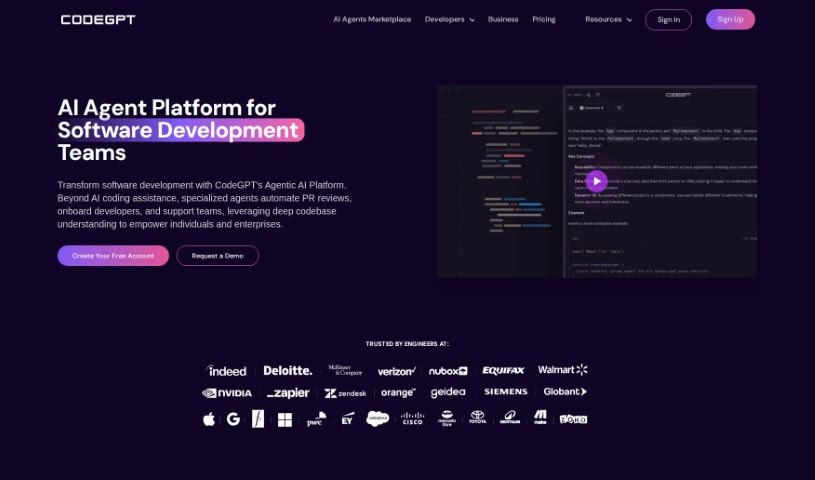
Screenshot of CodeGPT

CodeGPT

Discover CodeGPT in 2025! Learn what this AI coding tool is, explore its features, and see how it stacks up against other code generators. Get practical tips on using it to boost your development.

Screenshot

What Exactly is CodeGPT?

CodeGPT, developed by Judini, is a really handy tool aimed at giving your coding skills a boost. It is an AI pair programmer that works right inside Visual Studio Code. It comes packed with features like a helpful chat assistant, smart code completion, and the ability to build your own AI-powered apps. What’s cool is that you can really make it your own by creating personalized copilots and AI agents. You can feed them specific information relevant to the tasks you’re working on. If you need even more power, CodeGPT Plus is available, offering advanced features like better context management and smooth synchronization with your GitHub repositories.

Plus, CodeGPT is designed with your privacy in mind – it doesn’t store your data. It works by connecting with major AI LLM providers, making code development smoother.

So, Who’s Behind CodeGPT?

Judini is the company that created CodeGPT. This AI tool first came out on January 11, 2023, and its main goal is to make coding easier and more effective. It offers a chat assistant, helps with code completion, and lets you build AI agents. Judini provides a range of plans, from a free version that’s great for getting started, all the way up to enterprise solutions, so there’s something for pretty much everyone.

What Can You Actually Do with CodeGPT?

Here’s a rundown of what CodeGPT is great for:

  • Helping out with all sorts of coding tasks.
  • Giving you quick advice and solutions when you’re stuck during development.
  • Making your coding process smoother and helping you get more done.
  • Suggesting code as you type, based on what you’re currently working on.
  • Letting you create your own AI copilots and agents, customized for what you need.
  • Building AI applications by connecting through its API.
  • Helping you fine-tune large language models.
  • Connecting smoothly with global AI LLM providers.
  • Managing context and syncing with GitHub repositories, especially with CodeGPT Plus.
  • Boosting your coding skills and creativity, rather than just focusing on the technical bits.

Who Should Be Using CodeGPT?

If you’re in any of these roles, CodeGPT could be a game-changer for you:

  • Developers
  • Programmers
  • Coders
  • AI professionals
  • AI Programmers
  • AI developers
  • Software engineers

How Do I Get Started with CodeGPT?

Using CodeGPT by Judini is pretty straightforward. Just follow these steps to get the most out of it:

  1. Getting Set Up:

    • First, you’ll need to download and install the CodeGPT extension. You can find it in the Visual Studio Marketplace.
    • Next, you’ll need an API key. This is important for making sure your data is processed securely through your chosen AI provider’s servers.
  2. Using the Basic Features:

    • The chat assistant is your go-to for getting help, asking questions, and finding quick answers while you’re coding.
    • Don’t forget the code completion feature – it offers smart suggestions to help you write code more accurately, right in context.
  3. Making It Your Own:

    • Want a more personalized experience? Use the Playground feature to create AI copilots that match your style and needs.
    • You can also build AI agents that have specific context information. This really expands what your AI copilots can do for different tasks.
  4. Exploring Advanced Features:

    • If you need more advanced capabilities, consider upgrading to CodeGPT Plus. It gives you features like better context management, the ability to create AI agents, and seamless syncing with your GitHub repositories.
    • You’ll also find it easier to create AI-powered applications and fine-tune large language models.
  5. Connecting Everything:

    • CodeGPT lets you connect with major AI LLM providers like Google AI Chatbot, Microsoft Azure AI, and OpenAI, making your code development process much smoother.
    • You can use the APIs CodeGPT provides to integrate your AI applications and handle the complexities of fine-tuning LLMs without a hitch.
  6. What’s Next?

    • Keep an eye out for future updates! CodeGPT plans to expand beyond VSCode to other integrated development environments.
    • You can expect ongoing improvements designed to enhance your coding abilities and overall user experience.

By following these steps, you’ll be well on your way to using CodeGPT to its full potential for efficient, personalized, and AI-driven coding.

Related AI Tools

Discover more tools in similar categories that might interest you

Stay Updated with AI Tools

Get weekly updates on the latest AI tools, trends, and insights delivered to your inbox

Join 25,000+ AI enthusiasts. No spam, unsubscribe anytime.