What is ChatPC?
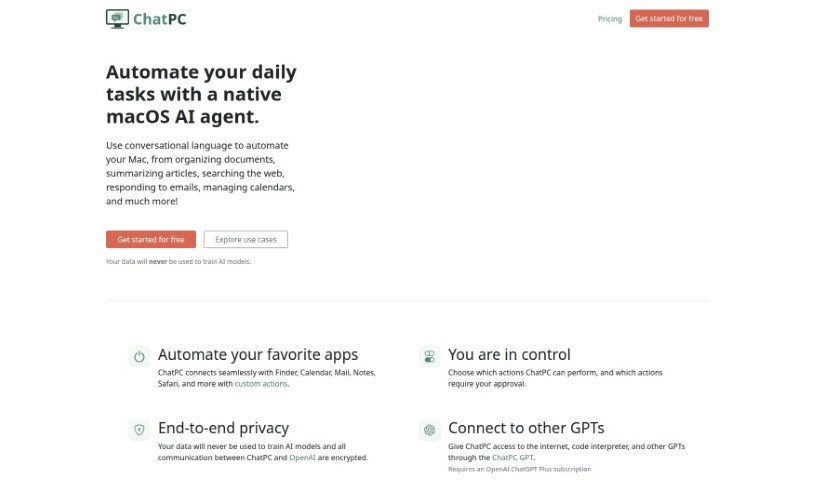
ChatPC is a really handy tool designed to boost your productivity and make tasks much more efficient. It is your personal assistant for learning and writing. It helps you learn faster by assisting with reading, taking notes, understanding complex topics, and even testing your knowledge. Plus, it makes writing feel more confident by helping you compose messages, craft replies, polish your writing, adjust your tone, and fix grammar. What’s more, ChatPC can turn your own documents into a personal knowledge base, so you can get instant answers just by asking. It even helps organize your files by renaming and arranging them based on what’s inside, making file management a breeze.
Who created ChatPC?
ChatPC was actually created by Dounan Yan, who’s the founder of the company ChatPC. He developed ChatPC as an AI agent specifically for macOS. This means it can automate all sorts of things on your Mac, like organizing documents, summarizing articles, managing your calendar, and much more, all through simple conversation. The company also makes a point of protecting your privacy, stating clearly that your data will never be used to train their AI models.
What is ChatPC used for?
- Automate Mac tasks: It can handle things like organizing your documents, summarizing articles, and managing your calendar.
- Work with your favorite apps: You can automate apps like Finder, Calendar, Mail, Notes, and Safari using custom actions you define.
- Get instant answers: Turn your local documents into a knowledge base, so you can ask ChatPC questions and get quick answers.
- Organize files automatically: It renames and arranges files based on their contents, making file management much simpler.
- Learn faster: ChatPC helps you read more quickly, take better notes, understand things more deeply, and test your knowledge.
- Write more confidently: Improve your writing by composing messages, creating replies, adjusting your tone, and fixing grammar.
- Connect with other GPTs: Through ChatPC GPT (which requires a ChatGPT Plus subscription), you can connect with other GPTs, code interpreters, and the internet.
- Maintain privacy: Your data is protected with end-to-end encryption, and it’s never used to train AI models.
- Control actions: You can choose which actions ChatPC performs and decide which ones require your approval.
- Access full details: You can find complete documentation for more information on how to use it and all its features.
How to use ChatPC?
Using ChatPC is pretty straightforward. Here’s a simple guide:
- Get Started: First, head over to the ChatPC website and sign up for a free account. This gives you access to the tool.
- Delegate Tasks: Just talk to ChatPC in plain language to automate tasks on your Mac. This could be anything from organizing files, summarizing articles, searching the web, replying to emails, or managing your calendar.
- Access Other GPTs: If you have an OpenAI ChatGPT Plus subscription, you can connect ChatPC to other GPTs, the internet, and code interpreters using the ChatPC GPT feature.
- Get Instant Answers: Want quick info from your own files? Just turn them into a knowledge base with ChatPC, and then ask away.
- Learn Faster: ChatPC can really help speed up your learning. It assists with reading, note-taking, deep comprehension, and even testing what you’ve learned.
- Write More Confidently: Boost your writing skills by using ChatPC to compose new messages, create replies, adjust your tone, and fix any grammar issues.
By following these steps, you’ll be able to use ChatPC to its full potential, making your tasks smoother, your learning better, and your writing more effective.