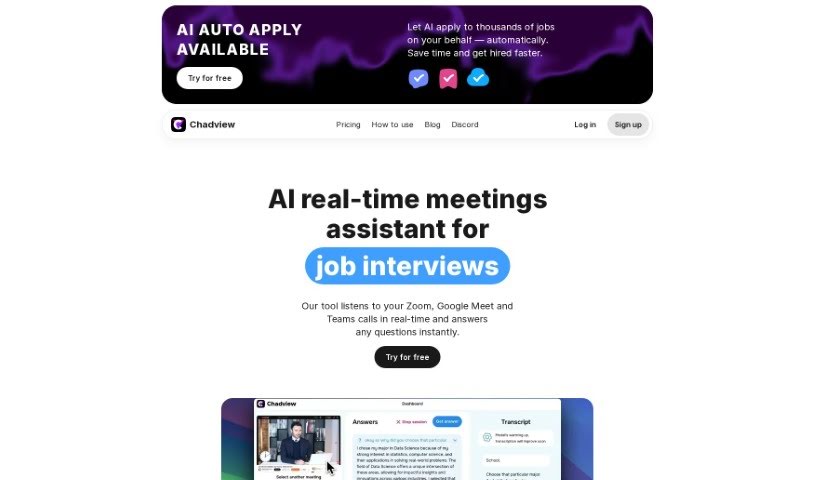
What is Chadview?
ChadView is a handy real-time assistant designed specifically for job interviews. It is your personal helper during calls on Zoom, Google Meet, or Teams. It actively listens to the conversation and can give you instant answers to questions asked during the interview. One of its coolest features is the “Ask” button – you just press it during the call, and ChadView provides an answer right away. It uses the power of the ChatGPT API, so you can expect accurate responses, especially for programming, analytics, and math questions. You can easily get it as a Chrome extension that works with Zoom, Microsoft Teams, or Google Meet. For unlimited monthly access, it costs $39.
Who created Chadview?
Chadview was developed by the same folks behind the ChatGPT real-time meetings assistant for job interviews. This service is all about giving you real-time answers while you’re on Zoom, Google Meet, or Microsoft Teams calls. It supports a variety of languages and is a great help for technical roles. The company offers a Chrome extension that’s powered by the ChatGPT API, making sure you get accurate answers when you need them most during an interview.
What is Chadview used for?
Chadview is designed to help you shine in your job interviews. Here’s a breakdown of what it does:
- Speech-to-text: It accurately transcribes what’s being said.
- Real-time interview help: It provides live assistance during your job interviews on Zoom, Google Meet, and Microsoft Teams.
- Instant answers: Just hit the ‘Ask’ button during a video call, and it’ll give you an answer on the spot.
- Smart responses: It uses the ChatGPT API to give you correct answers for programming, analytics, and math.
- Browser audio capture: It can grab audio directly from your browser during video calls.
- Quick replies: It identifies questions and generates helpful responses in about 3-4 seconds.
- Technical role support: It’s particularly useful for interviews with technical roles like developers and analysts.
- Multilingual support: You can get transcriptions and GPT responses in English, Spanish, Portuguese, Ukrainian, Russian, and Chinese.
- Key features: It offers real-time answers, leverages OpenAI’s capabilities, and includes speech-to-text functionality.
- Easy installation: It’s available as a Chrome extension for Zoom, Microsoft Teams, or Google Meet.
- Affordable access: A monthly subscription costs $39 for unlimited use.
- Live interview assistance: Get help right when you need it during interviews.
- Quick question answering: Receive instant answers during Zoom, Google Meet, and Teams calls.
- Role-specific prompts: You can set up initial prompts tailored to the specific tech role you’re interviewing for.
- Language selection: Choose the language you want for your interview.
- Platform flexibility: It works with various online meeting platforms like Zoom and Microsoft Teams.
- Targeted roles: It assists developers, analysts, and other technical professionals.
- Broad language coverage: Get transcriptions and GPT responses in English, Spanish, Portuguese, Ukrainian, Russian, and Chinese.
- Instant Q&A: Use the ‘Ask’ button for immediate answers during video calls.
- OpenAI power: It uses OpenAI for accurate programming, analytics, and math answers.
- Browser audio capture: It captures audio from your browser for video conferences.
- Real-time technical support: Get help during interviews for various technical roles.
- Multilingual interview support: It handles interviews in English, Spanish, Portuguese, Ukrainian, Russian, and Chinese.
- Online meeting assistance: It helps during online meetings on platforms like Zoom, Google Meet, and Microsoft Teams.
- Transcription services: It provides transcriptions during interviews.
- GPT-powered answers: Get responses to interview questions from GPT.
- Chrome extension for audio: It’s a Chrome extension for capturing audio in video calls.
- Instant answers via button: Press the ‘Ask’ button for instant answers during video calls.
- API integration: It integrates with the ChatGPT API for accurate programming, analytics, and math answers.
- Subscription pricing: Plans start at $39 per month for unlimited monthly access.
- Live interview support: Get real-time assistance during Zoom, Google Meet, and Teams calls.
- Role-specific prompts: Set an initial prompt for the role you’re interviewing for to improve its effectiveness.
- Language choice: Select your interview language from English, Spanish, Portuguese, Ukrainian, Russian, or Chinese.
- Technical role assistance: It helps with interviews for roles like developers and analysts.
- Multilingual transcriptions: Provides transcriptions and GPT responses in English, Spanish, Portuguese, Ukrainian, Russian, and Chinese.
Who is Chadview for?
Chadview is particularly helpful for:
How to use Chadview?
Here’s a simple guide to using Chadview effectively:
- Get the Chrome Extension: First, you’ll need to buy a $39 USD subscription for unlimited monthly access. Then, install the Chrome extension that works with Zoom, Microsoft Teams, or Google Meet. Make sure you conduct your video conference right in your browser.
- Key Features to Know:
- Real-time Answers: While you’re on the video call, just press the “Ask” button. The extension listens to the last 30 seconds of the conversation, figures out the question, and gives you a suitable answer in about 3-4 seconds.
- OpenAI Power: It’s powered by the ChatGPT API, so it’s great at giving accurate answers for programming, analytics, and math. This means you can save time by getting answers without having to type or search yourself.
- Pick Your Language: You can choose the language for your interview from a list that includes English, Spanish, Portuguese, Ukrainian, Russian, or Chinese.
- Platform Compatibility: Chadview works with many online meeting tools, including Zoom, Google Meet, Microsoft Teams, and other platforms you use in your browser.
- Putting it to Use:
- Start your video call on one of the supported platforms.
- When you need an answer, just press the “Ask” button.
- You’ll get accurate responses thanks to ChatGPT.
By following these steps and using Chadview’s main features, you can make your job interview process smoother and get the help you need with accurate, real-time answers.