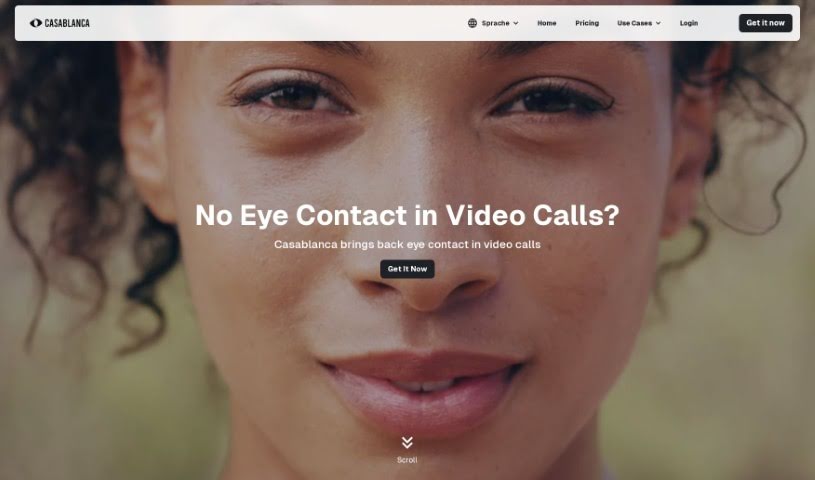
Screenshot of Casablanca

Casablanca

Discover what Casablanca is and how to use it effectively in 2025. Explore its features and see how it stacks up against other Video Enhancer & Upscalers.

Screenshot

What is Casablanca?

Casablanca is a software solution designed to make your video calls feel more natural and authentic. It’s all about creating genuine interactions, making sure you have real eye contact, and ensuring your facial movements look natural. How does it do this? It uses something called GAN technology, which stands for Generative Adversarial Networks. This tech helps create digital eye contact in real-time. Basically, it keeps your gaze focused on the person you’re talking to on the other side of the camera and aligns your head just right for that perfect, natural eye contact.

Casablanca works like a virtual webcam, so it’s compatible with all the video conferencing tools you probably already use, like Zoom, MS Teams, and Google Meet. It offers features like gaze correction, head alignment, and eye contact simulation. The goal is to help you build real connections during your video calls.

So, to sum it up, Casablanca is all about making video calls more authentic and engaging. It uses technology to copy natural human interaction cues, like eye contact and facial expressions, ultimately helping you communicate better and feel more connected online.

Who created Casablanca?

Casablanca was brought to life by Carsten Kraus, Markus Vollmer, and Ivan Alles. The company behind it is really focused on making video calls feel authentic. They’re all about improving interactions by creating digital eye contact in real-time, using that GAN technology we mentioned. The software also adjusts your head alignment so you’re facing the camera at the best angle for natural eye contact. It’s designed to work with popular video conferencing tools and runs on both Windows and Mac OS.

What is Casablanca used for?

Casablanca is pretty versatile for anyone who spends time on video calls. Here’s a breakdown of what it helps with:

  • Works on both Windows and Mac: You can use it no matter your operating system.
  • Boosts video call quality: It makes your video calls look and feel better.
  • Compatible with all video conferencing platforms: Whether you’re on Zoom, Teams, or Google Meet, it works.
  • Creates authentic and realistic interactions: It helps you feel more present and real.
  • Simulates natural eye contact: This is a big one – it keeps your eyes looking at the camera.
  • Adjusts your entire head for optimal alignment: It ensures your face is angled correctly for the best view.
  • Offers a non-permanent staring feature: This sounds interesting – it seems to help maintain focus without being creepy.
  • Frontalizes your face for alignment: It helps keep your face looking directly forward.
  • Mimics realistic facial expressions: Your expressions will look more natural.
  • Simulates authentic gaze direction: It makes your eye movements look real.
  • Helps you establish genuine eye contact in video calls: This is a core benefit.
  • Adjusts head alignment for optimal orientation: It ensures you’re always facing the camera well.
  • Emulates natural conversation flow: It makes the back-and-forth feel more like real life.
  • Enhances authenticity and realism in digital communication: Overall, it makes digital chats feel more genuine.
  • Creates a real, authentic connection in video calls: It’s all about building that rapport.
  • Mimics facial expressions during video calls: Your reactions will look more natural.
  • Simulates eye contact and facial movements: It covers both key aspects of natural interaction.
  • Improves video call quality on both Mac and Windows: It’s a cross-platform solution.
  • Frontalizes the face for better engagement in video calls: This helps keep participants focused.
  • Maintains eye contact even when looking at a second screen: This is super useful if you use multiple monitors.
  • Enhances video call quality: A general benefit that covers many aspects.
  • Simulates natural eye contact: Again, a key feature for authenticity.
  • Adjusts not just eyes: It’s a more holistic approach to facial realism.
  • Realistic facial expression mimicry: Makes your expressions believable.
  • Adds authenticity to digital communication: It bridges the gap between online and in-person.
  • Emulates real-life conversational interactions: It brings a touch of reality to digital chats.
  • Focuses on establishing a real, authentic connection in video calls: This is the ultimate goal.
  • Features non-permanent staring: A unique way to maintain focus.
  • Enhances digital conversation realism: Makes your online chats feel more genuine.
  • Closed beta offers exclusivity: If you’re interested, you can get early access.
  • Creates real facial expressions and gestures during video calls: It captures your natural movements.
  • Ensures optimal head alignment for face-to-face conversation experience: This is crucial for good eye contact.
  • Mimics natural behavior of eye contact and facial movements: It’s all about naturalness.
  • Enhances authenticity and realism of digital communication through AI: AI is the engine behind these improvements.
  • Improves video call quality on Mac and Windows: Consistent performance across platforms.
  • Focuses on eye contact simulation for more genuine connections: A primary function.
  • Provides video call enhancements like authentic eye contact and realistic facial expressions: It’s a package of improvements.
  • Adjusts entire head during calls for better engagement: This helps with overall presence.
  • Maintains a high level of digital authenticity in interactions: It keeps things real.
  • Creates a real connection in video calls through features like gaze correction, head alignment, and eye contact simulation: It combines several features for one goal.
  • Enhances authenticity and realism of digital communication with AI-enhanced features like gaze correction, head alignment, and eye contact simulation: This reiterates the core benefits and technology.
  • Establishes genuine interactions, real eye contact, and real facial movements during video calls for high digital authenticity: A comprehensive summary of its purpose.
  • Mimics natural conversation flow by providing features such as gaze correction and head alignment for optimal eye contact: It focuses on making conversations flow naturally.
  • Focusing on authentic connection by mimicking natural behavior of eye contact and facial movements: This highlights the core mission.
  • Providing features like gaze correction, head alignment, and non-permanent staring to establish authenticity in video calls: It lists key tools for authenticity.
  • Creating a more realistic video call experience through gaze correction, head alignment, and natural conversation emulation: It aims for a more lifelike experience.
  • Improving video call quality on both Mac and Windows with features like gaze correction and authentic eye contact: It emphasizes cross-platform benefits and key features.
  • Working with all common video conferencing tools such as Zoom, MS Teams, or Google Meet for authentic video calling experience: It ensures broad compatibility.
  • Simulating real-life conversational interactions with technology that maintains eye contact and adjusts the entire head for optimal alignment: It describes how it achieves realism.
  • Creates authentic and realistic interactions: A concise summary.
  • Adjusts the entire head for optimal alignment: A key technical function.
  • Mimics facial expressions during video calls: Another important feature.
  • Establishes a real connection in video calls: The ultimate outcome.
  • Focusses on creating genuine eye contact and facial movements: Highlights the core focus.
  • Mimics natural behavior of eye contact and facial movements: Reinforces the natural aspect.

Who is Casablanca for?

Casablanca is really for anyone who uses video conferencing regularly and wants to make their interactions feel more genuine. Think about these groups:

  • Professionals in video conferencing: If your job involves a lot of online meetings, this is for you.
  • Communication Experts: People who focus on how we communicate, especially digitally.
  • Digital communicators: Anyone whose work is primarily online.
  • Sales professionals: Building rapport is key in sales, and this can help.
  • Marketers: Engaging with audiences online is crucial.
  • Customer service representatives: Making customers feel heard and connected is important.
  • Content creators: Whether you’re streaming or recording, authenticity matters.
  • Therapists and Psychologists: Establishing trust and connection is vital in these fields.
  • Professionals in digital communication, virtual meetings, and video conferencing: A broader category covering many roles.
  • Professionals in digital communication: Specifically for those in online roles.
  • Video conferencing users: A general term for anyone using these tools.
  • Team leaders: Keeping your team connected and engaged virtually.
  • Interviewers: Making candidates feel comfortable and seen during virtual interviews.

Basically, if you’re looking to improve the quality and authenticity of your online conversations, Casablanca is designed with you in mind.

How to use Casablanca?

Using Casablanca is pretty straightforward. Here’s a step-by-step guide to get you started and make the most of it:

  1. Installation:
    • First, you’ll need to create an account on the Casablanca website. From there, you can download the software for free. Just make sure your computer meets the software’s requirements so it runs smoothly.
  2. Explore the Features:
    • Casablanca comes packed with features designed to boost your video calls. You’ll find options for authentic and realistic interactions, gaze correction to keep your eyes on the screen, a non-permanent staring feature, face frontalization for better alignment, and realistic facial expression mimicry. All of these work together to improve your video call quality.
  3. Check Compatibility:
    • Good news – Casablanca works with both Windows and Mac operating systems. Plus, it’s compatible with virtually all video conferencing software out there. It acts as a virtual camera, so you don’t need any extra hardware.
  4. Optimize Your Interactions:
    • The software really focuses on creating a genuine connection. It does this by simulating natural eye contact, adjusting your entire head for the best possible alignment, and mimicking your real facial expressions.
  5. Consider Joining the Beta:
    • If you’re eager to try it out before the official launch, you can join the waitlist for Casablanca’s closed beta phase on their website. This is a great way to experience its unique features firsthand and even provide valuable feedback.
  6. Embrace Authenticity:
    • Expect a high level of digital authenticity with Casablanca. The software is built to provide genuine interactions, real eye contact, and authentic facial movements during your video calls.

By following these steps and making use of Casablanca’s unique features, you can really step up your video call game, leading to more realistic interactions and authentic connections.

Related AI Tools

Discover more tools in similar categories that might interest you

Stay Updated with AI Tools

Get weekly updates on the latest AI tools, trends, and insights delivered to your inbox

Join 25,000+ AI enthusiasts. No spam, unsubscribe anytime.