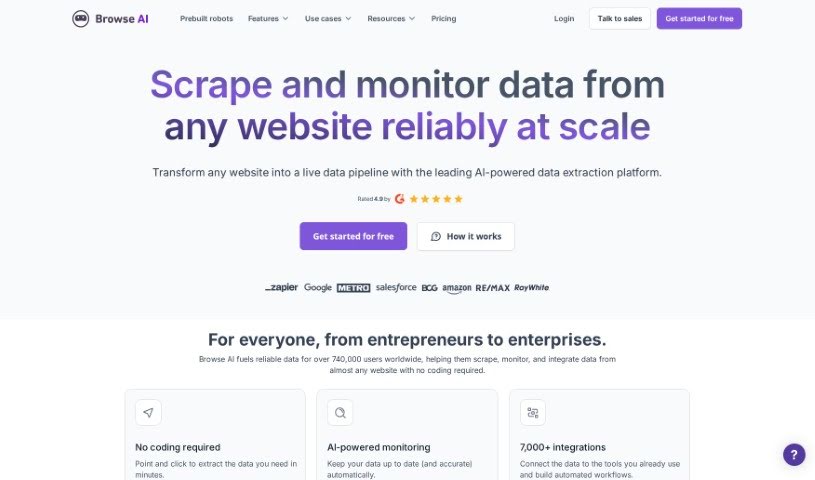
Screenshot of Browse AI

Browse AI

Discover what Browse AI is and how to use it effectively in 2025. We'll explore its features, compare it to other website builders, and show you how to get started.

Screenshot

What is Browse AI?

Browse AI is a handy web automation tool that lets you train robots to handle all sorts of tasks on websites. You can build these robots either by using Prebuilt Robots or the Browse AI Recorder. This software is great for pulling structured data from webpages, snapping screenshots, and keeping an eye on changes happening on a site. Plus, Browse AI takes data security seriously, using bank-level encryption and strict access management to keep your information safe. Whether you’re a tech whiz or just starting out, you can use Browse AI without needing to write a single line of code. They offer different pricing plans, which depend on how many credits you need for your tasks and what features are included in each tier.

Who created Browse AI?

Browse AI was actually started by a small team, initially just two people, and they self-funded it at first. They went through accelerators like Propel in Edmonton and another one in San Francisco. The company has since received investments from various sources, including XX and Angels of Many. It’s pretty cool that Zapier became their third investor! Eventually, with a user base of 250,000, they successfully raised US$2.8 million to help scale the company even further.

What is Browse AI used for?

Browse AI is super versatile! Here are some of the main things people use it for:

  • Finding Sales Leads: You can scrape lists of potential sales leads directly from online directories and marketplaces.
  • E-commerce Monitoring: Easily extract and keep track of product lists and their prices on e-commerce sites.
  • Competitor Analysis: Monitor your competitors’ websites and see where else they’re showing up online.
  • No-Code Data Scraping: Pull structured data from any webpage without needing to code.
  • Bulk Automation: Run up to 50,000 robots simultaneously for large-scale tasks.
  • Emulating User Actions: Make robots mimic how a real user would interact with a website.
  • Scheduled Data Extraction: Set up your robots to extract data at specific times or on a regular schedule.
  • Global Data Collection: Extract location-based data from anywhere in the world.
  • Handling Complex Navigation: It manages pagination and scrolling automatically.
  • Solving Captchas: The tool can handle captchas, so your automation doesn’t get stuck.
  • Automating Website Tasks: Basically, you can automate almost any task on a website without coding.
  • Building Custom Robots: Create robots to log in, click buttons, fill out forms, and more.
  • Extracting Data to Spreadsheets: Get structured data from webpages directly into spreadsheet formats.
  • Taking Screenshots: Capture images of webpages as needed.
  • Monitoring Webpage Changes: Keep an eye on specific parts of webpages for any visual or content updates.
  • Seamless Integrations: Connect with over 7,000 different applications.

Who is Browse AI for?

Browse AI is a great tool for a variety of professionals, including:

  • Sales professionals
  • E-commerce Managers
  • Market Researchers
  • Competitive intelligence analysts
  • Data Analysts
  • Competitive Intelligence Professionals
  • Competitive analysts
  • Sales Lead Scrapers
  • E-commerce Specialists
  • Competitor Analysts
  • E-commerce professionals

How to use Browse AI?

Getting started with Browse AI is pretty straightforward. Just follow these simple steps:

  1. Sign Up: First, create your free account. You won’t need a credit card to get started.
  2. Set Up Browser Extension: Install the Browse AI browser extension and follow the easy on-screen instructions.
  3. Record a Task: Use the automation feature to record yourself performing a task on a webpage. This teaches your robot exactly what to do.
  4. Name and Monitor: Give your robot a name and set it up to run automatically on a schedule, like daily or weekly.

People commonly use Browse AI to scrape sales leads from online directories, keep tabs on product prices on e-commerce sites, and track what competitors are up to online. It works on pretty much any website, and you don’t need any coding skills. Each plan comes with credits for your tasks, which are used based on how much data you extract or how many screenshots you take. Keep in mind that some premium websites might use more credits. For security, they use bank-level encryption, run on AWS infrastructure, use TLS 1.2, and have strict controls on who can access sensitive data. Payments are accepted in USD, and they offer discounts if you pay annually, or if you’re a non-profit, educational institution, or startup. Plus, they have a satisfaction guarantee that allows for a full refund within 60 days if certain conditions are met.

Related AI Tools

Discover more tools in similar categories that might interest you

Stay Updated with AI Tools

Get weekly updates on the latest AI tools, trends, and insights delivered to your inbox

Join 25,000+ AI enthusiasts. No spam, unsubscribe anytime.