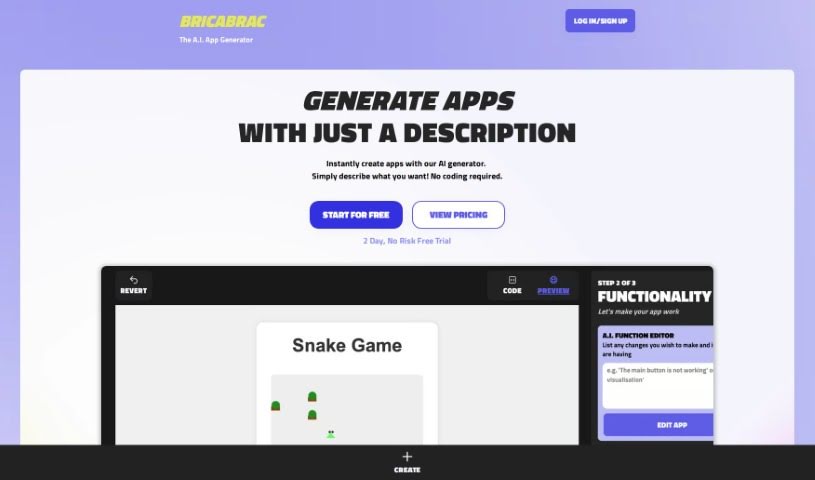
Screenshot of Bricabrac AI

Bricabrac AI

Discover what Bricabrac AI is and how to use it effectively in 2025. We'll explore its features and see how it stacks up against other app builders.

Screenshot

What is Bricabrac AI?

Bricabrac AI is a really neat tool that lets you build custom apps using AI, no coding required! Think of it as a generator for web-based tools, games, and apps. It uses natural language processing, specifically GPT-4, to take your text description and turn it into a fully working web app. If you’re on the free plan, you can create up to six apps each month. The Power Plan bumps that up to 102 AI generations monthly, plus you get unlimited hosting and the ability to export your code. You can also tweak your apps with a no-code editor, share them through the gallery, and even collaborate with others on app development. They’re also working on some cool new features, like support for external libraries, native apps, and user data authentication, which are currently in beta.

Who created Bricabrac AI?

Bricabrac was actually developed by the same folks who brought us ChatGPT, and they’re using GPT-4 technology to power its app generation. The company officially launched Bricabrac, their AI-powered custom app generator, on April 12, 2023. It’s designed so anyone can create web-based tools, games, and apps just by describing what they want – no coding skills needed! The AI then transforms your description into a fully functional web application with a user-friendly interface. Bricabrac AI offers a free plan that lets you generate up to six apps monthly, including free hosting and code export. For those who need more, the Power Plan provides up to 102 AI generations each month, unlimited hosting, and code export options, with the flexibility to cancel anytime.

What can you do with Bricabrac AI?

Bricabrac AI is pretty versatile! Here’s a rundown of what you can use it for:

  • Build web-based tools: Create handy tools for specific tasks.
  • Generate games: Design and develop your own games.
  • Develop apps without coding: Bring your app ideas to life, even if you’ve never written a line of code.
  • Turn descriptions into apps: It translates your text descriptions into working web applications.
  • Customize with a no-code editor: Easily make adjustments to how your apps look and work.
  • Share your creations: Post your apps in the gallery for others to see.
  • Remix existing apps: Take inspiration from or build upon apps others have shared.
  • Export your code: Get the underlying code for the apps you create.
  • Host your apps: Keep your apps running on Bricabrac’s platform.
  • Collaborate on apps: Work with others in a shared development environment.

Who is Bricabrac AI designed for?

Bricabrac AI is a great tool for a variety of users, including:

  • Web Developers: Quickly prototype or build web tools.
  • Game Developers: Create simple games or game prototypes.
  • App Developers: Streamline the initial development process.
  • Anyone without coding knowledge: If you have an app idea but can’t code, this is for you!

How do I use Bricabrac AI?

Using Bricabrac AI is straightforward. Just follow these simple steps:

  1. Describe Your App: Start by writing a plain text description of the app you want to build. Be as clear as possible – for instance, describe the game mechanics or the tool’s function.
  2. Generate the App: Let Bricabrac AI’s generator do the work! It will instantly create your app based on your description. Remember, no coding is needed here.
  3. Tweak it with the No-Code Editor: Once your app is generated, you can use the built-in no-code editor to fine-tune its appearance and how it works. You don’t need to touch any code.
  4. Export the Code (Optional): If you want to keep a copy of the app’s code or use it elsewhere, you can export it. This gives you full ownership and control.
  5. Share and Collaborate: Want to show off your creation? You can host your apps on Bricabrac AI’s gallery. This also opens the door for collaboration, letting others play with your apps, remix them, or even export the code themselves.
  6. Look out for Beta Features: Keep an eye out for exciting new features they’re testing, like support for external libraries, the ability to build native apps, and functionalities for user data storage and authentication.

By following these steps, you can easily create, customize, and share your own web-based tools, games, and apps with Bricabrac AI’s innovative platform.

Related AI Tools

Discover more tools in similar categories that might interest you

Stay Updated with AI Tools

Get weekly updates on the latest AI tools, trends, and insights delivered to your inbox

Join 25,000+ AI enthusiasts. No spam, unsubscribe anytime.