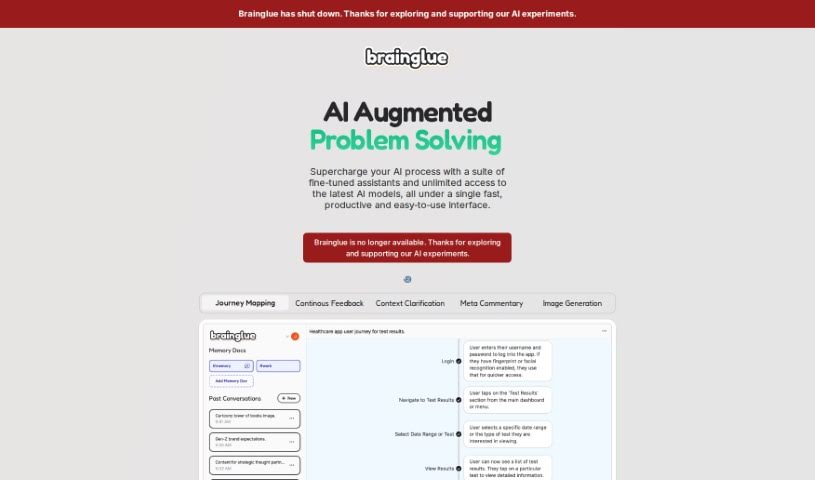
Screenshot of Brainglue

Brainglue

Discover what Brainglue is and how to use it effectively in 2025. We'll explore its features and see how it stacks up against other AI note-takers.

Screenshot

What is Brainglue?

Brainglue is a smart AI assistant that you can really steer. It’s designed to help you think more strategically, communicate better, and get a personalized AI experience. It’s especially great for knowledge professionals and anyone who works with creative ideas. Brainglue offers a bunch of useful AI tools for tasks like writing, analyzing information, doing research, and even creating illustrations. You can have interesting conversations with different AI personalities, use top-tier models like GPT-4, Claude 3, and Gemini Pro, and save important context in “memory docs” so you don’t have to repeat yourself. Plus, it has neat features like smart follow-ups, visual responses, memory documents, image generation with the latest models, web search capabilities, handy keyboard shortcuts, and many other innovative tools to boost your creativity and get more done.

Brainglue also wants to make it easy for you to play around with “prompt chains” to solve complex generative AI problems. It gives you a simple interface to build and use these chains, letting you try out different setups with large language models (LLMs) and really dig into how AI reasons. The platform supports several advanced AI models, including GPT-3.5 and GPT-4. You can set up global variables, change their values on the fly, and create AI chains where the output from one prompt automatically feeds into the next. Brainglue even estimates token usage, lets you send outputs via email, and offers a gallery of templates showing how to use prompt chains for all sorts of things – like classifying e-commerce comments, getting legal advice, generating recipes, or evaluating design challenges.

Who created Brainglue?

Brainglue was developed by Brainglue AI, Inc. and first launched on September 15, 2023. The team behind it built it for creative people, by creative people. It’s essentially an AI playground and a workflow API designed to help you tackle complex generative AI challenges. You can build and use prompt chains here, experimenting with different configurations of large language models (LLMs) and trying out various AI setups using advanced models like GPT-3.5 and GPT-4. Brainglue’s goal is to help you harness the power of AI, making it simple to move your ideas from initial experiments all the way to production.

What is Brainglue used for?

  • Creating images
  • Getting legal advice
  • Assistance with professional writing
  • Searching the web
  • Generating recipes
  • Classifying comments for e-commerce
  • Evaluating design problems
  • Smart Follow-Ups
  • Generating visual responses
  • Using Memory Documents
  • Automatic memory saving with #memory
  • Generating images using DALL-E-3
  • Web searches powered by Perplexity
  • Keyboard shortcuts and highlight actions
  • Providing an enhanced AI experience
  • Offering unlimited access to all flagship models
  • Enabling AI experimentation and prompt chaining with templates
  • Supporting product discovery
  • Assisting with tasks that require deep reasoning
  • Generating visual responses
  • Creating images with the latest models
  • Providing AI workflows designed by experts

Who is Brainglue for?

  • Product professionals
  • Creative minds
  • Creative professionals
  • Knowledge Professionals
  • Other creative minds

How to use Brainglue?

Here’s how you can get started with Brainglue:

  1. First, sign up! You can choose the Free Plan, which gives you a limited number of messages each month, or the Pro Plan for unlimited messages. If you sign up for Pro, you can use the code “GLUE100” to get your first month free.
  2. Next, dive into Brainglue’s AI playground and workflow API. This is where you can build prompt chains to solve generative AI problems. The interface is really user-friendly, making it easy to create and use prompt chains to explore different ways to set up large language models (LLMs).
  3. You can chain multiple prompts together to improve the AI’s reasoning for more complex tasks and extended projects. The platform supports various advanced AI models, like GPT-3.5 and GPT-4, and you can adjust things like context windows and temperature settings to fine-tune your AI setups.
  4. You can also define global variables, set their values dynamically using the API, and build AI chains where the results from one prompt automatically become the input for the next. This is how you get complex, well-reasoned AI outputs.
  5. Keep an eye on the token usage estimates provided by the platform to help you manage your prompt and output configurations efficiently. Once your chains are complete, you can use delivery actions to send the results, for example, via email or webhook endpoints.
  6. Finally, check out the template gallery. It’s full of examples showing different prompt chaining techniques for various uses, such as classifying e-commerce comments, getting legal advice, generating recipes, or evaluating design problems.

Overall, Brainglue offers a straightforward environment for building and experimenting with prompt chains. It makes it simple to scale your AI solutions, whether you’re just starting out or ready for production.

Related AI Tools

Discover more tools in similar categories that might interest you

Stay Updated with AI Tools

Get weekly updates on the latest AI tools, trends, and insights delivered to your inbox

Join 25,000+ AI enthusiasts. No spam, unsubscribe anytime.