What is Boomi?
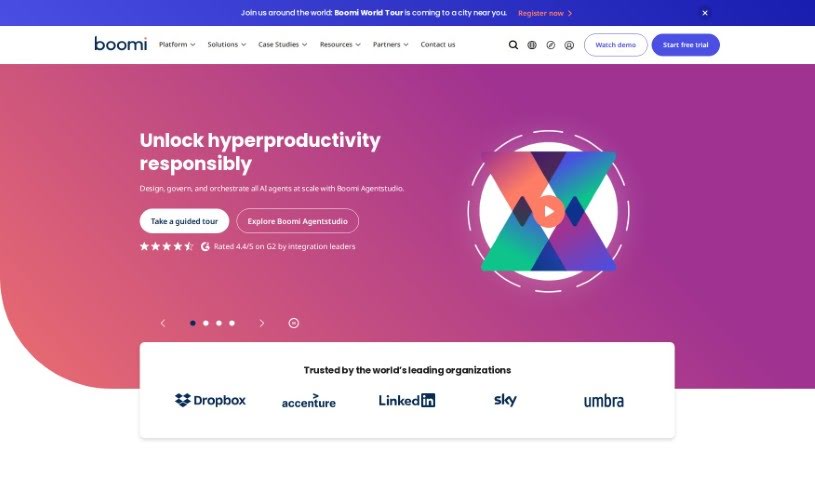
Boomi is a comprehensive solution that falls under the category of Integration Platform as a Service, or iPaaS. It is a powerful tool designed to help businesses with their digital transformation efforts. It makes connecting applications and data across different systems and environments much simpler. Boomi offers a range of features to achieve this, including easy application integration, straightforward API management, a Master Data Hub to give you a single, unified view of your data, and tools for B2B/EDI management. It also supports real-time, event-driven integration through its Event Streams feature, and you can automate workflows using its low-code tool called Flow. Boomi even integrates generative AI to boost its integration and automation capabilities, keeping up with today’s business demands. Plus, the platform is built with a secure and compliant architecture, offers flexible pricing, and comes with connectors for popular services like Salesforce, NetSuite, SAP, and many others.
Who created Boomi?
The Boomi Integration Platform was brought to life by three key individuals: Rick Nucci, Chris McNabb, and Michael J. Morton. Rick Nucci, one of Boomi’s co-founders, brought a strong background in technology and entrepreneurship to the table, significantly shaping the platform’s creation. Chris McNabb, another co-founder, contributed his deep expertise in software development and management, which was crucial in establishing the platform’s foundation. Michael J. Morton, also a co-founder, added his valuable experience in both technology and business to the development process, helping to build Boomi into what it is today.
What is Boomi used for?
Here’s a look at what Boomi helps you accomplish:
- Simplified integration of various applications: Connect different software systems with ease.
- Streamlined API management: Manage your application programming interfaces efficiently.
- Master Data Hub for a unified data view: Get a single, consistent view of your important data across the board.
- Collaboration tools for trading partners via B2B/EDI Management: Work smoothly with your business partners.
- Real-time event-driven integration through Event Streams: Handle data as it happens, in real-time.
- Low-code workflow automation with Flow: Build custom applications and automate tasks without needing extensive coding knowledge.
- Boomi AI integration and automation with generative AI: Use artificial intelligence to make your integration and automation processes smarter and more efficient.
- Secure and compliant architecture: Ensure your data and integrations are safe and meet regulatory standards.
- Flexible pricing options: Choose a pricing plan that fits your needs and budget.
- Integration with popular services like Salesforce, NetSuite, SAP, Workday, Amazon, ServiceNow, and Slack: Connect to the tools you already use.
Who is Boomi for?
Boomi serves a wide range of industries and sectors, including:
- Healthcare and Life Sciences
- Manufacturing
- Financial Services
- Retail
- Public Sector
- Higher Education
How to use Boomi?
Getting started with the Boomi Integration Platform is straightforward. Here’s a step-by-step guide:
- Sign Up: Your first step is to sign up for a free 30-day trial on the Boomi website. This gives you full access to explore all the platform’s features and services.
- Explore Features: Take some time to get familiar with what Boomi offers. This includes its easy application integration capabilities, API management tools, the Master Data Hub for a unified data view, B2B/EDI Management, Event Streams for real-time integration, and the low-code workflow automation with Flow.
- Connect Applications: Boomi makes it simple to connect your applications. You can use its extensive library of connectors to integrate popular services like Salesforce, NetSuite, SAP, Workday, and many more. In fact, the platform supports over 300,000 app connections, so you’re likely to find what you need.
- Create Workflows: Take advantage of the low-code workflow automation feature. You can build custom applications and automate your business processes with very little coding required.
- AI Integration: If you want to streamline processes and boost automation, consider implementing Boomi’s generative AI integration.
- Data Management: Use the Master Data Hub to keep your data synchronized. This helps ensure you have a complete 360-degree view of your data across your entire organization.
- Scale Up: You can start with just the basic services you need and then easily scale up to include more advanced features like API Management, EDI, and Event Streams as your business requirements evolve.
- Access Support: Boomi is designed to be user-friendly, featuring drag-and-drop functionality and pre-built connectors. It’s also scalable for businesses of any size, and there’s an active user community ready to help if you need assistance or have questions.
By following these steps, you’ll be well on your way to effectively using the Boomi Integration Platform for seamless application integration, efficient workflow automation, and robust data management as your business grows.