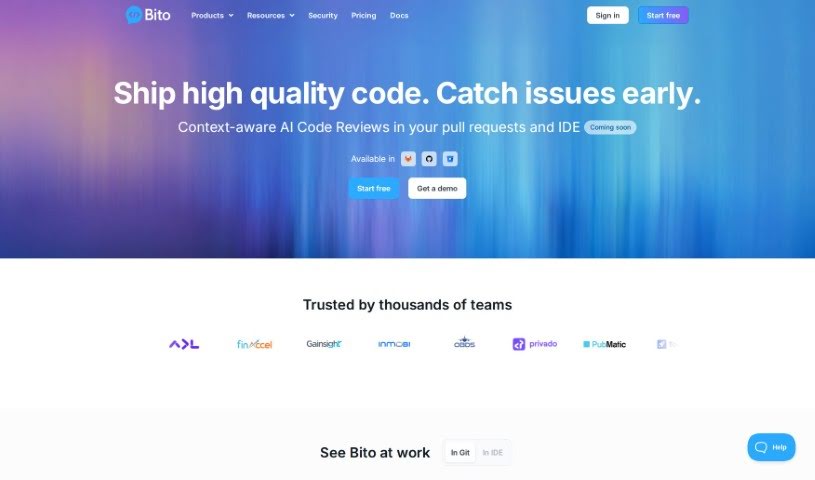
Screenshot of Bito AI

Bito AI

Discover what Bito AI is and how to make the most of its features in 2025. We'll cover its capabilities, compare it to other code generators, and guide you through using it.

Screenshot

What is Bito AI?

Bito AI is a platform designed to make powerful AI tools easily accessible and accurate for developers. It is a helpful assistant for software engineers, built to boost both how fast you code and how good that code is. Bito AI offers a range of handy tools, including AI Code Review Agents, an AI Chat that works right inside your IDE or CLI, AI Code Completions to help you write code faster, and AI that really understands your code.

What’s great is that Bito AI prioritizes your privacy. They don’t store your code, and your data isn’t used to train their AI models. They also encrypt your transmitted data and use role-based access controls to keep sensitive information safe. Plus, Bito AI won’t share your user data with anyone outside the platform. You can even access your own usage data securely within your organization. If you want to dive deeper, you can always check out Bito AI’s Terms of Use and Privacy Statement.

Who created Bito AI?

Anand is the co-founder and CTO of Bito. He’s got a strong background, having previously led teams at Eyeota and PubMatic, where he really showed off his technical vision and knack for innovation. Anand holds seven patents across different software areas and earned his degrees in Computer Science from the University Of Pune in India.

What is Bito AI used for?

Bito AI is incredibly versatile and can help with a lot of different tasks. You can use it for:

  • AI chatbots for quick questions or help.
  • AI coding assistants to speed up your development.
  • Automation tools to handle repetitive tasks.
  • Writing unit tests to ensure your code works correctly.
  • Code Review Tools to catch potential issues.
  • Integrating with your code editors.
  • Explaining code so you understand it better.
  • Improving code performance.
  • Generating test cases for thorough testing.
  • Documenting your code automatically.
  • Adding comments to your code.
  • Checking code performance.
  • Writing code with AI assistance.
  • Discussing code and getting insights.
  • Code Formatting to keep things tidy.
  • Using AI Code Review Agents for feedback.
  • Accessing AI Chat in your IDE or CLI for instant help.
  • Getting AI Code Completions to write code faster.
  • Leveraging AI that understands your code.
  • Automatically completing lines of code, or even entire blocks, functions, or classes based on comments you provide.
  • Explaining code clearly.
  • Writing unit tests efficiently.
  • Commenting on code to make it more readable.
  • Checking code performance.
  • Using AI Chat in your IDE or CLI.
  • Utilizing AI that understands code.
  • Writing code with AI assistance.
  • Explaining code with AI.
  • Commenting on code.
  • Checking code performance.
  • Explaining concepts with AI.

Who is Bito AI for?

Bito AI is a fantastic tool for anyone involved in software development and data. This includes:

  • Developers of all kinds.
  • Entire Development teams.
  • Software engineers.
  • Software developers.
  • AI engineers.
  • Data scientists.
  • IT professionals.
  • Business and Data Teams.

How to use Bito AI?

Getting started with Bito is pretty straightforward. Here’s a simple breakdown:

  1. Access Bito: First, head over to the Bito platform. You can log in at https://alpha.bito.ai/auth/login.
  2. Choose Your Plan: Bito offers a Free Plan that gives you 20 AI requests each day. If you need more, there’s also a 10X Developer plan with extra features and more requests.
  3. Integration: Bito plays nicely with other platforms you might already use, like GitHub, GitLab, and BitBucket, making it easy to fit into your existing workflow.
  4. AI Features: Dive into the AI functionalities! You can use features like code review analytics, chat and code completions, and even programmable AI directly in your CLI.
  5. Security: You can count on Bito for security. They encrypt data while it’s being sent, and they’re planning even more security enhancements like SSO, SCIM, and SAML.
  6. Support: If you need help, Bito has a Slack Community where you can usually get a response within 24 hours on business days. They also offer dedicated customer success managers.
  7. Administration: For teams, Bito provides tools for managing your workspace, including team management features to help everyone collaborate better.
  8. Upgrade Options: If you find yourself needing more power, you can upgrade to access advanced AI models like GPT-4o, Claude Sonnet 3.5, and others.

Just a reminder, the Free Plan is always free, and they’re constantly making improvements. You can always upgrade to a paid plan with more features whenever you feel the need.

For more in-depth guidance on using Bito’s features and getting the most out of it, feel free to check out the official documentation or reach out to their support team at [email protected].

Related AI Tools

Discover more tools in similar categories that might interest you

Stay Updated with AI Tools

Get weekly updates on the latest AI tools, trends, and insights delivered to your inbox

Join 25,000+ AI enthusiasts. No spam, unsubscribe anytime.