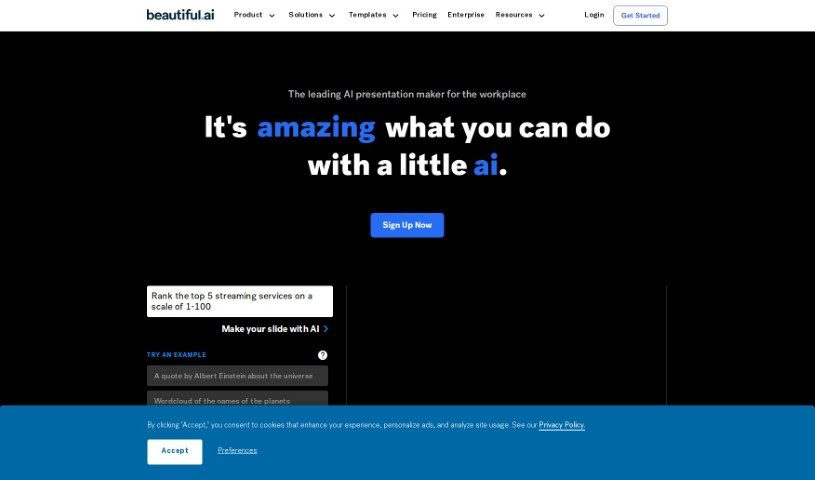
What is Beautiful.AI Designerbot?
Beautiful.AI Designerbot is an online tool that makes creating presentations much simpler. It helps you build impactful slides with smart, AI-assisted designs. You get customizable templates, a huge library of free stock photos and videos, and lots of animation options. Plus, it offers advanced analytics, secure sharing, team collaboration tools, and even voice narration support. The AI, called DesignerBot, is really neat because it can whip up presentation drafts based on your briefs or descriptions. It then automatically adjusts the slide layouts and designs as you add your content.
DesignerBot, which is part of Beautiful.AI, really speeds up presentation creation. It generates those initial drafts from your briefs or by understanding the type of presentation you need. It can even turn your ideas into unique images just by you describing them.
Beautiful.AI gives you tons of ways to customize your presentations. You can choose from many smart slide templates, create custom style themes to match your brand identity, and access millions of free stock photos, videos, and icons to make your visuals pop.
What’s more, Beautiful.AI offers over 60 customizable Smart Slide templates. These are perfect for all sorts of things, like pitching ideas, outlining business plans, or putting together marketing reports. They really help you create impressive presentations quickly.
If you’re working with a team, the Team Plan on Beautiful.AI is a game-changer. It’s built to boost collaboration with shared team slides and themes, a central content library, team folders, and Single Sign-on (SSO) login. It also includes centralized billing and other features that make managing presentations for your whole team much smoother.
Who created Beautiful.AI Designerbot?
Mitch Grasso is the mind behind Beautiful.AI Designerbot. He launched the platform on May 10, 2022. Mitch has a solid background, with over 20 years of entrepreneurial experience. Before this, he founded Sliderocket, which VMware acquired in April 2011. The team at Beautiful.ai is really focused on making it easy to create presentations that have a big impact, by building intelligent design right into the tool. They truly believe in the power of simplicity, value inclusivity and teamwork, and are dedicated to giving customers a top-notch experience.
What is Beautiful.AI Designerbot used for?
- Advanced Analytics: Keep track of how your presentations are performing.
- Team Collaboration: Features designed to help teams work together seamlessly.
- Customizable Templates: Tailor presentations to your specific needs and brand.
- Automatic Slide Animations: Add dynamic movement to your slides without manual effort.
- Professional Layout Design: Ensure your slides always look polished and well-organized.
- Curated Presentation Templates: Access a selection of ready-to-use templates for various purposes.
- Remote Collaboration: Work with colleagues from anywhere.
- Automatic Content Adaptation: Let the AI adjust layouts based on what you add.
- Offline Player: View your presentations even without an internet connection.
- Shared Team Content Libraries: Keep all your team’s assets in one accessible place.
- Audience Engagement Features: Tools to help capture your audience’s attention.
- Over 1 Million Users: Join a large and active community.
- Computer-based Desktop Player: Use the tool on your desktop.
- Enhancing Collaboration: Specifically designed to make teamwork easier.
- Monthly Subscriptions Refund Policy: Information on refunds for monthly plans.
- Free Stock Photos and Videos: Access a vast library of media at no extra cost.
- Animation Capabilities: Add visual flair with various animation options.
- Secure Sharing and Collaboration Tools: Share your work safely and work with others.
- Voice Narration: Add spoken commentary to your presentations.
- Shared Team Slides and Themes: Maintain brand consistency across team projects.
- Integrations: Connects with popular tools like Slack, Dropbox, PowerPoint, and monday.com.
- Creating Impactful Presentations: The core purpose – making presentations that resonate.
- Automatically Adapt Slide Layouts and Designs: The AI intelligently adjusts visuals based on your content.
- Generate a First Draft: Get a head start with AI-generated presentation outlines.
- Aid in Creating Marketing Reports: Design visually striking materials for campaigns.
- Create On-Brand Sales Proposals: Quickly generate professional proposals that match your brand.
- Help Startups Create Pitch Decks: Make engaging presentations to showcase business ideas.
- Promote Consistency and Creativity: Ensure a unified look and feel while encouraging fresh ideas.
- Enable Remote Collaboration: Work effectively with team members regardless of location.
- Scale Productivity: Streamline presentation workflows across your entire organization.
- Sync Up and Sign Off Faster: Improve team efficiency with the Team Plan.
- AI-Assisted Design: Leverage artificial intelligence for better slide visuals.
- Customizing Templates: Make presentations uniquely yours.
- Adapting Slide Layouts: The AI intelligently adjusts visuals based on your content.
- Creating Visual Forms from Ideas: Turn concepts into compelling visuals.
- Assisting in Creating Marketing Reports: Design visually striking materials for campaigns.
- Designing Engaging Pitch Decks: Make compelling presentations to showcase business ideas.
- Providing Free Plans: Offers free options for students and educators.
Who is Beautiful.AI Designerbot for?
- Marketing Professionals: Create compelling marketing materials and reports.
- Sales Teams: Develop persuasive sales proposals and presentations.
- Startups: Craft engaging pitch decks to secure funding and partnerships.
- Marketers: Design visually appealing campaigns and reports.
- Sales Professionals: Close deals with impactful and well-designed presentations.
How to use Beautiful.AI Designerbot?
Ready to create some amazing presentations? Here’s how to get started with Beautiful.AI DesignerBot:
-
Getting Started:
- First, sign up for an account on Beautiful.AI and log in. It’s pretty straightforward.
- Once you’re in, take a moment to explore the dashboard. Get a feel for all the tools available.
-
Creating a New Presentation:
- Look for the “New Presentation” button and click it.
- You’ll then choose the kind of presentation you need – maybe a marketing report, a pitch deck, or a business plan.
-
Utilizing DesignerBot:
- This is where the magic happens! Give DesignerBot a brief or a description of what your presentation should cover.
- DesignerBot will then generate a first draft for you, based on what you’ve told it.
- It’s smart enough to automatically adjust the slide layouts and designs to perfectly fit your content.
-
Customizing Your Presentation:
- You’ve got a huge selection of smart slide templates to choose from.
- Personalize these templates by adding your own content.
- Make it truly yours by incorporating your brand’s specific colors, fonts, and logos.
-
Adding Media and Animations:
- Spice things up by including images and videos from the massive library of free stock media.
- Want to add some flair? Create animations to make your presentation more visually engaging.
-
Collaborating and Sharing:
- If you’re working with others, you can collaborate in real-time right on the platform.
- Sharing is easy – send your presentation via links, email, or even embed it on a website.
-
Analyzing Performance:
- Want to know how well your presentation is doing? Access the advanced analytics to check its effectiveness.
-
Exploring Additional Features:
- Try out the voice narration feature to add a spoken element to your presentation.
- Need a specific template? Just search the slide library.
- For presentations you need to access offline, download the desktop player.
-
Subscription and Support:
- Take a look at the different subscription plans to see which one fits best.
- If you have any questions or need a hand, don’t hesitate to contact support.
Beautiful.AI really makes it easy with its user-friendly interface, AI-powered design help, and all the customization options. You can create professional, engaging presentations without a fuss. So, why not start designing impactful presentations today with Beautiful.AI DesignerBot?