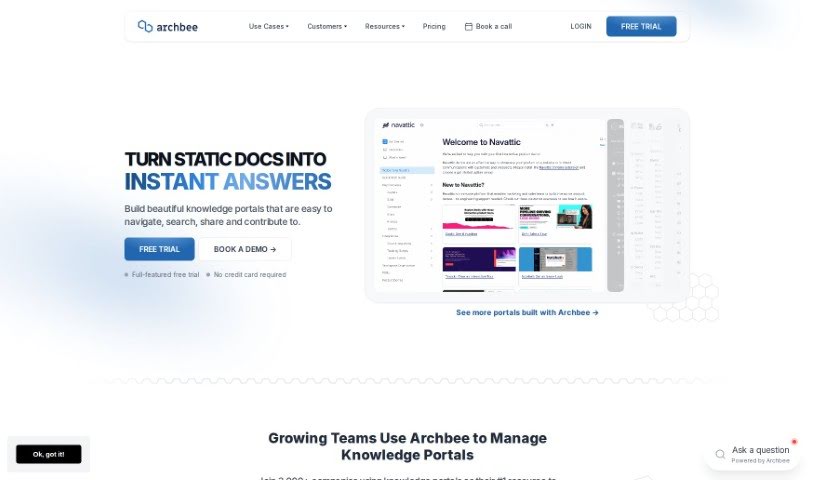
What is Archbee?
Archbee is a really thorough platform for building and managing your documentation. It is your go-to place for creating documentation portals that can instantly answer questions for both your users and your developers. It’s packed with features like Generative AI to help you get quick answers, tools for creating content together with your team, and integrations that make your whole workflow smoother. People often mention how easy Archbee is to use, especially when they need to create technical documentation fast.
Who created Archbee?
Greg Soltys is the person behind Archbee. He launched it on June 30, 2023. Essentially, Archbee is a documentation platform built to help people create, publish, and keep up-to-date documentation portals. The goal is to provide immediate answers to questions users and developers might have. What’s cool about Archbee is its Generative AI for quick responses, its collaborative content creation features, team review processes, custom blocks, and how smoothly it connects with other tools. It’s earned a lot of praise for being user-friendly and efficient for creating technical documentation quickly. Right now, over 3,000 teams across various industries are using it.
What is Archbee used for?
- Helping customers with their questions
- Creating user guides
- Building developer documentation
- Producing product documentation
- Setting up onboarding and training materials
- Documenting internal processes
- Crafting design documentation
Who is Archbee for?
Archbee is a great fit for a wide range of people and teams who need to create and manage documentation:
- For creating guides: User guides, developer documentation, product documentation, onboarding and training materials, process documentation, and design documentation.
- For customer-facing roles: Customer support, Customer Support Specialists, and Customer Support Representatives.
- For product and design teams: User Experience Designers, Product teams, Product Managers, and Designers.
- For technical roles: Developers, Software developers, and Technical Writers.
Basically, if your team is involved in creating any kind of technical documentation, Archbee can likely help. This includes Team Managers and Quality Assurance Specialists (both QA Specialists too!) who need clear, accessible information.
How to use Archbee?
Here’s a simple, step-by-step guide to getting the most out of Archbee:
- Sign Up: First things first, head over to the Archbee website and sign up. It’s the starting point for everything.
- Choose a Plan: Take a look at the different plans available. You’ll want to pick one that fits your team’s size and exactly what you need for your documentation. They have options from Starter all the way up to Enterprise, so there’s something for everyone.
- Document Creation: Now, you can start building your documentation. I’d recommend using the AI-powered Write Assist feature. It’s super helpful for summarizing text, editing, and making sure your content has just the right tone.
- Collaborate: Don’t work alone! Invite your team members to join in and collaborate in real-time. You can easily review changes, merge them, assign tasks to experts, and keep everything up-to-date with document verifications.
- Customize Templates: Make your documentation look great by using custom templates. You can add all sorts of blocks like images, videos, diagrams, and even API references to really craft an engaging experience for your readers.
- Publishing: Once your documentation is all set, you can publish it directly to your own domain, which Archbee hosts for you. You get features like hosting, custom blocks, and custom CSS to really polish the user experience.
- Integrations: Make your life easier by connecting Archbee with other tools your team already uses. This really helps streamline your workflows and keeps everything running smoothly.
- Support and Onboarding: Use Archbee’s AI technology to give users instant, accurate answers to their questions, offering support 24/7. You can also make developer onboarding much simpler and improve the overall user experience by quickly handling billing and technical questions.
- Reviews and Enhancement: It’s a good idea to regularly check and improve your documentation. This keeps it relevant and helpful. Features like AI conversational analytics can give you insights to make things even better over time.
- Feedback and Growth: Always try to gather feedback from your users. This is key to continually improving your documentation and adapting as needs change. As your user base grows, you can scale your support and documentation efficiently.
By following these steps, you’ll be able to use Archbee really effectively. You can create, publish, and maintain your documentation, ensuring users and developers get their questions answered instantly, all while boosting collaboration and making the user experience much better.